
PG Master Diploma in Enterprise Platform Engineering & IT Infrastructure Management
A comprehensive 9-course PG Master Diploma covering Red Hat Linux Administration (RHCSA & RHCE with Ansible), Site Reliability Engineering (SRE), AIOps, AWS Solution Architect, end-to-end DevOps Engineering (Git, Jenkins, Docker, Kubernetes, Terraform, Ansible, GitOps), GenAI & Agentic AI for infrastructure automation, Multi-Cloud Kubernetes (AKS, EKS & GKE), MLOps, and Python Scripting for DevOps & MLOps. 400–430 hours of 90% practical, hands-on training with real-time enterprise scenarios, building job-ready Linux, Cloud, SRE, AIOps, DevOps, AI and MLOps skills through real-world infrastructure projects and placement-oriented training.
PG Master Diploma — Enterprise Platform Engineering
Cloud, DevOps, SRE & AIOps Programme
Tools you'll master
Why This Course?
Prerequisites
Programme Overview
9 courses covering Red Hat Linux (RHCSA & RHCE), Site Reliability Engineering (SRE), AIOps, AWS Solution Architect, DevOps Engineering, GenAI & Agentic AI, Multi-Cloud Kubernetes and MLOps — a single, progressive learning arc for enterprise Linux, Cloud, DevOps, AI & MLOps careers.
RHCSA — Core Linux Administration
Master Linux fundamentals, users & permissions, process management, package management, storage/LVM, networking, firewall and SELinux — RH124 + RH134.
RHCE — Automation with Ansible
Automate infrastructure using Ansible — playbooks, roles, variables, conditionals and handlers — RH294.
Python Scripting for Linux Admins
Automate day-to-day system administration tasks — disk monitoring, log analysis and backup automation — using Python.
AWS Cloud Fundamentals
Work hands-on with Amazon EC2, S3, VPC and IAM, and deploy a Linux web server on AWS cloud.
DevOps Basics for Linux Admins
Learn Git version control, Docker containerization and CI/CD pipeline concepts with Jenkins.
SRE — Site Reliability Engineering
Master SLIs/SLOs/SLAs and error budgets, Kubernetes, Terraform, Prometheus/Grafana/ELK observability, and incident management with RCA.
AIOps — AI for IT Operations
Apply Machine Learning to IT operations — anomaly detection, predictive analytics, AI-driven root cause analysis and self-healing automation.
AWS Solution Architect
Master advanced VPC/networking, EC2, storage & databases, serverless & containers, IaC and HA/DR — job-ready enterprise cloud architecture skills.
DevOps Engineering
End-to-end DevOps toolchain — Git, Maven, Jenkins CI/CD, Docker, Kubernetes, Terraform, Ansible, GitOps with ArgoCD, plus Istio, Packer, ELK and Vault.
GenAI & Agentic AI
Build AI agents for infrastructure — prompt engineering, LangChain, AI-generated Terraform/Kubernetes configs, and autonomous DevOps assistants.
Kubernetes Multi-Cloud
Run production Kubernetes across AKS, EKS and GKE — networking, IAM/RBAC, Helm, GitOps, observability and multi-cloud DR strategies.
MLOps for Infrastructure Engineers
Deploy and operate ML systems in production — model serving on Kubernetes, ML CI/CD, drift detection and automated retraining.
Who is this programme for?
Whether you're a fresher, a Linux/System Administrator, a developer or already working in IT — this programme is built to take you into a high-demand Cloud, DevOps, SRE, AIOps or Platform Engineering role.
Students & Freshers
Build strong Linux, Cloud & DevOps foundations, gain practical enterprise experience, and improve employability from day one.
Linux Administrators
Earn your RHCSA & RHCE, learn Ansible automation, and transition confidently into DevOps and Cloud roles.
System Administrators
Modernize your infrastructure management skills, learn AWS cloud fundamentals, and automate daily operations with Python and Ansible.
Developers
Learn Git workflows, Docker containerization, and CI/CD pipeline basics with Jenkins.
Cloud Engineers
Build a strong AWS foundation — EC2, S3, VPC, IAM — and pair it with Linux and DevOps automation skills.
Working Professionals
Upskill with globally recognized RHCSA & RHCE certifications, accelerate career growth, and prepare for senior infrastructure roles.
Course Curriculum
9 courses • 114 modules • 90% practical, hands-on training
Combo pack of RHEL 8, RHEL 9 & RHEL 10 — Linux Administration, Automation, Scripting, Cloud Fundamentals and DevOps Basics.
Course Content
RHCSA — Red Hat Certified System Administrator RH124 + RH134
Focus: Core Linux Administration Skills
Topics:
- Linux architecture
- File system hierarchy
- Command-line usage
- Text processing tools
- File compression and archiving
- Input/output redirection
Hands-On / Demo
- › Lab: Navigate the file system
- › Lab: Search files
- › Lab: Compress and extract archives
- › Assignment: Find files larger than 200MB and archive them into a backup file
- › Job Scenario: A developer accidentally deleted logs — recover compressed backup files from archive
Topics:
- Creating users
- Managing groups
- Password policies
- Default user settings
- Privilege delegation using sudo
Hands-On / Demo
- › Lab: Create users
- › Lab: Assign groups
- › Lab: Configure sudo access
- › Assignment: Create users for HR, Finance, and IT departments
- › Job Scenario: A developer needs temporary administrative access — configure secure sudo access
Topics:
- File permissions
- Ownership
- Special permissions (SUID, SGID, Sticky bit)
- Access Control Lists (ACL)
Hands-On / Demo
- › Lab: Configure permissions for shared directories
- › Lab: Implement ACL rules
- › Assignment: Create a shared project directory accessible by multiple teams
- › Job Scenario: Allow read access to one user without changing file ownership
Topics:
- Process monitoring
- Process lifecycle
- Background jobs
- Resource usage monitoring
- Commands: ps, top, kill, nice, renice
Hands-On / Demo
- › Lab: Identify high CPU processes
- › Lab: Manage background jobs
- › Assignment: Write a command sequence to identify the top memory-consuming process
- › Job Scenario: Production server is slow — find the process causing CPU overload
Topics:
- RPM package system
- Repository configuration
- Installing software packages
- Updating packages
- Querying packages
Hands-On / Demo
- › Lab: Install packages
- › Lab: Configure a local repository
- › Assignment: Install web server packages from a repository
- › Job Scenario: Server cannot access the internet repository — create a local package repository
Topics:
- Disk partitions
- File systems
- Mounting storage
- Persistent mounts
- Logical Volume Manager (LVM)
- Disk quotas
Hands-On / Demo
- › Lab: Create partitions
- › Lab: Create logical volumes
- › Lab: Extend storage
- › Assignment: Create a 10GB logical volume and mount it permanently
- › Job Scenario: Database server storage is full — extend the logical volume without downtime
Topics:
- Configure IP addresses
- Configure hostname
- DNS configuration
- Network troubleshooting
Hands-On / Demo
- › Lab: Configure static IP
- › Lab: Configure hostname
- › Assignment: Configure two servers to communicate over the network
- › Job Scenario: Users cannot access the server due to incorrect network configuration
Topics:
- Firewall configuration
- Allow and block ports
- Secure shell configuration
Hands-On / Demo
- › Lab: Configure firewall rules
- › Lab: Enable SSH access
- › Assignment: Allow web server traffic through the firewall
- › Job Scenario: Application is running but users cannot access it due to firewall rules
Topics:
- SELinux modes
- SELinux policies
- File context management
- Troubleshooting SELinux issues
Hands-On / Demo
- › Lab: Restore SELinux contexts
- › Lab: Modify SELinux rules
- › Assignment: Fix a web server access issue caused by SELinux
- › Job Scenario: Application fails after SELinux policy enforcement
Topics:
- System log files
- Log monitoring
- Troubleshooting system failures
Hands-On / Demo
- › Lab: Analyze logs
- › Lab: Identify errors
- › Assignment: Identify the reason for a service failure using log files
Tasks:
- Install Linux server
- Configure users
- Configure storage using LVM
- Configure networking
- Configure firewall and SELinux
- Deploy web server
Deliverables
- › Server documentation
- › Configuration scripts
RHCE — Red Hat Certified Engineer RH294
Focus: Automation using Ansible
Topics:
- Automation concepts
- Infrastructure automation
- Configuration management
- Ansible architecture
Hands-On / Demo
- › Lab: Install Ansible
- › Lab: Configure inventory
- › Assignment: Run commands on multiple servers using Ansible ad-hoc commands
Topics:
- YAML syntax
- Playbook structure
- Tasks and modules
- Variables
Hands-On / Demo
- › Lab: Write playbooks
- › Lab: Execute automation tasks
- › Assignment: Create a playbook to install a web server on multiple machines
Topics:
- Copy files
- Manage configuration files
- Template management
Hands-On / Demo
- › Lab: Deploy configuration files to servers
- › Assignment: Deploy an application configuration file to 5 servers
Topics:
- Create users
- Manage groups
- Manage SSH keys
Hands-On / Demo
- › Lab: Automate user creation
- › Assignment: Create 10 users across servers using a playbook
Topics:
- Start and stop services
- Enable services
- Restart services
Hands-On / Demo
- › Lab: Manage services across multiple servers
- › Assignment: Ensure the web server service is running on all nodes
Topics:
- Role structure
- Role variables
- Reusable automation roles
Hands-On / Demo
- › Lab: Create reusable roles
- › Assignment: Create a role for installing the Apache web server
Topics:
- Loops
- Conditionals
- Handlers
- Error handling
Hands-On / Demo
- › Lab: Implement conditional automation
- › Assignment: Automate full server configuration using playbooks
Tasks (using Ansible):
- Deploy web servers
- Configure firewall
- Create users
- Deploy application configuration
- Start services
Deliverables
- › Automation scripts
- › Server configuration reports
Python for Linux System Administrators Duration: 7 Hours
Objective: Enable Linux admins to automate system administration tasks using Python scripts.
Topics:
- Introduction to Python
- Why Python is popular for DevOps and system administration
- Installing Python on Linux
- Python interpreter and script execution
- Writing first Python program
Hands-On / Demo
- › Lab: Write a script to print hostname, current date and system uptime
- › Assignment: Create a Python script that displays CPU, memory and disk usage
Topics:
- Variables and data types
- Lists, tuples, dictionaries
- Conditional statements (if/else)
- Loops (for / while)
- Functions
Hands-On / Demo
- › Lab: Write scripts to check disk space and list running processes
- › Assignment: Create a script that monitors disk space and alerts when usage exceeds 80%
Topics:
- Reading and writing files
- Log file analysis
- Using the OS module
- Running Linux commands from Python
- Working with environment variables
Hands-On / Demo
- › Lab: Create a script to analyze Linux system logs
- › Assignment: Write a Python script to check log files, detect error messages and generate a report
Topics:
- Automating user creation
- Backup automation
- Monitoring scripts
- Scheduling scripts using cron
Hands-On / Demo
- › Mini Project: Create a server health monitoring script
AWS Fundamentals for Linux Administrators Duration: 7 Hours
Topics:
- Cloud computing concepts
- Benefits of cloud
- Types of cloud models
- Infrastructure as a Service
- Overview of Amazon Web Services
Hands-On / Demo
- › Assignment: Compare on-premise infrastructure vs cloud infrastructure
Topics:
- AWS Global Infrastructure
- Compute: Amazon EC2
- Storage: Amazon S3
- Networking: Amazon VPC
- Identity and Access Management: AWS IAM
Hands-On / Demo
- › Lab: Create an EC2 Linux instance, connect using SSH, upload files to S3
- › Assignment: Launch a Linux web server on EC2
Topics:
- Key pairs and security groups
- Elastic IP
- Storage options (EBS)
- Monitoring with Amazon CloudWatch
- Auto scaling concept
Hands-On / Demo
- › Lab: Configure a web server on an EC2 instance
- › Mini Project: Deploy a Linux Apache web server on AWS cloud
DevOps Fundamentals for Linux System Administrators Duration: 6 Hours
Topics:
- What is DevOps
- DevOps lifecycle
- Continuous Integration
- Continuous Delivery
- Role of Linux administrators in DevOps
Hands-On / Demo
- › Assignment: Explain how DevOps improves software deployment speed
Topics:
- Introduction to Git
- Repository
- Commit
- Branch
- Merge
- Git workflow
Hands-On / Demo
- › Lab: Create a Git repository and push code to a Git server
- › Assignment: Maintain automation scripts in a Git repository
Topics:
- Introduction to Docker
- What is containerization
- Containers vs virtual machines
- Docker architecture
- Docker images and containers
- Running containers
Hands-On / Demo
- › Lab: Run a Linux container using Docker
- › Assignment: Deploy a web application inside a Docker container
Topics:
- Introduction to Jenkins
- CI/CD pipeline concept
- Automated builds
- Integration with Git
- Deployment automation overview
Hands-On / Demo
- › Lab: Understand basic CI/CD workflow
Students will:
- Write a Python script for system monitoring
- Store code in a Git repository
- Deploy the application on AWS EC2
- Run the application using a Docker container
Skills Gained
- › Linux automation using Python
- › Basic cloud infrastructure deployment
- › Version control with Git
- › Containerization with Docker
- › Understanding of DevOps workflows
Focus: Production Reliability, Observability & Incident Response
Course Content
Topics:
- SRE philosophy — origin (Google model), why SRE exists, DevOps vs SRE
- Reliability engineering concepts — availability, durability, performance trade-offs
- SLIs, SLOs & SLAs — availability, latency, error rate; SLO design; SLA vs SLO
- Error budgets — allowable failure, release control, burn rate
- Toil & automation — identifying and converting repetitive manual work
Hands-On / Demo
- › Assignment: Define SLOs for a banking app and an e-commerce system
Topics:
- File system hierarchy, users/groups/permissions, package management
- Process management — lifecycle, foreground/background jobs, monitoring tools
- Memory & CPU — RAM/swap usage, CPU load, performance bottlenecks
- Disk & file systems — partitions, I/O performance, usage analysis
- System logs — log locations, systemd logs, log rotation
Hands-On / Demo
- › Lab: Analyze a high-CPU issue
- › Lab: Analyze a disk-full issue
Topics:
- Networking basics — TCP/IP model, IP addressing, ports & protocols
- HTTP/HTTPS — request-response lifecycle, status codes, REST APIs
- DNS — domain resolution process, DNS failures
- Load balancing — L4 vs L7, round robin, least connections
- Reverse proxy and traffic routing
- Troubleshooting — ping, traceroute, packet loss, latency
Hands-On / Demo
- › Assignment: Debug a slow API response
Topics:
- Python basics — variables, loops, functions, file handling, exception handling
- Automation use cases — server monitoring scripts, log parsing, API automation
- Shell scripting — Bash scripts, cron jobs
- API integration — REST API calls, JSON handling
Hands-On / Demo
- › Assignment: Build a server health monitoring script
- › Assignment: Build a log analyzer
Topics:
- Git — repositories, commits, branches, merge conflicts, workflows
- CI/CD concepts — Continuous Integration, Delivery vs Deployment
- Jenkins pipeline — build stages, automated testing, deployment automation
- Rollback strategies — Blue-Green deployment, canary releases
Hands-On / Demo
- › Assignment: Build a CI/CD pipeline with rollback
Topics:
- Docker — images, containers, Dockerfile creation, container lifecycle
- Kubernetes — pods, deployments, services (ClusterIP, NodePort), ingress
- Scaling & self-healing — Horizontal Pod Autoscaler, restart policies
Hands-On / Demo
- › Lab: Deploy an application on Kubernetes
- › Lab: Implement auto-scaling
Topics:
- IaC concepts — declarative vs imperative, benefits of automation
- Terraform — providers, resources, state file
- Modules & reusability — creating reusable infra code
Hands-On / Demo
- › Assignment: Provision a cloud VM + network with Terraform
Topics:
- Observability concepts — logs, metrics, traces, golden signals
- Monitoring tools — Prometheus, Grafana
- Alerting — threshold alerts, alert fatigue, alert tuning
Hands-On / Demo
- › Lab: Build a monitoring dashboard
- › Lab: Configure alerts
Topics:
- Centralized logging — why centralized logs, log aggregation
- ELK Stack — Elasticsearch (storage), Logstash (processing), Kibana (visualization)
Hands-On / Demo
- › Assignment: Set up a log pipeline
Topics:
- Incident lifecycle — detection, response, recovery
- Root cause analysis — 5 Whys, Fishbone diagram
- Postmortems — blameless culture, documentation
Hands-On / Demo
- › Assignment: Perform RCA on an outage scenario
Topics:
- Capacity planning — traffic forecasting, resource allocation
- Performance testing — load testing, stress testing
- Optimization — CPU and memory tuning
Hands-On / Demo
- › Assignment: Analyze performance bottlenecks
Topics:
- Secrets management
- Access control
- Secure configurations
Topics:
- High availability architecture
- Multi-region deployment
- Failover strategies
Hands-On / Demo
- › Assignment: Deploy a highly available system
Topics:
- Auto-remediation
- Event-driven automation
- Runbooks
Hands-On / Demo
- › Assignment: Build an auto-healing system
Students Build:
- Kubernetes-based application
- Monitoring system (Prometheus + Grafana)
- CI/CD pipeline with rollback
- Auto-healing scripts
Real Job Scenarios Covered
- › Production outage simulation
- › High-latency debugging
- › Deployment failure handling
- › Alert-noise reduction
- › Scaling failure resolution
Focus: AI-Driven Monitoring, Observability & Self-Healing Automation
Course Content
Topics:
- What is AIOps & why it matters
- Evolution: Monitoring → Observability → AIOps
- Core capabilities: event correlation, noise reduction, root cause analysis (RCA), predictive analytics
- AIOps architecture (data → AI → action)
Hands-On / Demo
- › Assignment: Analyze sample logs — identify anomalies manually and categorize alerts into incidents
Topics:
- DevOps lifecycle
- SRE principles: SLI, SLO, SLA
- Observability pillars: logs, metrics, traces
- Golden signals: latency, traffic, errors, saturation
Hands-On / Demo
- › Assignment: Define SLOs for a web application — availability & latency
Topics:
- Metrics collection using Prometheus
- Visualization using Grafana
- Log management using ELK Stack
- Distributed tracing basics
Hands-On / Demo
- › Lab: Set up monitoring — collect system & app metrics
- › Lab: Build dashboards
Topics:
- Log ingestion pipelines
- Data normalization & enrichment
- Time-series databases
- Streaming basics (Kafka concepts)
Hands-On / Demo
- › Assignment: Build a log ingestion + parsing pipeline
Topics:
- Scripting for automation
- Log parsing & regex
- API integration
- Data processing (Pandas, NumPy)
Hands-On / Demo
- › Assignment: Develop a script to parse logs & detect anomalies
Topics:
- ML fundamentals for operations
- Supervised vs unsupervised learning
- Anomaly detection techniques: Isolation Forest, clustering
- Time-series forecasting
Hands-On / Demo
- › Assignment: Build a CPU anomaly detection model
Topics:
- Event correlation algorithms
- Root cause analysis using AI
- Predictive failure detection
- NLP for log analysis
Hands-On / Demo
- › Assignment: Correlate multiple alerts into a single root cause
Topics:
- Overview of Moogsoft
- Overview of Dynatrace
- Overview of Splunk ITSI
- Tool comparison & architecture
Topics:
- Auto-remediation concepts
- Runbooks automation
- Integration with CI/CD tools
Hands-On / Demo
- › Assignment: Build an auto-restart service script on failure
Topics:
- Cloud monitoring concepts
- Kubernetes observability
- Container metrics & logs
Hands-On / Demo
- › Assignment: Monitor a Kubernetes cluster & detect anomalies
Topics:
- Incident lifecycle
- RCA frameworks
- Alert prioritization
- Noise reduction techniques
Hands-On / Demo
- › Assignment: Perform root cause analysis for an outage
Topics:
- Security monitoring
- Threat detection using AI
- Compliance logging
Projects:
- Intelligent Monitoring & Alerting System
- AI-Based Incident Prediction
- Self-Healing Infrastructure
- Log Analytics with NLP
- Kubernetes AIOps Platform
Real Enterprise Job Scenarios
- › Alert Storm → AI-based noise reduction & correlation
- › Unknown Production Failure → AI-driven root cause analysis
- › Predictive Maintenance → ML models to predict failures
- › Auto-Healing Systems → Automated remediation scripts
- › Multi-Cloud Monitoring → Unified observability platform
Real-time enterprise scenarios, architectures, troubleshooting and DevOps + Cloud integrations used in top MNCs.
Course Content
Topics:
- Cloud computing fundamentals — IaaS, PaaS, SaaS models
- AWS Global Infrastructure — Regions, AZs, Edge Locations
- Shared Responsibility Model
- AWS Well-Architected Framework (all 6 pillars)
- Billing & cost fundamentals
- IAM basics — Users, Groups, Policies
Hands-On / Demo
- › Lab: Create AWS account, configure billing alerts
- › Lab: IAM users + MFA setup
Topics:
- IAM policies & policy evaluation logic
- Roles, STS, access keys, permission boundaries
- Resource policies, trust policies, cross-account access
- Organizations & SCPs (Service Control Policies)
- Identity Center (SSO) integration, IAM Access Analyzer
Hands-On / Demo
- › Lab: Create IAM roles with cross-account access
- › Lab: Create SCPs to restrict admin users
- › Lab: IAM Access Analyzer to detect over-permissioned roles
Topics:
- VPC core concepts — subnets, route tables, IGW, NAT, NACL vs SG
- VPC endpoints (Gateway + Interface), DHCP options
- Transit Gateway, VPC peering (inter/intra-region)
- Hybrid networking — Site-to-Site VPN, Direct Connect
- Route53 DNS deep dive — private hosted zones, failover & geolocation routing
Hands-On / Demo
- › Lab: Build a multi-AZ VPC
- › Lab: Create a PrivateLink endpoint; connect 2 VPCs via peering; configure Transit Gateway
- › Job Scenario: Intermittent packet loss from a private subnet
- › Job Scenario: Hybrid network outage RCA
Topics:
- EC2 instance families, Nitro architecture
- Launch Templates, Auto Scaling Groups, Placement Groups
- Spot instances — diversification, capacity handling
- EBS performance tuning (PIOPS), EC2 metadata IMDSv2
- Elastic Load Balancing (ALB, NLB, GLB), advanced autoscaling
Hands-On / Demo
- › Lab: Create an Auto-Scaling group with ALB; configure NLB + PrivateLink
- › Lab: EC2 rescue for a failed boot; AMI building & automation
- › Job Scenario: ASG not scaling during high load; root volume corruption recovery
Topics:
- EBS (GP3/IO2), EFS and FSx optimization
- S3 internals & security — Object Lock, lifecycle, replication
- RDS (Multi-AZ, read replicas), Aurora Serverless v2
- DynamoDB (streams, DAX, on-demand), ElastiCache, Redshift
Hands-On / Demo
- › Lab: S3 bucket policy & encryption; deploy Aurora with automatic failover
- › Lab: DynamoDB with autoscaling
- › Job Scenario: RDS failover troubleshooting; DynamoDB throttling issues
Topics:
- ECS architecture — EC2 vs Fargate launch types, ECR lifecycle policies
- Lambda — versions, aliases, layers; Step Functions
- EventBridge advanced patterns, API Gateway (REST/HTTP/WebSocket)
- SQS/SNS patterns, Kinesis Data Streams + Firehose
Hands-On / Demo
- › Lab: Deploy a serverless API (API Gateway → Lambda → DynamoDB)
- › Lab: Deploy an ECS service with ALB; build CI/CD for ECR + ECS
- › Job Scenario: Lambda timeout debugging; ECS task stuck in PENDING
Topics:
- CloudFormation nested stacks, drift detection
- Terraform — modules, workspaces, state management, remote backends
- Terraform + AWS integration patterns
Hands-On / Demo
- › Lab: Build a VPC using Terraform; automate ALB + ASG infra using IaC
- › Job Scenario: Terraform state corruption fix; drift between manual & IaC deployment
Topics:
- CloudWatch metrics, logs, alarms; Container Insights
- CloudTrail advanced logging
- OpenSearch for log analytics, X-Ray tracing for distributed apps
Hands-On / Demo
- › Lab: Create metric alarms for ASG & RDS
- › Lab: Centralized logging using CloudWatch + OpenSearch; trace latency using X-Ray
Topics:
- KMS CMKs & auto-key rotation, Secrets Manager & Parameter Store
- Inspector, GuardDuty, Macie; WAF + Shield Advanced
- Zero Trust in AWS, IAM Access Analyzer, Config + Security Hub
- AWS Organizations & governance
Hands-On / Demo
- › Lab: Encrypt EC2, RDS and S3 with KMS; WAF rules for OWASP Top 10; enable GuardDuty
- › Job Scenario: Breached IAM keys rotation & containment; S3 accidental public exposure fix
Topics:
- Multi-AZ vs Multi-Region design
- Pilot Light, Warm Standby, Multi-Site DR; RPO/RTO calculations
- AWS Backup strategies; migration tools (SMS, DMS, Application Migration Service)
- Blue/Green & Canary deployments, Global Accelerator
Hands-On / Demo
- › Lab: Multi-region failover using Route53; DMS for database migration
- › Lab: Lift & shift migration of an on-prem application
- › Job Scenario: Application outage in one region — failover to another; database migration with zero downtime
Skills Delivered:
- Real-world Solution Architect skills
- Enterprise architecture design capability
- Advanced VPC / networking mastery
- Serverless + containers production-level skills
- IaC automation (Terraform + CloudFormation)
- DR, migration and HA expertise
Deliverables
- › Multi-tier VPC architecture
- › Serverless + container workloads
- › IaC templates (Terraform / CloudFormation)
- › DR & failover runbook
Git, Jenkins, Docker, Kubernetes, Terraform, Ansible, Observability and GitOps — 100% practical.
Course Content
Topics:
- Dev environment setup — Java, Maven, Git, VS Code, IntelliJ, AWS CLI
- Git — DVCS fundamentals, branching strategies (feature/release/hotfix)
- GitHub — repositories, branch permissions, webhooks, code reviews
Hands-On / Demo
- › Assignment: Setup a complete DevOps developer environment
- › Project: Implement a GitFlow strategy for a microservices project
Topics:
- Developing microservices from scratch using Java
- Compiling, packaging and running microservices with Maven
- Converting a monolithic app into microservices
Hands-On / Demo
- › Project: Build E-commerce microservices (Product + Order Service)
- › Job Scenario: Migrating a legacy banking application to microservices
Topics:
- Maven — build automation using pom.xml, dependencies, plugins, repositories
- Docker Hub, AWS ECR and Nexus artifact management
Hands-On / Demo
- › Project: Automate build & packaging for microservices; centralized artifact management system
- › Job Scenario: Fixing build failures due to dependency conflicts
Topics:
- Jenkins installation on AWS EC2, plugins & secrets configuration
- Declarative pipelines, parameterized pipelines, build triggers
- Jenkins Master-Slave architecture, user administration
Hands-On / Demo
- › Project: Build an end-to-end CI pipeline (Code → Build → Test → Package)
- › Job Scenario: Fix a broken CI pipeline in production
Topics:
- Dockerfile creation, images, containers, registry, daemon
- Docker network, volume and container operations
- Linux kernel features — namespace, cgroup, iptables
Hands-On / Demo
- › Project: Containerize a microservices application
- › Job Scenario: Debug a container crash in production
Topics:
- SonarQube installation & configuration on AWS EC2
- Integrating quality gates into the Jenkins CI pipeline
Hands-On / Demo
- › Project: Integrate quality gates in CI/CD
- › Job Scenario: Reject a deployment due to code vulnerabilities
Topics:
- Terraform providers, blocks (provider/resource/variable/data/output)
- Aliases, tfvars, implicit & explicit dependencies
- Modules & remote state backend (S3), Jenkins integration
Hands-On / Demo
- › Project: Build reusable Terraform modules
- › Job Scenario: Provision infrastructure for 10 environments (dev/QA/prod)
Topics:
- Ansible architecture and components
- Ad-hoc commands, playbooks for complex automation workflows
- Roles for reusable automation components
Hands-On / Demo
- › Project: Automated server configuration (Web + DB servers)
- › Job Scenario: Patch 100 servers automatically
Topics:
- Kubernetes architecture — control plane, worker nodes, etcd, kubelet, kube-proxy
- Cluster setup on AWS EKS (eksctl, kops, Terraform)
- Objects — Namespace, Service, Ingress, Deployment, ConfigMap, PV/PVC
- HPA, Cluster Autoscaler, Karpenter and KEDA
Hands-On / Demo
- › Project: Deploy microservices on AWS EKS
- › Job Scenario: Fix pod crashloop / memory issues
Topics:
- Prometheus installation on AWS EKS using Helm 3
- Grafana dashboards and ingress configuration
Hands-On / Demo
- › Project: End-to-end monitoring dashboard
- › Job Scenario: Detect a CPU spike and alert the SRE team
Topics:
- Service mesh with Istio — traffic management, mTLS, canary deployments
- HashiCorp Packer — golden AMI builds, multi-cloud image builds
- ELK Stack — centralized logging, Logstash pipelines, Kibana dashboards
- HashiCorp Vault secrets management + External Secrets Operator (ESO) for Kubernetes
Hands-On / Demo
- › Lab: Deploy Istio on Kubernetes & configure traffic routing
- › Lab: Create a machine image (AMI) using Packer
- › Lab: Implement a centralized logging system with ELK
- › Lab: Store secrets in Vault and consume them in Kubernetes using ESO
Topics:
- GitOps continuous delivery concepts
- Deploying ArgoCD on an AWS EKS cluster
- Synchronizing Kubernetes applications with Git repositories
Hands-On / Demo
- › Lab: Deploy ArgoCD on AWS EKS and configure an ingress endpoint
Projects:
- End-to-End DevOps Pipeline (Git → Jenkins → Docker → ECR → Kubernetes → Monitoring)
- Terraform + Jenkins Automation (infra provisioning via pipeline)
- Multi-branch CI/CD for Kubernetes Microservices
- Production Simulation Project (high traffic, DB tuning, auto-scaling, incident handling)
Deliverables
- › Resume-ready 4 projects
- › CI/CD pipeline templates
- › Terraform modules
- › Kubernetes YAMLs
- › Incident runbook
- › Monitoring dashboards
Focus: AI automation, troubleshooting and autonomous agents for real DevOps/Cloud workflows.
Course Content
Topics:
- What is Generative AI, LLMs (Large Language Models)
- Tokens, prompts, embeddings; prompt engineering & context handling
- Hallucinations & limitations
- OpenAI GPT models, LangChain overview
Hands-On / Demo
- › Assignment: Build a prompt to generate Linux commands
Topics:
- AI agents vs traditional scripts, autonomous decision-making
- Agent architecture — planning, memory, tool usage
- Frameworks — LangChain, AutoGPT
Hands-On / Demo
- › Assignment: Build a basic AI agent for system tasks
Topics:
- AI-driven bash command & script generation
- Log analysis using AI — parse system logs, detect anomalies
- Root-cause suggestions using AI
Hands-On / Demo
- › Assignment: Build an AI tool to analyze /var/log
Topics:
- AI-generated CI/CD pipelines, auto-debugging pipelines
- Generating Terraform scripts and Kubernetes YAML
- Tools integration — Jenkins, Git
Hands-On / Demo
- › Assignment: Generate a CI/CD pipeline using AI
Topics:
- Auto-generating cloud architecture
- Cost optimization using AI
- Multi-cloud AI-based recommendations
Hands-On / Demo
- › Assignment: Design an AI-generated cloud architecture
Topics:
- Generating Kubernetes manifests using AI
- Debugging cluster issues with AI
Hands-On / Demo
- › Assignment: Build an AI assistant for Kubernetes debugging
Topics:
- AI-based anomaly detection, alert summarization
- AI-driven root cause analysis
Hands-On / Demo
- › Assignment: Build an AI tool for alert analysis
Topics:
- Agent design — task planning, multi-step execution
- Tool integration — shell commands, APIs
- Memory systems — short-term vs long-term memory
Hands-On / Demo
- › Assignment: Build an AI agent to monitor and fix server issues
Topics:
- Secure AI usage, secrets handling, prompt injection risks
- RAG (Retrieval-Augmented Generation) using internal knowledge
- Fine-tuning basics, AI workflow automation
Projects:
- AI-Powered DevOps Assistant
- AI-Based Log Analyzer
- Autonomous Infrastructure Agent
- AI Kubernetes Troubleshooter
- AI Cloud Optimization Tool
Real Enterprise Job Scenarios
- › Production Outage → AI agent detects, suggests fix, executes remediation
- › CI/CD Failure → AI debugs pipeline & suggests correction
- › Alert Storm → AI summarizes alerts & identifies root cause
- › Cloud Cost Spike → AI analyzes usage & suggests optimization
- › Kubernetes Failure → AI diagnoses pod failure & suggests fix
Managed Kubernetes across Azure, AWS & GCP — basics to production to multi-cluster/multi-cloud.
Course Content
Topics:
- Containers vs VMs, image lifecycle, registries
- Kubernetes architecture — control plane, nodes
- Core objects — Pods, Deployments, ReplicaSets
- Services (ClusterIP/NodePort/LoadBalancer), Ingress, ConfigMaps/Secrets/PV/PVC
- Health checks (liveness/readiness), HPA autoscaling
Hands-On / Demo
- › Lab: Build & push an image; deploy to a cluster
- › Lab: Expose an app via Service + Ingress; enable CPU-based autoscaling
Topics:
- AKS architecture, node pools (system/user), scaling
- Azure CNI vs Kubenet, private clusters, ingress (NGINX/App Gateway)
- Azure AD, RBAC, Managed Identities
- Azure Disks/Files CSI drivers, Azure Monitor & Container Insights
Hands-On / Demo
- › Lab: Create AKS with multi-node pools; deploy app with Ingress + TLS; integrate AAD for RBAC
- › Job Scenario: Pod pending due to IP exhaustion; AAD auth failures; Ingress 502 errors
Topics:
- EKS control plane, managed vs self-managed nodes, Fargate
- VPC/subnets/security groups & CNI plugin, IAM roles for service accounts (IRSA)
- EBS/EFS CSI drivers, ALB/NLB ingress controllers
- CloudWatch observability, Cluster Autoscaler, Karpenter (intro)
Hands-On / Demo
- › Lab: Create EKS (eksctl/Terraform); configure IRSA for S3 access; deploy behind ALB Ingress
- › Job Scenario: Nodes not joining cluster; service unreachable; cost spike
Topics:
- GKE Standard vs Autopilot
- VPC-native networking (alias IP), private clusters, Workload Identity
- Persistent Disks, Filestore, HTTP(S) load balancing & NEG
- Cloud Operations monitoring, node auto-provisioning, HPA/VPA
Hands-On / Demo
- › Lab: Create a private GKE cluster; enable Workload Identity for GCS access; HTTPS ingress with autoscaling
- › Job Scenario: Image pull errors; Ingress misrouting; pod OOMKilled
Topics:
- Helm charts — templating, values, releases
- CI/CD with Jenkins (build → scan → push → deploy), GitOps (Argo CD/Flux concepts)
- Observability — Prometheus + Grafana; logging with ELK Stack
- RBAC, NetworkPolicies, Pod Security, secrets management, service mesh basics
Hands-On / Demo
- › Lab: Package an app with Helm; build a CI/CD pipeline to AKS/EKS/GKE; set up metrics dashboards & alerts
- › Job Scenario: Failed rollout & rollback strategy; high-latency bottleneck; security audit (RBAC/policies)
Topics:
- Multi-cluster strategies (per cloud/region)
- Traffic management & failover (DNS/ingress strategies)
- Portable manifests, environment overlays, cross-cloud cost optimization
- DR strategies and backups (etcd snapshots, Velero concepts)
Hands-On / Demo
- › Lab: Deploy the same app to AKS, EKS and GKE; implement blue/green or canary across clusters; simulate a region failure
- › Job Scenario: Cloud outage → route traffic to a healthy cluster; config drift → GitOps reconciliation
Topics:
- Provisioning clusters with Terraform
- Reusable modules for AKS/EKS/GKE
- Secrets/variables management, CI pipelines for infra changes
Hands-On / Demo
- › Lab: Write Terraform to create VPC/VNet + clusters; parameterize modules for multi-cloud reuse; plan/apply with approvals
Projects:
- Multi-Cloud Microservices Platform (same app on AKS, EKS, GKE)
- CI/CD + GitOps Platform (Helm/Argo CD, dev → staging → prod)
- Observability Stack (metrics, dashboards, alerts, centralized logs, SLOs/SLIs)
- DR & Failover (simulate failure, backup/restore cluster state)
Real Enterprise Scenarios
- › Pods Pending → resource quota / node capacity / CNI issues
- › CrashLoopBackOff → app config, secrets, probes
- › Service not reachable → Service/Ingress/DNS/SG rules
- › High costs → rightsizing, autoscaling, spot/preemptible
- › Security gaps → RBAC, network policies, secrets rotation
Minimal theory, maximum production use cases — ML lifecycle, deployment & monitoring for infrastructure engineers.
Course Content
Topics:
- MLOps vs DevOps vs AIOps
- ML lifecycle — Data → Training → Deployment → Monitoring
- Challenges — data drift, model drift, reproducibility
- ML Engineer vs MLOps Engineer roles
Hands-On / Demo
- › Assignment: Draw an end-to-end ML pipeline architecture
Topics:
- Python essentials for automation, file handling & APIs
- CSV/JSON data processing
- Pandas & NumPy basics
Hands-On / Demo
- › Assignment: Build a data preprocessing script
Topics:
- Git workflows for ML code
- Data & model versioning — why it is critical
- DVC concepts (data version control tools)
Hands-On / Demo
- › Assignment: Version an ML project with code + data
Topics:
- Batch vs streaming pipelines
- ETL pipelines, data lakes vs databases
- Pipeline automation & scheduling
Hands-On / Demo
- › Assignment: Build an ETL pipeline
Topics:
- Supervised vs unsupervised learning, training vs inference
- Regression & classification models
- Evaluation — accuracy, precision, recall
Hands-On / Demo
- › Assignment: Train a basic ML model
Topics:
- Dockerfile for ML apps, packaging models
- Dependency management & reproducibility
Hands-On / Demo
- › Assignment: Containerize an ML model
Topics:
- Kubernetes basics — Pods, Deployments, Services
- ML deployment on Kubernetes — model serving, scaling
- Rolling updates & auto-scaling
Hands-On / Demo
- › Lab: Deploy an ML model on Kubernetes
Topics:
- CI/CD differences for ML, continuous training
- Pipeline using Jenkins — Build → Train → Test → Deploy
- Automated model retraining
Hands-On / Demo
- › Assignment: Build an ML CI/CD pipeline
Topics:
- REST API serving vs batch inference
- API creation, scaling endpoints
Hands-On / Demo
- › Assignment: Deploy an ML model as an API
Topics:
- Model performance monitoring, data drift detection
- Prometheus & Grafana for ML monitoring
- Prediction logs & error tracking
Hands-On / Demo
- › Assignment: Monitor model accuracy
Topics:
- Provisioning ML infrastructure using Terraform
- Infrastructure pipelines
- Model security, data privacy, access control
Hands-On / Demo
- › Assignment: Provision an ML environment
Topics:
- Model versioning & registry
- Drift handling & retraining strategies
- Experiment tracking & model comparison
Projects:
- End-to-End ML Pipeline
- ML CI/CD Pipeline
- Scalable Model Deployment (Kubernetes)
- ML Monitoring System (drift detection)
- Self-Retraining System
Real Enterprise Job Scenarios
- › Model Accuracy Drops → detect drift, retrain model
- › Deployment Failure → fix CI/CD pipeline
- › Scaling Issues → Kubernetes auto-scaling
- › Data Pipeline Failure → debug ETL pipeline
- › Slow Predictions → optimize model serving
Industry-ready Python for system automation, cloud, Kubernetes, IaC and ML pipelines.
Course Content
Topics:
- Variables, data types, operators
- Control flow (if, loops)
- Functions & modular programming
- Error handling (try/except)
Hands-On / Demo
- › Assignment: Build a CLI script to check server status and print CPU/memory usage
Topics:
- File system operations, process management
- Working with shell commands
- Environment variables
Hands-On / Demo
- › Assignment: Script to monitor disk usage and clean old logs automatically
Topics:
- HTTP concepts (GET, POST, PUT)
- API calls using requests, JSON parsing
- Authentication — tokens, headers
Hands-On / Demo
- › Assignment: Script to call an API, fetch system metrics and store results in a file
Topics:
- Task automation scripts, scheduling (cron jobs)
- Email automation, log parsing
Hands-On / Demo
- › Assignment: Automate a daily log report with email alerts on failure
Topics:
- Integrating Python with Git and Jenkins
- Triggering builds via API, automating CI/CD tasks
Hands-On / Demo
- › Assignment: Python script to trigger a Jenkins job and monitor build status
Topics:
- Cloud SDK usage — AWS boto3 basics
- Automating EC2 instances & S3 storage
- Interacting with Docker & Kubernetes — automating deployments, managing pods via API
Hands-On / Demo
- › Assignment: Launch an EC2 instance and upload a file to S3; deploy a container and monitor pod status
Topics:
- Working with Terraform from Python
- Generating dynamic configs, automating provisioning
Hands-On / Demo
- › Assignment: Generate a Terraform config using Python
Topics:
- Basics of ML workflows, model lifecycle management
- Data pipelines; Pandas/NumPy for cleaning & transformation
Hands-On / Demo
- › Assignment: Process server logs into structured data; build a simple ML pipeline automation script
Topics:
- Model training basics using Scikit-learn
- Saving & loading models
- MLOps pipeline automation — training → deployment, versioning
Hands-On / Demo
- › Assignment: Train a simple model to predict system failure
Topics:
- Logging frameworks & monitoring integration
- Unit testing (pytest), code linting, debugging techniques
- Secure coding practices, secrets management, API security
Hands-On / Demo
- › Assignment: Build a monitoring script with alerts; write tests for automation scripts
Projects:
- DevOps Automation Toolkit (server monitoring, Jenkins integration, auto alerts)
- Cloud Automation System (EC2 provisioning, S3 automation, resource cleanup)
- MLOps Pipeline Automation (data pipeline, model training, deployment)
- Kubernetes Deployment Automation (auto deployment, pod monitoring, scaling)
Real Enterprise Work Scenarios
- › CI/CD Automation → automate build triggers, monitor failures
- › Infrastructure Provisioning → create cloud infra dynamically
- › Model Deployment Pipeline → train, deploy, monitor ML models
- › Log Monitoring System → parse logs, detect anomalies
- › Auto-Healing Systems → detect failure, restart services automatically
Tools & Technologies
Every tool and library listed here is installed, configured and used in a hands-on lab session.
Linux
OS & Administration
Bash
Shell Scripting
Python
Automation Scripting
VS Code
Development IDE
Ansible
Configuration Management
Git
Version Control
GitHub
Code Collaboration
Docker
Containerization
Jenkins
CI/CD Basics
Amazon EC2
Compute
Amazon S3
Storage
Amazon VPC
Networking
AWS IAM
Identity & Access Management
CloudWatch
Monitoring
Prometheus
Metrics Collection & Alerting
Grafana
Monitoring Dashboards
ELK Stack
Log Management
Terraform
Infrastructure as Code
Kubernetes
Container Orchestration
Pandas / NumPy
Data Processing & ML
Moogsoft / Dynatrace / Splunk ITSI
AIOps Platforms
AKS / EKS / GKE
Managed Kubernetes
Helm
Kubernetes Package Manager
ArgoCD
GitOps Continuous Delivery
Istio
Service Mesh
Maven
Build Automation
SonarQube
Code Quality
Nexus
Artifact Repository
Packer
Golden Image Builds
HashiCorp Vault
Secrets Management
OpenAI GPT
Large Language Models
LangChain
AI Agent Framework
Scikit-learn
Model Training
DVC
Data & Model Versioning
boto3
AWS SDK for Python
pytest
Testing & Code Quality
You don't just learn Linux. You build enterprise infrastructure.
Five capstone-style projects, each mirroring how enterprise Linux, DevOps, SRE and AIOps teams actually deploy, automate and operate real infrastructure — from RHCSA server deployment and Ansible automation to a production-grade Kubernetes reliability platform and an AI-driven self-healing monitoring system.
Enterprise Linux Server Deployment
→Linux Server Install
→User & Storage Configuration (LVM)
→Networking, Firewall & SELinux
→Web Server Deployment
Install, configure and secure a production-style enterprise Linux server end to end
Install a Linux server, configure users and groups, set up storage using LVM, configure networking, lock down the firewall and SELinux, and deploy a web server — the same tasks a Linux Administrator handles on day one.
Automated Infrastructure Deployment with Ansible
→Ansible Playbooks & Roles
→Multi-Server Web Deployment
→Automated User & Firewall Config
→Service Management
Automate a full multi-server deployment using Ansible playbooks and roles
Use Ansible to deploy web servers, configure the firewall, create users, push application configuration and start services across multiple nodes — without touching each server by hand.
Linux DevOps Automation Project
→Python System Monitoring
→Git Version Control
→AWS EC2 Deployment
→Docker Container
Build a system-monitoring script, version it in Git, and deploy it on AWS using Docker
Write a Python script for system health monitoring, store the code in a Git repository, deploy the application on an AWS EC2 instance, and run it inside a Docker container — a complete mini DevOps workflow for Linux admins.
Production-Grade Reliability Platform
→Kubernetes Deployment (Terraform)
→Prometheus + Grafana + ELK Observability
→CI/CD Pipeline with Rollback
→Auto-Healing Runbooks
Build a Kubernetes-based, self-healing platform with full observability and automated incident response
Deploy a Kubernetes application with Terraform-provisioned infrastructure, build a Prometheus/Grafana/ELK observability stack, wire up a CI/CD pipeline with rollback, and implement auto-healing runbooks — the same reliability workflow a Site Reliability Engineer runs in production.
AI-Based Intelligent Monitoring & Auto-Healing Platform
→Log & Metric Collection
→ML-Based Anomaly Detection
→AI-Driven Root Cause Correlation
→Auto-Remediation Scripts
Design an AIOps system that detects anomalies with ML and auto-remediates production incidents
Collect logs and metrics, apply ML-based anomaly detection to reduce alert noise, correlate alerts into a single root cause using AI, and trigger auto-remediation scripts — a complete AIOps monitoring-to-healing pipeline.
All 5 projects go directly into your portfolio & resume — reviewed by mentors before you graduate.
See Sample Project ReportsUpcoming Batches
| Start Date | Time | Day | Mode | Enroll |
|---|---|---|---|---|
| 10/08/2026 | 08:00 PM – 09:30 PM | Weekday | Online | Enroll Now |
Why Radical Technologies
- Highly practical oriented training
- Installation support on your system
- 24/7 Email and Phone support
- 100% Placement Assistance
- Global Certification Preparation
- Trainer-Student Interactive Portal
- Assignments and Projects by Mentors
- Weekend / Weekdays / Morning / Evening batches
- 80:20 Practical and Theory ratio
- Real-life Case Studies
- Easy make-up for missed sessions
- PSI | Kryterion | Redhat Test Centers
- Lifetime Video Classroom Access (coming soon)
- Resume Prep and Mock Interviews
- Learn 300+ courses at your own time
- 50,000+ Satisfied Learners
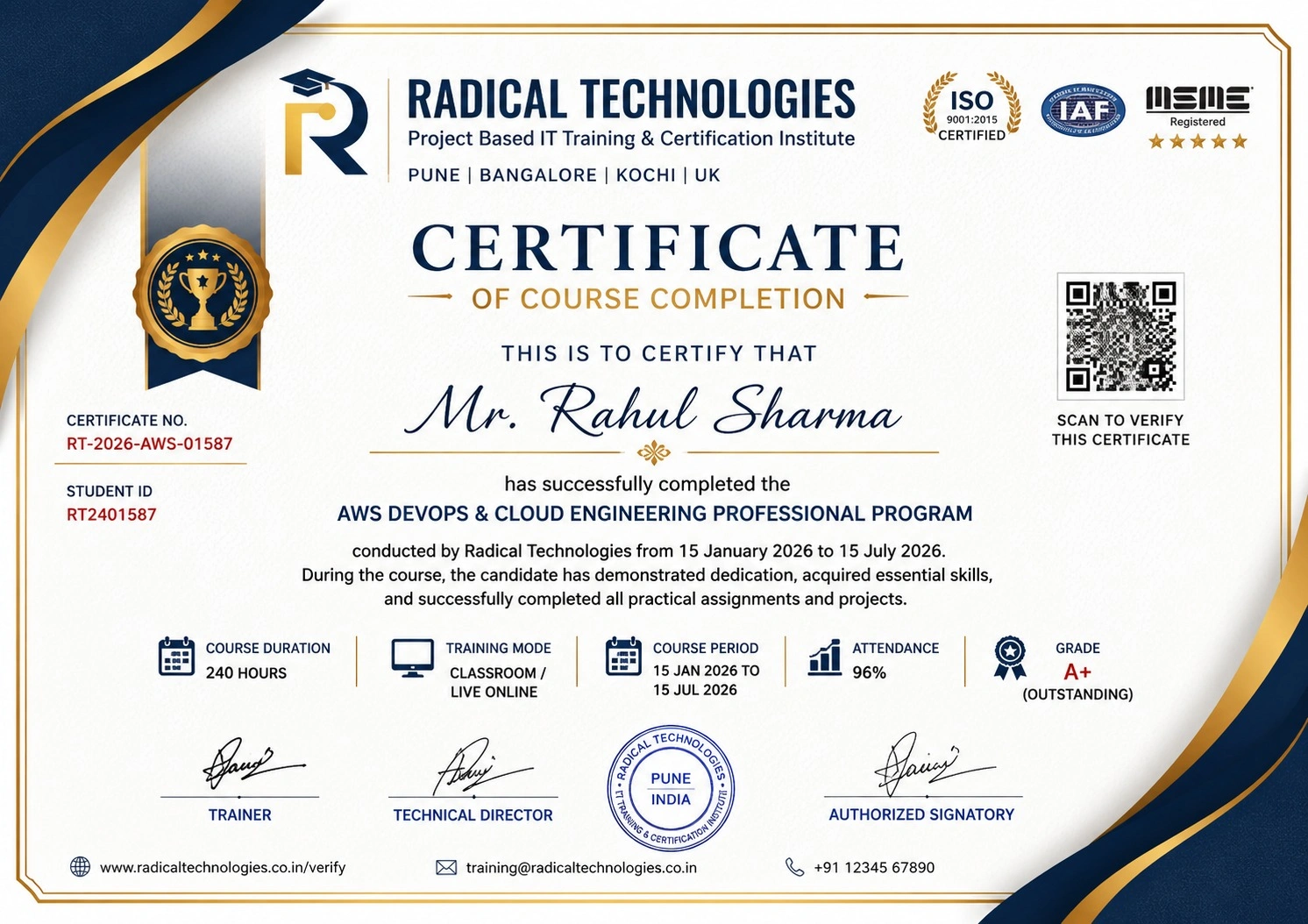
- Course Completion Certificate
- Practical Labs available
- Mentor Support available
- Doubt Clearing Session available
- 10% Discounted Global Certification
Like the Curriculum? Let's Get Started
Join 50,000+ students already enrolled at Radical Technologies
Global Certification
Radical Technologies is the leading IT certification institute in Pune, offering globally recognized certifications across various domains. With expert trainers and comprehensive materials, we ensure students gain in-depth knowledge and hands-on experience to excel in their careers. Our certification programs are tailored to meet industry standards — from Red Hat Linux Administration (RHCSA & RHCE) to AWS Cloud, DevOps, Site Reliability Engineering (SRE) and AIOps — empowering individuals to stay ahead in the ever-evolving enterprise technology landscape.
Career Services
At Radical Technologies, we are committed to your success beyond the classroom. Our 100% Job Assistance programme ensures you are equipped with industry-relevant Cloud, DevOps and Infrastructure skills and guided through the full placement process — with personalised resume building, interview preparation, and access to our network of 850+ hiring partners, until you get placed.
Career Support
Join our Brush-up Session & get support until you find a job!
Get StartedRadical Learning Eco-System
Exam Simulator
Cloud SandBox
Hands-on Cloud Lab
Developer Coding Ground
Student Reviews
Course Rating



Our Alumni Work At










Related Courses
RHCSA CERTIFICATION
40 hrsRHCSA CERTIFICATION
Red Hat Certified System Administrator training covering core Linux administration — users, storage, networking, firewall and SELinux.
RHCE CERTIFICATION (ANSIBLE)
32 hrsRHCE CERTIFICATION (ANSIBLE)
Red Hat Certified Engineer track focused on infrastructure automation using Ansible playbooks and roles.
AWS CLOUD FUNDAMENTALS
20 hrsAWS CLOUD FUNDAMENTALS
Hands-on AWS training covering EC2, S3, VPC, IAM and CloudWatch for Linux administrators moving into the cloud.
DEVOPS BASICS FOR SYSADMINS
18 hrsDEVOPS BASICS FOR SYSADMINS
Git version control, Docker containerization and CI/CD pipeline fundamentals with Jenkins for Linux system administrators.
PG Diploma Programme In Other Cities
Online Batches Available For These Areas
Ambegaon Budruk | Aundh | Baner | Bavdhan Khurd | Bavdhan Budruk | Balewadi | Shivajinagar | Bibvewadi | Bhugaon | Bhukum | Dhankawadi | Dhanori | Dhayari | Erandwane | Fursungi | Ghorpadi | Hadapsar | Hingne Khurd | Karve Nagar | Kalas | Katraj | Khadki | Kharadi | Kondhwa | Koregaon Park | Kothrud | Lohagaon | Manjri | Markal | Mohammed Wadi | Mundhwa | Nanded | Parvati Hill | Panmala | Pashan | Pirangut | Shivane | Sus | Undri | Vishrantwadi | Vitthalwadi | Vadgaon Khurd | Vadgaon Budruk | Vadgaon Sheri | Wagholi | Wanwadi | Warje | Yerwada | Akurdi | Bhosari | Chakan | Charholi Budruk | Chikhli | Chimbali | Chinchwad | Dapodi | Dehu Road | Dighi | Dudulgaon | Hinjawadi | Kalewadi | Kasarwadi | Maan | Moshi | Phugewadi | Pimple Gurav | Pimple Nilakh | Pimple Saudagar | Pimpri | Ravet | Rahatani | Sangvi | Talawade | Tathawade | Thergaon | Wakad
PG Master Diploma — Enterprise Platform Engineering
Cloud, DevOps, SRE & AIOps Programme
Tools you'll master