Radical Technologies
DATA ANALYTICS & BUSINESS ANALYTICS
★★★★★
(2,095 ratings)  50,000+ Student

TABLEAU

Tableau is a business intelligence and data visualization tool to get insights from data, find hidden trends, and make business decisions. The Analytics segment is a fast changing domain in the IT industry and needs to be in pace with the current trends. At Radical we ensure to keep in pace with the top 3 Analytical tools in the market as per the Gartner study so that the niche availability of resources remain under your belt and the opportunities to explore the BI world remains open at any point of time.

RT
Radical Technologies
50,000+ English 32 hours Weekdays / Weekends Classroom / Online / Corporate
Online / Classroom

TABLEAU

IT Training Programme

Duration 32 hours
Batch Type Weekdays / Weekends
Mode of Training Classroom / Online / Corporate
Locations Pune, Bangalore, Kochi
Language English
Certification Globally Recognized
Call Now

100% placement assistance

What you'll learn

Understand core concepts and architecture from the ground up
Get hands-on with the tools used by working professionals
Build real-world projects you can add to your portfolio
Learn industry best practices and coding standards
Practice with real datasets and real-world scenarios
Prepare for certification and technical interviews
Work on collaborative, team-based exercises
Apply performance tuning and optimization techniques
Understand how the technology fits into a larger ecosystem
Complete assignments reviewed by mentors

Programme Overview

20 sections covering the complete curriculum — a single, progressive learning arc.

32 hours
Training Duration
20
Core Modules
144
Total Lessons
4.4
Average Rating
50K+
Students Trained
01

Foundations & Core Concepts

Get hands-on with the fundamentals and architecture — the building blocks for everything that follows.

Fundamentals Architecture Setup
02

Hands-On Practical Training

Work through real exercises and assignments designed to mirror what you will do on the job.

Practicals Assignments Labs
03

Real-World Projects

Apply what you have learned to end-to-end projects that go straight into your portfolio.

Projects Portfolio Case Studies
04

Advanced Techniques

Go beyond the basics with advanced concepts, integrations and production-grade practices.

Advanced Integration Best Practices
05

Ecosystem Integration

Understand how this technology connects with the broader tools and platforms used in the industry.

Ecosystem Tools Platforms
06

Performance & Interview Prep

Master optimization techniques and prepare for the technical interview questions employers actually ask.

Optimization Interview Prep Certification

Who is this programme for?

Whether you're already writing code, working with data, or supporting applications today — this programme is built to take you into a DATA ANALYTICS & BUSINESS ANALYTICS role.

Software Developers

Engineers who want to add this skill set to their toolkit

Analysts & Consultants

Professionals moving into a more technical, hands-on role

IT Professionals

System admins and support engineers upskilling into a new domain

Fresh Graduates

CS/IT graduates aiming for a job-ready technical role

Course Curriculum

20 sections  •  144 lessons  •  32 hours

01 Tableau Introduction and Getting Started
Why Tableau? Why Visualization?
The Tableau Product Line
Level Setting – Terminology
Getting Started – creating some powerful visualizations quickly
Review of some Key Fundamental Concepts
What is Tableau?
 What does the Tableau product suite comprise of? How Does Tableau Work?
Tableau Architecture
Connecting to Data & Introduction to data source concepts
Understanding the Tableau workspace
Dimensions and Measures
Data Types & Default Properties
Tour of Shelves & Marks Card
Using Show Me
Saving and Sharing your work-overview
02 Filtering, Sorting & Grouping
Filtering, Sorting and Grouping are fundamental concepts
when working with and analyzing data. We will briefly review these topics as they apply to Tableau
Advanced options for filtering and hiding
Understanding your many options for ordering and grouping your data: Sort, Groups, Bins, Sets
Understanding how all of these options inter-relate
03 Working with Data
In the Advanced class, we will understand the difference between joining and blending data, and when we should do each. We will also consider the implications of working with large data sets, and consider options for when and how to work with extracts and the data engine. We will also investigate best practices in “sharing” data sources for Tableau Server users.
Data Types and Roles
Dimension versus Measures
Data Types
Discrete versus Continuous
The meaning of pill colors
Database Joins
Data Blending
Working with the Data Engine / Extracts and scheduling extract updates
Working with Custom SQL
Adding to Context
Switching to Direct Connection
04 Working with Calculated Data and Statistics
In the Fundamentals Class, we were introduced to some basic calculations: basic string and arithmetic calculations and ratios and quick table calculations. In the Advanced class, we will extend those concepts to understand the intricacies of manipulating data within Tableau
05 A Quick Review of Basic Calculations
Arithmetic Calculations
String Manipulation
Date Calculations
Quick Table Calculations
Custom Aggregations
Custom Calculated Fields
Logic and Conditional Calculations
Conditional Filters
06 Advanced Table Calculations
Understanding Scope and Direction
Calculate on Results of Table Calculations
Complex Calculations
Difference From Average
Discrete Aggregations
Index to Ratios
07 Working with Parameters
In the Fundamentals class, we were introduced to parameters – How to create a parameter and use it in a calculation. In the Advanced class, we will go into more details on how we can use parameters to modify our title, create What-If analysis, etc
Parameter Basics
Data types of parameters
Using parameters in calculated fields
 Inputting parameter values and parameter control options
Advanced Usage of Parameters
Using parameters for titles, field selections, logic statements, Top X
08 Building Advanced Chart Types and Visualizations/Tips & Tricks
This topic covers how to create some of the chart types and visualizations that may be less obvious in Tableau. It also covers some of the more common tips & tricks/techniques that we use to assist customers in solving some of their more complex problems.
Bar in Bar
Box Plot
Bullet Chart
Custom Shapes
Gantt Chart
Heat Map
Pareto Chart
Spark Line
KPI Chart
09 Best Practices in Formatting and Visualizing
Formatting Tips
Drag to Legend
Edit Legend
Highlighting
Labeling
Legends
Working with Nulls
Table Options
Annotations and Display Options
Introduction to Visualization Best Practice
10 Data Analysis And Reporting
Data Analysis using Pivot Tables – use of row and column shelf, values and filters
Difference between data layering and cross tabulation, summary reports, advantages and limitations
Change aggregation types and summarisation
Creating groups and bins in pivot data
Concept of calculated fields, usage and limitations
Changing report layouts – Outline, compact and tabular forms
Show and hide grand totals and subtotals
Creating summary reports using pivot tables
11 SQL : Data Manipulation (DML Commands)
Insert, Update & Delete statements
Select statement – Subsetting, Filters, Sorting. Removing Duplicates, grouping and aggregations etc
Where, Group By, Order by & Having clauses
SQL Functions – Number, Text, Date, etc
SQL Keywords – Top, Distinct, Null, etc
SQL Operators –  Relational (single valued and multi valued), Logical (and, or, not), Use of wildcard operators and wildcard characters, etc
12 SQL : Accessing Data From Multiple Tables Using SELECT
Append and JoinsUnion and Union All – Use & constraints
Intersect and Except statements
Table Joins – inner join, left join, right join, full join
Cross joins/cartesian products, self joins, natural joins etc
Inline views and sub-queries
Optimizing your work
13 Tableau : Data Handling & Summaries
Date Aggregations and Date parts
Cross tab & Tabular charts
Totals & Subtotals
Bar Charts & Stacked Bars
Line Graphs with Date & Without Date
Tree maps
Scatter Plots
Individual Axes, Blended Axes, Dual Axes & Combination chart
Parts of Views
Sorting
Trend lines/ Forecasting
Reference Lines
Filters/Context filters
SetsIn/Out Sets
Combined Sets
Grouping
Bins/Histograms
Drilling up/down – drill through
Hierarchies
View data
Actions (across sheets)
14 Tableau : Building Advanced Reports/ Maps
Explain latitude and longitude
Default location/Edit locations
Building geographical maps
Using Map layers
15 Tableau : Calculated Fields
Working with aggregate versus disaggregate data
Explain – #Number of Rows
Basic Functions (String, Date, Numbers etc)
Usage of Logical conditions
16 Tableau : Table Calculations
Explain scope and direction
Percent of Total, Running / Cumulative calculations
Introduction to LOD (Level of Detail) Expressions
User applications of Table calculations
17 Tableau : Parameters
Using Parameters inCalculated fieldsBins
Reference Lines
Filters/Sets
Display Options (Dynamic Dimension/Measure Selection)
Create What-If/Scenario analysis
18 Tableau : Building Interactive Dashboards
Combining multiple visualizations into a dashboard (overview)
Making your worksheet interactive by using actionsFilter
URL
Highlight
Complete Interactive Dashboard for Sales & Services
19 Tableau : Formatting
Options in Formatting your Visualization
Working with Labels and Annotations
Effective Use of Titles and Captions
20 Tableau : Working With Data
Multiple Table Joins
Data Blending
Difference between joining and blending data, and when we should do each
Toggle between to Direct Connection and Extracts

Tools & Technologies

Every tool listed here is installed, configured and used in a hands-on lab session.

Core Tools

Hands-On Labs

Practical Environment

Industry-Standard Tools

Real-World Setup

Guided Exercises

Skill Building

Sample Datasets

Practice Material

Practice & Projects

Mini Projects

Applied Practice

Assignments

Mentor Reviewed

Doubt Sessions

Live Support

Career Readiness

Resume Building

Career Support

Mock Interviews

Interview Prep

Certification Prep

Global Recognition

Deployment & Delivery

Production Practices

Real-World Ready

Best Practices

Industry Standards

144+
Hands-On Lessons
20
Core Modules
32 hours
Training Duration
100%
Practical Training

You don't just learn TABLEAU. You ship it.

Three major projects, each mirroring how production teams actually work — from guided foundations to a portfolio-ready capstone.

PROJECT // 01

Guided Foundation Project

Requirement Analysis

Guided Implementation

Mentor Review

Iteration

Foundation Beginner

Apply the fundamentals in a structured, mentor-reviewed project

Take the core concepts from the first half of the curriculum and apply them to a realistic scenario, with guidance and feedback from your mentor at every step.

Structured project brief
Step-by-step implementation
Mentor feedback and review
Documented outcome
Stack Core Concepts Best Practices
PROJECT // 02

Applied Practice Project

Scenario Design

Independent Build

Testing & Validation

Peer Review

Applied Intermediate

Build a more independent project mirroring real production scenarios

Work through a project that combines multiple concepts from the curriculum, closer to how work is actually structured on the job — less hand-holding, more ownership.

End-to-end implementation
Testing and validation
Documentation
Peer/mentor review
Stack Applied Skills Testing
PROJECT // 03

Capstone Project

Planning

End-to-End Build

Review & Refinement

Presentation

Capstone Advanced

Take a project from requirements to a polished, portfolio-ready deliverable

Your final project — plan, build, test and present a complete solution using everything covered in the curriculum, reviewed by mentors before you graduate.

Complete working solution
Presentation-ready documentation
Mentor sign-off
Portfolio-ready deliverable
Stack Full Curriculum Portfolio

All 3 projects go directly into your portfolio & resume — reviewed by mentors before you graduate.

See Sample Project Reports

Upcoming Batches

No upcoming batches scheduled right now. Enquire to get notified.

Why Radical Technologies

Live Online Training
  • Highly practical oriented training
  • Installation support on your system
  • 24/7 Email and Phone support
  • 100% Placement Assistance
  • Global Certification Preparation
  • Trainer-Student Interactive Portal
  • Assignments and Projects by Mentors
Enroll Now
Live Classroom Training
  • Weekend / Weekdays / Morning / Evening batches
  • 80:20 Practical and Theory ratio
  • Real-life Case Studies
  • Easy make-up for missed sessions
  • PSI | Kryterion | Redhat Test Centers
  • Lifetime Video Classroom Access (coming soon)
  • Resume Prep and Mock Interviews
Enroll Now
Self-Paced Training
  • Learn 300+ courses at your own time
  • 50,000+ Satisfied Learners
  • Course Completion Certificate
  • Practical Labs available
  • Mentor Support available
  • Doubt Clearing Session available
  • 10% Discounted Global Certification
Enroll Now

Like the Curriculum? Let's Get Started

Join 50,000+ students already enrolled at Radical Technologies

Enroll Now

Global Certification

Radical Technologies is the leading IT certification institute in Pune, offering globally recognized certifications across various domains. With expert trainers and comprehensive materials, we ensure students gain in-depth knowledge and hands-on experience to excel in their careers. Our certification programs are tailored to meet industry standards — from cloud technologies to data science — empowering individuals to stay ahead in the ever-evolving tech landscape.
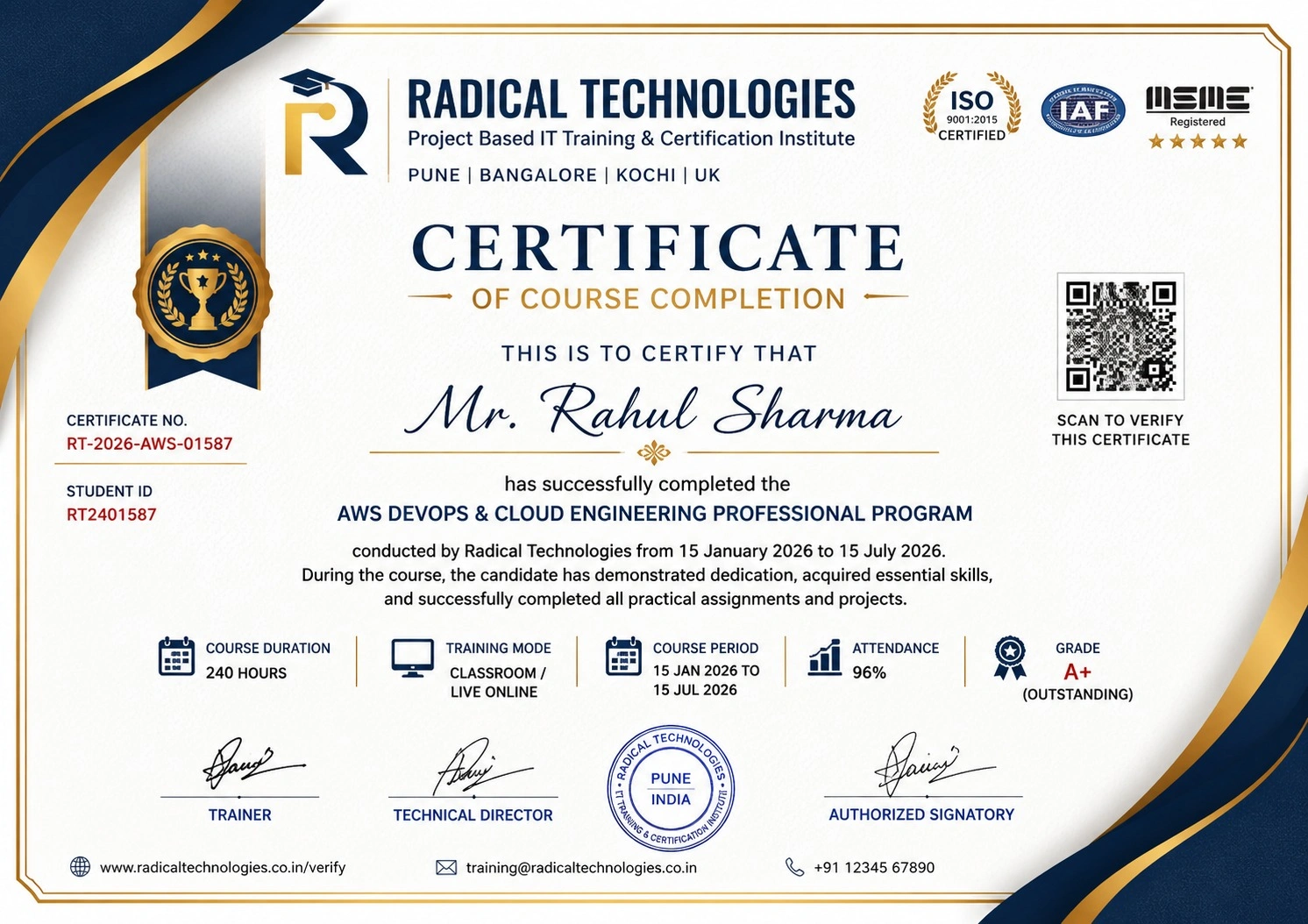
Certificate of Completion

Career Services

At Radical Technologies, we are committed to your success beyond the classroom. Our 100% Job Assistance program ensures that you are not only equipped with industry-relevant skills but also guided through the job placement process. With personalised resume building, interview preparation, and access to our extensive network of hiring partners, we help you take the next step confidently into your IT career.

Career Support

Course Completed? Need next steps?
Need Interview Supports?
Need Job Assistance?
Came from any other Institute?

Join our Brush-up Session & get support until you find a job!

Get Started

Radical Learning Eco-System

Exam Simulator

Cloud SandBox

Hands-on Cloud Lab

Developer Coding Ground

Student Reviews

4.4★
Average learner rating
50K+
Students trained
30+
Hiring companies alumni work at
100%
Placement assistance
4.4
★★★★★

Course Rating

★★★★★
62%
★★★★☆
21%
★★★☆☆
10%
★★☆☆☆
4%
★☆☆☆☆
3%

Our Alumni Work At
Accenture
Amazon
Avisys Services
Birlasoft
Capgemini
Catchpoint
Cognizant
Darwish Cybertech
DataVision
GiBots
Google
Groots Software
HCL Technologies
IBM
Info Gain
Infosys
ITCube Solutions
KPIT
L&T Infotech
Microsoft
Mphasis
mPhatek
Oracle
Quantbit Technologies
Saina Cloud
TCS
Tech Mahindra
Wipro
YASH Technologies
Zensar Technologies
Accenture
Amazon
Avisys Services
Birlasoft
Capgemini
Catchpoint
Cognizant
Darwish Cybertech
DataVision
GiBots
Google
Groots Software
HCL Technologies
IBM
Info Gain
Infosys
ITCube Solutions
KPIT
L&T Infotech
Microsoft
Mphasis
mPhatek
Oracle
Quantbit Technologies
Saina Cloud
TCS
Tech Mahindra
Wipro
YASH Technologies
Zensar Technologies