Radical Technologies
ORACLE
★★★★★
(2,095 ratings)  50,000+ Student

ORACLE 12C-19C - 23C DATABASE TUNING

Covers each topics with Real Time Examples . Covers More than 250+ Real Time Scenarios which is divided into Admin 1 (Basic) + Admin2 + 23C (which is why we called it a combo course). Trainer from Real Time Industry .This is completely hands-on training , which covers 70% Practical And 30% Theory .Specail attention / session for interview preparation after the course is done.We give examples and exposure to real time scenarios to make sure all the candidate will get at least 5+ Year experience knowledge in Oracle DBA after attending this course.Covers 12C -19C - 23C topics in Details from the very basic to advanced level . Complete OCA and OCP Exam Preparations.Appear for OCA/OCP Certification Exam at any time After the course . At your convenient time , you can book and appear for exam at our place as we are Pearson certified institute.

RT
Radical Technologies
50,000+ English 60 hours Weekdays / Weekends Classroom / Online / Corporate
Online / Classroom

ORACLE 12C-19C - 23C DATABASE TUNING

IT Training Programme

Duration 60 hours
Batch Type Weekdays / Weekends
Mode of Training Classroom / Online / Corporate
Locations Pune, Bangalore, Kochi
Language English
Certification Globally Recognized
Call Now

100% placement assistance

What you'll learn

Understand core concepts and architecture from the ground up
Get hands-on with the tools used by working professionals
Build real-world projects you can add to your portfolio
Learn industry best practices and coding standards
Practice with real datasets and real-world scenarios
Prepare for certification and technical interviews
Work on collaborative, team-based exercises
Apply performance tuning and optimization techniques
Understand how the technology fits into a larger ecosystem
Complete assignments reviewed by mentors

Programme Overview

18 sections covering the complete curriculum — a single, progressive learning arc.

60 hours
Training Duration
18
Core Modules
626
Total Lessons
4.4
Average Rating
50K+
Students Trained
01

Foundations & Core Concepts

Get hands-on with the fundamentals and architecture — the building blocks for everything that follows.

Fundamentals Architecture Setup
02

Hands-On Practical Training

Work through real exercises and assignments designed to mirror what you will do on the job.

Practicals Assignments Labs
03

Real-World Projects

Apply what you have learned to end-to-end projects that go straight into your portfolio.

Projects Portfolio Case Studies
04

Advanced Techniques

Go beyond the basics with advanced concepts, integrations and production-grade practices.

Advanced Integration Best Practices
05

Ecosystem Integration

Understand how this technology connects with the broader tools and platforms used in the industry.

Ecosystem Tools Platforms
06

Performance & Interview Prep

Master optimization techniques and prepare for the technical interview questions employers actually ask.

Optimization Interview Prep Certification

Who is this programme for?

Whether you're already writing code, working with data, or supporting applications today — this programme is built to take you into a ORACLE role.

Software Developers

Engineers who want to add this skill set to their toolkit

Analysts & Consultants

Professionals moving into a more technical, hands-on role

IT Professionals

System admins and support engineers upskilling into a new domain

Fresh Graduates

CS/IT graduates aiming for a job-ready technical role

Course Curriculum

18 sections  •  626 lessons  •  60 hours

01 1. Performance Tuning Overview
Introduction to Performance Tuning
Performance Planning
Instance Tuning
Performance Principles.
Baselines.
The Symptoms and the Problems.
When to Tune .
Proactive Monitoring
Bottleneck Elimination
SQL Tuning
Query Optimizer and Execution Plans
Introduction to Performance Tuning Features and Tools
Automatic Performance Tuning Features.
Additional Oracle Database Tools
V$ Performance Views
02 2. Designing and Developing for Performance
Oracle Methodology
Understanding Investment Options
Understanding Scalability
What is Scalability?
System Scalability
Factors Preventing Scalability
System Architecture
Hardware and Software Components
Hardware Components.
CPU.
Memory
I/O Subsystem.
Network
Software Components.
Managing the User Interface
Implementing Business Logic
Managing User Requests and Resource Allocation
Managing Data and Transactions
Configuring the Right System Architecture for Your Requirements.
Application Design Principles
Simplicity In Application Design.
Data Modeling
Table and Index Design.
Appending Columns to an Index or Using Index-Organized Tab
Using a Different Index Type.
B-Tree Indexes .
Bitmap Indexes .
Function-based Indexes
Partitioned Indexes
Reverse Key Indexes.
Finding the Cost of an Index.
Serializing within Indexes
Ordering Columns in an Index
Using Views
SQL Execution Efficiency.
Implementing the Application
Trends in Application Development
Workload Testing, Modeling, and Implementation
Sizing Data.
Estimating Workloads.
Extrapolating From a Similar System
Benchmarking.
Application Modeling
Testing, Debugging, and Validating a Design
Deploying New Applications
Rollout Strategies.
Performance Checklist.
03 3. Performance Improvement Methods
The Oracle Performance Improvement Method
Steps in the Oracle Performance Improvement Method
A Sample Decision Process for Performance Conceptual Modeling.
Top Ten Mistakes Found in Oracle Systems.
Emergency Performance Methods
Steps in the Emergency Performance Method.
04 4. Configuring a Database for Performance
Performance Considerations for Initial Instance Configuration
Initialization Parameters.
Configuring Undo Space
Sizing Redo Log Files
Creating Subsequent Tablespaces
Creating Permanent Tablespaces – Automatic Segment-Space
Creating Temporary Tablespaces.
Creating and Maintaining Tables for Optimal Performance
Table Compression
Estimating the Compression Factor
Tuning to Achieve a Better Compression Ratio
Using Attribute-Clustered Tables
Reclaiming Unused Space.
Indexing Data.
Specifying Memory for Sorting Data.
Performance Considerations for Shared Servers
Identifying Contention Using the Dispatcher-Specific Views
Reducing Contention for Dispatcher Processes.
Identifying Contention for Shared Servers.
05 5. Measuring Database Performance
About Database Statistics
Time Model Statistics.
Active Session History Statistics
Wait Events Statistics.
Session and System Statistics.
Interpreting Database Statistics
Using Hit Ratios
Using Wait Events with Timed Statistics
Using Wait Events without Timed Statistics.
Using Idle Wait Events.
Comparing Database Statistics with Other Factors
Using Computed Statistics.
06 6. Gathering Database Statistics
About Gathering Database Statistics
Automatic Workload Repository.
Snapshots
Baselines
Fixed Baselines.
Moving Window Baselines
Baseline Templates.
Single Baseline Templates
Repeating Baseline Templates
Space Consumption.
Adaptive Thresholds.
Percentage of Maximum Thresholds
Significance Level Thresholds
Managing the Automatic Workload Repository
Enabling the Automatic Workload Repository
Managing Snapshots
User Interfaces for Managing Snapshots
Creating Snapshots.
Creating Snapshots Using the Command-Line Interface.
Dropping Snapshots
Dropping Snapshots Using the Command-Line Interface
Modifying Snapshot Settings.
Modifying Snapshot Settings Using the Command-Line Int
Managing Baselines.
User Interface for Managing Baselines.
Creating a Baseline.
Creating a Baseline Using the Command-Line Interface.
Dropping a Baseline
Dropping a Baseline Using the Command-Line Interface
Renaming a Baseline
Renaming a Baseline Using the Command-Line Interface
Displaying Baseline Metrics
Displaying Baseline Metrics Using the Command-Line Inte
Resizing the Default Moving Window Baseline.
Resizing the Default Moving Window Using the Command
Managing Baseline Templates.
User Interfaces for Managing Baseline Templates.
Creating a Single Baseline Template
Creating a Single Baseline Template Using the Command
Creating a Repeating Baseline Template.
Creating a Repeating Baseline Template Using the Comm
Dropping a Baseline Template
Dropping a Baseline Template Using the Command-Line I
Transporting Automatic Workload Repository Data.
Extracting AWR Data
Loading AWR Data.
Using Automatic Workload Repository Views
Generating Automatic Workload Repository Reports
User Interface for Generating an AWR Report.
Generating an AWR Report Using the Command-Line Interface.
Generating an AWR Report for the Local Database.
Generating an AWR Report for a Specific Database
Generating an Oracle RAC AWR Report for the Local Databas
Generating an Oracle RAC AWR Report for a Specific Databas
Generating an AWR Report for a SQL Statement on the Local
Generating an AWR Report for a SQL Statement on a Specific
Generating Performance Hub Active Report
Overview of Performance Hub Active Report.
About Performance Hub Active Report Tabs
About Performance Hub Active Report Types
Command-Line User Interface for Generating a Performance Hub A
Generating a Performance Hub Active Report Using a SQL Script
07 7. Automatic Performance Diagnostics
Overview of the Automatic Database Diagnostic Monitor
ADDM Analysis
Using ADDM with Oracle Real Application Clusters
Real-Time ADDM Analysis.
Real-Time ADDM Connection Modes.
Real-Time ADDM Triggers
Real-Time ADDM Trigger Controls.
ADDM Analysis Results.
Reviewing ADDM Analysis Results: Example
Setting Up ADDM
Diagnosing Database Performance Problems with ADDM
Running ADDM in Database Mode
Running ADDM in Instance Mode
Running ADDM in Partial Mode.
Displaying an ADDM Report
Views with ADDM Information
08 8. Comparing Database Performance Over Time
About Automatic Workload Repository Compare Periods Reports
Generating Automatic Workload Repository Compare Periods Reports
User Interfaces for Generating AWR Compare Periods Reports
Generating an AWR Compare Periods Report Using the Command
Generating an AWR Compare Periods Report for the Local Database
Generating an AWR Compare Periods Report for a Specific Database
Generating an Oracle RAC AWR Compare Periods Report
Generating an Oracle RAC AWR Compare Periods Report for a
Interpreting Automatic Workload Repository Compare Periods Reports
Summary of the AWR Compare Periods Report
Snapshot Sets.
Host Configuration Comparison
System Configuration Comparison.
Load Profile
Top 5 Timed Events
Details of the AWR Compare Periods Report
Time Model Statistics
Operating System Statistics
Wait Events.
Service Statistics.
SQL Statistics
Top 10 SQL Comparison by Execution Time.
Top 10 SQL Comparison by CPU Time.
Top 10 SQL Comparison by Buffer Gets.
Top 10 SQL Comparison by Physical Reads.
Top 10 SQL Comparison by Executions
Top 10 SQL Comparison by Parse Calls.
Complete List of SQL Text.
Instance Activity Statistics.
Key Instance Activity Statistics
Other Instance Activity Statistics
I/O Statistics
Tablespace I/O Statistics.
Top 10 File Comparison by I/O
Top 10 File Comparison by Read Time.
Top 10 File Comparison by Buffer Waits.
Advisory Statistics.
PGA Aggregate Summary.
PGA Aggregate Target Statistics.
Wait Statistics
Buffer Wait Statistics
Enqueue Activity
Undo Segment Summary
Latch Statistics
Segment Statistics
Top 5 Segments Comparison by Logical Reads
Top 5 Segments Comparison by Physical Reads
Top 5 Segments Comparison by Row Lock Waits.
Top 5 Segments Comparison by ITL Waits.
Top 5 Segments Comparison by Buffer Busy Waits
In-Memory Segment Statistics
Dictionary Cache Statistics.
Library Cache Statistics
Memory Statistics
Process Memory Summary
SGA Memory Summary.
SGA Breakdown Difference.
Streams Statistics.
Supplemental Information in the AWR Compare Periods Report.
init.ora Parameters
Complete List of SQL Text
09 9. Analyzing Sampled Data :
About Active Session History
Generating Active Session History Reports
User Interfaces for Generating ASH Reports.
Generating an ASH Report Using the Command-Line Interface
Generating an ASH Report on the Local Database Instance
Generating an ASH Report on a Specific Database Instance.
Generating an ASH Report for Oracle RAC
Interpreting Results from Active Session History Reports
Top Events.
Top User Events.
Top Background Events
Top Event P1/P2/P3
Load Profile
Top Service/Module
Top Client IDs.
Top SQL Command Types.
Top Phases of Execution
Top SQL.
Top SQL with Top Events.
Top SQL with Top Row Sources.
Top SQL Using Literals.
Top Parsing Module/Action.
Complete List of SQL Text
Top PL/SQL
Top Java.
Top Sessions
Top Sessions
Top Blocking Sessions
Top Sessions Running PQs
Top Objects/Files/Latches
Top DB Objects.
Top DB Files.
Top Latches
Activity Over Time
10 10. Instance Tuning Using Performance Views
Instance Tuning Steps
Define the Problem.
Examine the Host System
CPU Usage.
Non-Oracle Processes.
Oracle Processes.
Oracle Database CPU Statistics
Interpreting CPU Statistics.
Identifying I/O Problems
Identifying I/O Problems Using V$ Views
Identifying I/O Problems Using Operating System Monitori
Identifying Network Issues
Examine the Oracle Database Statistics
Setting the Level of Statistics Collection.
V$STATISTICS_LEVEL.
Wait Events.
Dynamic Performance Views Containing Wait Event Statistics.
System Statistics.
V$ACTIVE_SESSION_HISTORY
V$SYSSTAT
V$FILESTAT
V$ROLLSTAT
V$ENQUEUE_STAT
V$LATCH.
Segment-Level Statistics.
Implement and Measure Change.
Interpreting Oracle Database Statistics
Examine Load
Changing Load
High Rates of Activity
Using Wait Event Statistics to Drill Down to Bottlenecks.
Table of Wait Events and Potential Causes.
Additional Statistics
Redo Log Space Requests Statistic
Read Consistency
Table Fetch by Continued Row.
Parse-Related Statistics
Wait Events Statistics
Changes to Wait Event Statistics from Past Releases.
buffer busy waits
Causes
Actions
segment header.
data block.
undo header.
undo block
db file scattered read
Actions
Managing Excessive I/O.
Inadequate I/O Distribution.
Finding the SQL Statement executed by Sessions Waiting for I/O
Finding the Object Requiring I/O.
db file sequential read
Actions
direct path read and direct path read temp
Causes
Actions
Sorts to Disk
Full Table Scans
Hash Area Size
direct path write and direct path write temp
Causes
Actions
enqueue (enq:) waits
Finding Locks and Lock Holders.
Actions
ST enqueue.
HW enqueue
TM enqueue.
TX enqueue.
events in wait class other.
free buffer waits
Causes
Actions
Writes.
Cache is Too Small
Cache Is Too Big for One DBWR
Consider Multiple Database Writer (DBWR) Processes or I/O S
DB_WRITER_PROCESSES.
DBWR_IO_SLAVES
Choosing Between Multiple DBWR Processes and I/O Slav
Idle Wait Events.
latch events
Actions
Example: Find Latches Currently Waited For.
Shared Pool and Library Cache Latch Contention
Unshared SQL.
Reparsed Sharable SQL
By Session.
cache buffers lru chain.
cache buffers chains
row cache objects
log file parallel write
library cache pin.
library cache lock
log buffer space
log file switch
Actions
log file sync.
rdbms ipc reply.
SQL*Net Events.
SQL*Net message from client.
Network Bottleneck
Resource Bottleneck on the Client Process.
SQL*Net message from dblink
SQL*Net more data to client.
Tuning Instance Recovery Performance : Fast-Start Fault Recovery
About Instance Recovery.
Cache Recovery (Rolling Forward).
Transaction Recovery (Rolling Back)
Checkpoints and Cache Recovery
How Checkpoints Affect Performance.
Fast Cache Recovery Tradeoffs
Configuring the Duration of Cache Recovery: FAST_START_MTTR_TARGET
Practical Values for FAST_START_MTTR_TARGET.
Reducing Checkpoint Frequency to Optimize Run-Time Performance
Monitoring Cache Recovery with V$INSTANCE_RECOVERY
Tuning FAST_START_MTTR_TARGET and Using MTTR Advisor.
Calibrate the FAST_START_MTTR_TARGET.
Determine the Practical Range for FAST_START_MTTR_TARGET
Determining Lower Bound for FAST_START_MTTR_TARGET
Determining Upper Bound for FAST_START_MTTR_TARGET
Selecting Preliminary Value for FAST_START_MTTR_TARGET
Evaluate Different Target Values with MTTR Advisor
Enabling MTTR Advisor.
Using MTTR Advisor
Viewing MTTR Advisor Results: V$MTTR_TARGET_ADVISORY
Determine the Optimal Size for Redo Logs
11 11. Database Memory Allocation
About Database Memory Caches and Other Memory Structures
Database Memory Management Methods
Automatic Memory Management.
Automatic Shared Memory Management.
Manual Shared Memory Management.
Automatic PGA Memory Management.
Manual PGA Memory Management.
Using Automatic Memory Management
Monitoring Memory Management
12 12. Tuning the System Global Area
Using Automatic Shared Memory Management
User Interfaces for Setting the SGA_TARGET Parameter
Setting the SGA_TARGET Parameter in Oracle Enterprise Manager
Setting the SGA_TARGET Parameter in the Command-Line Interface
Setting the SGA_TARGET Parameter.
Enabling Automatic Shared Memory Management.
Disabling Automatic Shared Memory Management
Sizing the SGA Components Manually
SGA Sizing Unit
Maximum Size of the SGA.
Application Considerations.
Operating System Memory Use.
Reduce Paging
Fit the SGA into Main Memory
Viewing SGA Memory Allocation.
Locking the SGA into Physical Memory.
Allow Adequate Memory to Individual Users.
Iteration During Configuration
Monitoring Shared Memory Management
Configuring the In-Memory Column Store
About the In-Memory Column Store.
Performance Benefits of Using the In-Memory Column Store.
Estimating the Required Size of the In-Memory Column Store.
Sizing the In-Memory Column Store
13 13. Tuning the Database Buffer Cache
About the Database Buffer Cache
Configuring the Database Buffer Cache
Using the V$DB_CACHE_ADVICE View.
Calculating the Buffer Cache Hit Ratio.
Interpreting the Buffer Cache Hit Ratio
Increasing Memory Allocated to the Database Buffer Cache
Reducing Memory Allocated to the Database Buffer Cache.
Configuring Multiple Buffer Pools
Considerations for Using Multiple Buffer Pools
Random Access to Large Segments.
Oracle Real Application Cluster Instances
Using Multiple Buffer Pools
Using the V$DB_CACHE_ADVICE View for Individual Buffer Pools.
Calculating the Buffer Pool Hit Ratio for Individual Buffer Pools.
Examining the Buffer Cache Usage Pattern.
Examining the Buffer Cache Usage Pattern for All Segments
Examining the Buffer Cache Usage Pattern for a Specific Segments
Configuring the KEEP Pool
Configuring the RECYCLE Pool.
Configuring the Redo Log Buffer
Sizing the Redo Log Buffer
Using Redo Log Buffer Statistics
Configuring the Database Caching Mode
Default Database Caching Mode.
Force Full Database Caching Mode.
Determining When to Use Force Full Database Caching Mode
Verifying the Database Caching Mode.
14 14. Tuning the Shared Pool and the Large Pool
About the Shared Pool
Benefits of Using the Shared Pool.
Shared Pool Concepts.
Library Cache Concepts
Data Dictionary Cache Concepts
SQL Sharing Criteria.
Using the Shared Pool
Use Shared Cursors.
Use Single-User Logon and Qualified Table Reference
Use PL/SQL.
Avoid Performing DDL Operations.
Cache Sequence Numbers
Control Cursor Access.
Controlling Cursor Access Using OCI.
Controlling Cursor Access Using Oracle Precompilers
Controlling Cursor Access Using SQLJ
Controlling Cursor Access Using JDBC
Controlling Cursor Access Using Oracle Forms
Maintain Persistent Connections
Configuring the Shared Pool
Sizing the Shared Pool.
Using Library Cache Statistics
Using the V$LIBRARYCACHE View
Calculating the Library Cache Hit Ratio.
Viewing the Amount of Free Memory in the Shared Pool.
Using Shared Pool Advisory Statistics
About the V$SHARED_POOL_ADVICE View.
About the V$LIBRARY_CACHE_MEMORY View.
About V$JAVA_POOL_ADVICE and V$JAVA_LIBRARY_C
Using Dictionary Cache Statistics.
Increasing Memory Allocated to the Shared Pool.
Reducing Memory Allocated to the Shared Pool
Deallocating Cursors
Caching Session Cursors.
About the Session Cursor Cache
Enabling the Session Cursor Cache.
Sizing the Session Cursor Cache.
Sharing Cursors.
About Cursor Sharing
Forcing Cursor Sharing.
Keeping Large Objects to Prevent Aging.
Configuring the Reserved Pool
Sizing the Reserved Pool
Increasing Memory Allocated to the Reserved Pool.
Reducing Memory Allocated to the Reserved Pool
Configuring the Large Pool
Configuring the Large Pool for Shared Server Architecture.
Configuring the Large Pool for Parallel Query
Sizing the Large Pool.
Limiting Memory Use for User Sessions
Reducing Memory Use Using Three-Tier Connections
15 15. Tuning the Result Cache
About the Result Cache
Server Result Cache Concepts
Benefits of Using the Server Result Cache.
Understanding How the Server Result Cache Works.
How Results are Retrieved in a Query.
How Results are Retrieved in a View.
Client Result Cache Concepts.
Benefits of Using the Client Result Cache
Understanding How the Client Result Cache Works.
Configuring the Result Cache
Configuring the Server Result Cache.
Sizing the Server Result Cache Using Initialization Parameters
Managing the Server Result Cache Using DBMS_RESULT_CA
Viewing Memory Usage Statistics for the Server Result Ca
Flushing the Server Result Cache.
Configuring the Client Result Cache
Setting the Result Cache Mode
Requirements for the Result Cache.
Read Consistency Requirements
Query Parameter Requirements.
Restrictions for the Result Cache
Specifying Queries for Result Caching
Using SQL Result Cache Hints
Using the RESULT_CACHE Hint
Using the NO_RESULT_CACHE Hint
Using the RESULT_CACHE Hint in Views.
Using Result Cache Table Annotations
Using the DEFAULT Table Annotation.
Using the FORCE Table Annotation.
Monitoring the Result Cache
16 16. Tuning the Program Global Area
About the Program Global Area
Work Area Sizes.
Sizing the Program Global Area
Configuring Automatic PGA Memory Management.
Setting the Initial Value for PGA_AGGREGATE_TARGET.
Monitoring Automatic PGA Memory Management.
Using the V$PGASTAT View
Using the V$PROCESS View.
Using the V$PROCESS_MEMORY View.
Using the V$SQL_WORKAREA_HISTOGRAM View.
Using the V$WORKAREA_ACTIVE View.
Using the V$SQL_WORKAREA View.
Tuning PGA_AGGREGATE_TARGET
Enabling Automatic Generation of PGA Performance Advisory
Using the V$PGA_TARGET_ADVICE View.
Using the V$PGA_TARGET_ADVICE_HISTOGRAM View
Using the V$SYSSTAT and V$SESSTAT Views
Tutorial: How to Tune PGA_AGGREGATE_TARGET
Limiting the Size of the Program Global Area
About PGA_AGGREGATE_LIMIT.
Setting PGA_AGGREGATE_LIMIT
17 17. I/O Configuration and Design
About I/O
I/O Configuration
Lay Out the Files Using Operating System or Hardware Striping.
Requested I/O Size.
Concurrency of I/O Requests
Alignment of Physical Stripe Boundaries with Block Size Bound
Manageability of the Proposed System.
Manually Distributing I/O
When to Separate Files
Tables, Indexes, and TEMP Tablespaces
Redo Log Files
Archived Redo Logs
Three Sample Configurations.
Stripe Everything Across Every Disk.
Move Archive Logs to Different Disks.
Move Redo Logs to Separate Disks
Oracle Managed Files
Choosing Data Block Size
Reads
Writes
Block Size Advantages and Disadvantages
I/O Calibration Inside the Database
Prerequisites for I/O Calibration.
Running I/O Calibration
I/O Calibration with the Oracle Orion Calibration Tool
Introduction to the Oracle Orion Calibration Tool.
Orion Test Targets
Orion for Oracle Administrators.
Getting Started with Orion
Orion Input Files.
Orion Parameters.
Orion Required Parameter
Orion Optional Parameters.
Orion Command Line Samples.
Orion Output Files
Orion Sample Output Files
Orion Troubleshooting
18 18. Managing Operating System Resources
Understanding Operating System Performance Issues
Using Operating System Caches.
Asynchronous I/O
FILESYSTEMIO_OPTIONS Initialization Parameter
Limiting Asynchronous I/O in NFS Server Environments.
Memory Usage.
Buffer Cache Limits.
Parameters Affecting Memory Usage.
Using Operating System Resource Managers.
Resolving Operating System Issues
Performance Hints on UNIX-Based Systems.
Performance Hints on Windows Systems
Performance Hints on HP OpenVMS Systems
Understanding CPU
Resolving CPU Issues
Finding and Tuning CPU Utilization.
Checking Memory Management.
Paging and Swapping .
Oversize Page Tables .
Checking I/O Management.
Checking Network Management.
Checking Process Management.
Scheduling and Switching .
Context Switching .
Starting New Operating System Processes.
Managing CPU Resources Using Oracle Database Resource Manager
Managing CPU Resources Using Instance Caging

Tools & Technologies

Every tool listed here is installed, configured and used in a hands-on lab session.

Core Tools

Hands-On Labs

Practical Environment

Industry-Standard Tools

Real-World Setup

Guided Exercises

Skill Building

Sample Datasets

Practice Material

Practice & Projects

Mini Projects

Applied Practice

Assignments

Mentor Reviewed

Doubt Sessions

Live Support

Career Readiness

Resume Building

Career Support

Mock Interviews

Interview Prep

Certification Prep

Global Recognition

Deployment & Delivery

Production Practices

Real-World Ready

Best Practices

Industry Standards

626+
Hands-On Lessons
18
Core Modules
60 hours
Training Duration
100%
Practical Training

You don't just learn ORACLE 12C-19C - 23C DATABASE TUNING. You ship it.

Three major projects, each mirroring how production teams actually work — from guided foundations to a portfolio-ready capstone.

PROJECT // 01

Guided Foundation Project

Requirement Analysis

Guided Implementation

Mentor Review

Iteration

Foundation Beginner

Apply the fundamentals in a structured, mentor-reviewed project

Take the core concepts from the first half of the curriculum and apply them to a realistic scenario, with guidance and feedback from your mentor at every step.

Structured project brief
Step-by-step implementation
Mentor feedback and review
Documented outcome
Stack Core Concepts Best Practices
PROJECT // 02

Applied Practice Project

Scenario Design

Independent Build

Testing & Validation

Peer Review

Applied Intermediate

Build a more independent project mirroring real production scenarios

Work through a project that combines multiple concepts from the curriculum, closer to how work is actually structured on the job — less hand-holding, more ownership.

End-to-end implementation
Testing and validation
Documentation
Peer/mentor review
Stack Applied Skills Testing
PROJECT // 03

Capstone Project

Planning

End-to-End Build

Review & Refinement

Presentation

Capstone Advanced

Take a project from requirements to a polished, portfolio-ready deliverable

Your final project — plan, build, test and present a complete solution using everything covered in the curriculum, reviewed by mentors before you graduate.

Complete working solution
Presentation-ready documentation
Mentor sign-off
Portfolio-ready deliverable
Stack Full Curriculum Portfolio

All 3 projects go directly into your portfolio & resume — reviewed by mentors before you graduate.

See Sample Project Reports

Upcoming Batches

No upcoming batches scheduled right now. Enquire to get notified.

Why Radical Technologies

Live Online Training
  • Highly practical oriented training
  • Installation support on your system
  • 24/7 Email and Phone support
  • 100% Placement Assistance
  • Global Certification Preparation
  • Trainer-Student Interactive Portal
  • Assignments and Projects by Mentors
Enroll Now
Live Classroom Training
  • Weekend / Weekdays / Morning / Evening batches
  • 80:20 Practical and Theory ratio
  • Real-life Case Studies
  • Easy make-up for missed sessions
  • PSI | Kryterion | Redhat Test Centers
  • Lifetime Video Classroom Access (coming soon)
  • Resume Prep and Mock Interviews
Enroll Now
Self-Paced Training
  • Learn 300+ courses at your own time
  • 50,000+ Satisfied Learners
  • Course Completion Certificate
  • Practical Labs available
  • Mentor Support available
  • Doubt Clearing Session available
  • 10% Discounted Global Certification
Enroll Now

Like the Curriculum? Let's Get Started

Join 50,000+ students already enrolled at Radical Technologies

Enroll Now

Global Certification

Radical Technologies is the leading IT certification institute in Pune, offering globally recognized certifications across various domains. With expert trainers and comprehensive materials, we ensure students gain in-depth knowledge and hands-on experience to excel in their careers. Our certification programs are tailored to meet industry standards — from cloud technologies to data science — empowering individuals to stay ahead in the ever-evolving tech landscape.
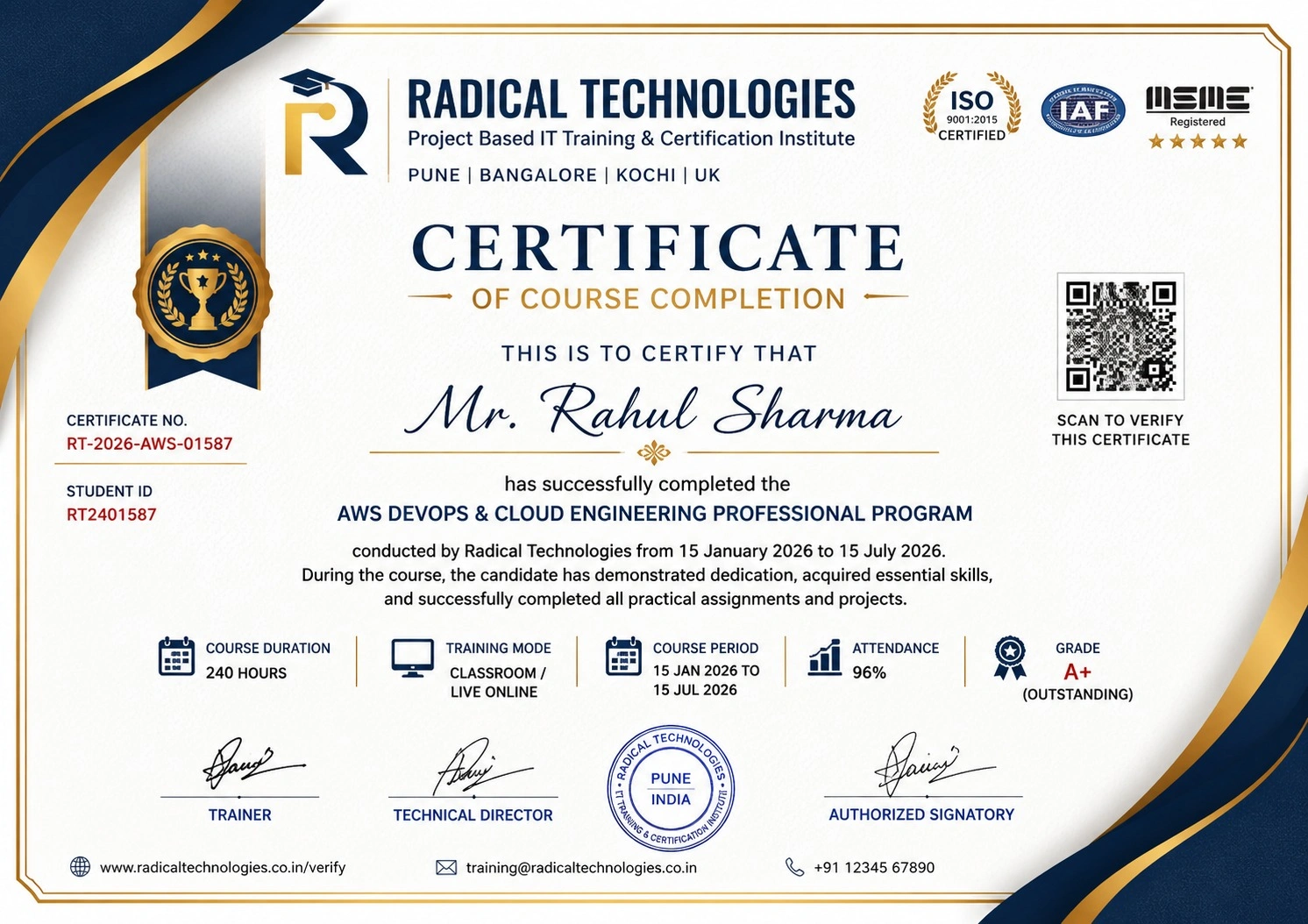
Certificate of Completion

Career Services

At Radical Technologies, we are committed to your success beyond the classroom. Our 100% Job Assistance program ensures that you are not only equipped with industry-relevant skills but also guided through the job placement process. With personalised resume building, interview preparation, and access to our extensive network of hiring partners, we help you take the next step confidently into your IT career.

Career Support

Course Completed? Need next steps?
Need Interview Supports?
Need Job Assistance?
Came from any other Institute?

Join our Brush-up Session & get support until you find a job!

Get Started

Radical Learning Eco-System

Exam Simulator

Cloud SandBox

Hands-on Cloud Lab

Developer Coding Ground

Student Reviews

4.4★
Average learner rating
50K+
Students trained
30+
Hiring companies alumni work at
100%
Placement assistance
4.4
★★★★★

Course Rating

★★★★★
62%
★★★★☆
21%
★★★☆☆
10%
★★☆☆☆
4%
★☆☆☆☆
3%

Our Alumni Work At

Accenture
Amazon
Avisys Services
Birlasoft
Capgemini
Catchpoint
Cognizant
Darwish Cybertech
DataVision
GiBots
Google
Groots Software
HCL Technologies
IBM
Info Gain
Infosys
ITCube Solutions
KPIT
L&T Infotech
Microsoft
Mphasis
mPhatek
Oracle
Quantbit Technologies
Saina Cloud
TCS
Tech Mahindra
Wipro
YASH Technologies
Zensar Technologies
Accenture
Amazon
Avisys Services
Birlasoft
Capgemini
Catchpoint
Cognizant
Darwish Cybertech
DataVision
GiBots
Google
Groots Software
HCL Technologies
IBM
Info Gain
Infosys
ITCube Solutions
KPIT
L&T Infotech
Microsoft
Mphasis
mPhatek
Oracle
Quantbit Technologies
Saina Cloud
TCS
Tech Mahindra
Wipro
YASH Technologies
Zensar Technologies