Radical Technologies
DEVOPS
★★★★★
(2,095 ratings)  50,000+ Student

DOCKER & KUBERNETES

Docker and Kubernetes continues to grow & large enterprises are starting to build container strategies for both development and operations. Docker and Kubernetes are a natural fit for furthering DevOps automation. Docker is lightweight, portable and hardware-agnostic. Docker’s packaging enables a developer to write an application in any language and then easily move it. Kubernetes is purpose-built with a simplicity of design that has made it the container orchestration tool of choice.

RT
Radical Technologies
50,000+ English 50 hours Weekdays / Weekends Classroom / Online / Corporate
Online / Classroom

DOCKER & KUBERNETES

IT Training Programme

Duration 50 hours
Batch Type Weekdays / Weekends
Mode of Training Classroom / Online / Corporate
Locations Pune, Bangalore, Kochi
Language English
Certification Globally Recognized
Call Now

100% placement assistance

What you'll learn

Understand core concepts and architecture from the ground up
Get hands-on with the tools used by working professionals
Build real-world projects you can add to your portfolio
Learn industry best practices and coding standards
Practice with real datasets and real-world scenarios
Prepare for certification and technical interviews
Work on collaborative, team-based exercises
Apply performance tuning and optimization techniques
Understand how the technology fits into a larger ecosystem
Complete assignments reviewed by mentors

Programme Overview

12 sections covering the complete curriculum — a single, progressive learning arc.

50 hours
Training Duration
12
Core Modules
323
Total Lessons
4.4
Average Rating
50K+
Students Trained
01

Foundations & Core Concepts

Get hands-on with the fundamentals and architecture — the building blocks for everything that follows.

Fundamentals Architecture Setup
02

Hands-On Practical Training

Work through real exercises and assignments designed to mirror what you will do on the job.

Practicals Assignments Labs
03

Real-World Projects

Apply what you have learned to end-to-end projects that go straight into your portfolio.

Projects Portfolio Case Studies
04

Advanced Techniques

Go beyond the basics with advanced concepts, integrations and production-grade practices.

Advanced Integration Best Practices
05

Ecosystem Integration

Understand how this technology connects with the broader tools and platforms used in the industry.

Ecosystem Tools Platforms
06

Performance & Interview Prep

Master optimization techniques and prepare for the technical interview questions employers actually ask.

Optimization Interview Prep Certification

Who is this programme for?

Whether you're already writing code, working with data, or supporting applications today — this programme is built to take you into a DEVOPS role.

Software Developers

Engineers who want to add this skill set to their toolkit

Analysts & Consultants

Professionals moving into a more technical, hands-on role

IT Professionals

System admins and support engineers upskilling into a new domain

Fresh Graduates

CS/IT graduates aiming for a job-ready technical role

Course Curriculum

12 sections  •  323 lessons  •  50 hours

01 Open Source – Docker & Kubernetes

Docker

Docker – Overview
Docker – Installing Docker on Linux
Docker – Installation
Docker – Hub
Docker – Images
Docker – Images Lifecycle
Docker – Containers
Docker – Containers Lifecycle
Docker – Working With Containers
Docker – Architecture
Docker – Configuring
Docker – Containers & Shells
Docker – File
Docker – Building Files
Building a Web Server Docker File
Docker – Public Repositories
Docker – Managing Ports
Docker – Private Registries
Docker – Instruction Commands
Docker – Container Linking
Docker – Storage
Docker – Networking
Docker – Setting NGINX
Docker – Toolbox
Docker – Logging
Docker – Compose
Docker-Swarm


Kubernetes

Kubernetes – Overview
Kubernetes – Architecture
Kubernetes – Setup
Kubernetes – Images
Kubernetes – Jobs
Kubernetes – Labels & Selectors
Kubernetes – Namespace
Kubernetes – Node
Kubernetes – Service
Kubernetes – Pod
Kubernetes – Replication Controller
Kubernetes – Replica Sets
Kubernetes – Deployments
Kubernetes – Volumes
Kubernetes – Secrets
Kubernetes – Network Policy


Advanced Kubernetes

Kubernetes – API
Kubernetes – Kubectl
Kubernetes – Kubectl Commands
Kubernetes – Creating an App
Kubernetes – App Deployment
Kubernetes – Autoscaling
Kubernetes – Dashboard Setup
Kubernetes – Monitoring
02 AWS-Docker & Kubernetes

Elastic Container Registry

What Is Amazon Elastic Container Registry?
AWS EC2
AWS CLI Setup
Components of Amazon ECR
Registry
Authorization Token
Repository
Repository Policy
Image
Commands


Elastic Container Service

Docker Container Concepts
An intro to Amazon ECS
Terms and architecture
Task Definition
Task
Service
ECS Container Instances and ECS Container Agents
Cluster


Elastic Kubernetes Service

Overview: Installing Kubernetes
Installing Dependencies
Installing the Latest Kubernetes
Exploring Your Kubernetes Installation
Kubernetes Architecture and Design
Achieving High-Availability
Scaling Kubernetes
Federation
Configuration Best Practices
Creating and Decoding Secrets
Using Secrets in Applications
Overview: Docker Containerization
Installing Docker and Building the Image
Deploying Your Docker Container
Interacting With Your Container
Hands-on Kubernetes on AWS
03 Azure-Docker & Kubernetes

Azure container registry

Docker Container Concepts
Deploying Containers
Multi-container Applications
Azure Container Registry
Azure Container Clustering Options
Installing ACS


Azure Container Service

Introduction to Azure Container Service
Azure Container Instances
Creating your first container in Azure
Azure Marketplace containers
Container orchestration


Azure Kubernets Services

What is AKS?
Kubernetes core concepts for AKS
Install the Kubernetes CLI
Baseline architecture for an AKS cluster
Clusters and workloads
Access and identity
Security
Networking
Storage
Deploy an Azure Kubernetes Service (AKS) cluster
Create a Kubernetes cluster
Connect to cluster using kubectl
Deploy the application
Scale applications
Update an application
Upgrade Kubernetes
04 GCP-Docker & Kubernetes

Google Container Registry

Overview
Create Account
Compute Engine
Permissions
Running an image
Commands


Google Container Services

Containers on Compute Engine
Container technologies that run on Compute Engin
Container-optimized VM images
Installing container technologies on your instances
Install Docker
Permissions


Google Kubernets Services

Understanding the GKE Service Profiles
Benefits of Using GKE
Costing Model Used in GKE
Using the GCP Calculator
GKE Architecture
Deploying an Application
Kubernetes Components
Basic Commands
GKE Architecture
GKE and IAM Requirements
GKE Federation Requirements
Kubernetes Cluster Actions
Scale/Resize a Cluster
05 DCA - Domain 1: Orchestration (25% of exam)

Content may include the following:

Complete the setup of a swarm mode cluster, with managers and worker nodes
State the differences between running a container vs running a service
Demonstrate steps to lock a swarm cluster
Extend the instructions to run individual containers into running services under swarm
Interpret the output of “docker inspect” commands
Convert an application deployment into a stack file using a YAML compose file with
“docker stack deploy”
Manipulate a running stack of services
Increase # of replicas
Add networks, publish ports
Mount volumes
Illustrate running a replicated vs global service
Identify the steps needed to troubleshoot a service not deploying
Apply node labels to demonstrate placement of tasks
Sketch how a Dockerized application communicates with legacy systems
Paraphrase the importance of quorum in a swarm cluster
Demonstrate the usage of templates with “docker service create”
06 DCA - Domain 2: Image Creation, Management, and Registry (20% of exam)

Content may include the following:

● Describe Dockerfile options [add, copy, volumes, expose, entrypoint, etc)
● Show the main parts of a Dockerfile
● Give examples on how to create an efficient image via a Dockerfile
● Use CLI commands such as list, delete, prune, rmi, etc to manage images
● Inspect images and report specific attributes using filter and format
● Demonstrate tagging an image
● Utilize a registry to store an image
● Display layers of a Docker image
● Apply a file to create a Docker image
● Modify an image to a single layer
● Describe how image layers work
● Deploy a registry (not architect)
● Configure a registry
● Log into a registry
● Utilize search in a registry
● Tag an image
● Push an image to a registry
● Sign an image in a registry
● Pull an image from a registry
● Describe how image deletion works
● Delete an image from a registry
07 DCA - Domain 3: Installation and Configuration (15% of exam)

Content may include the following:

Demonstrate the ability to upgrade the Docker engine
Complete setup of repo, select a storage driver, and complete installation of Docker
engine on multiple platforms
Configure logging drivers (splunk, journald, etc)
Setup swarm, configure managers, add nodes, and setup backup schedule
Create and manager user and teams
Interpret errors to troubleshoot installation issues without assistance
Outline the sizing requirements prior to installation
Understand namespaces, cgroups, and configuration of certificates
Use certificate-based client-server authentication to ensure a Docker daemon has the
rights to access images on a registry
Consistently repeat steps to deploy Docker engine, UCP, and DTR on AWS and on
premises in an HA config
Complete configuration of backups for UCP and DTR
Configure the Docker daemon to start on boot
08 DCA - Domain 4: Networking (15% of exam)

Content may include the following:

Create a Docker bridge network for a developer to use for their containers
Troubleshoot container and engine logs to understand a connectivity issue between
containers
Publish a port so that an application is accessible externally
Identify which IP and port a container is externally accessible on
Describe the different types and use cases for the built-in network drivers
Understand the Container Network Model and how it interfaces with the Docker engine
and network and IPAM drivers
Configure Docker to use external DNS
Use Docker to load balance HTTP/HTTPs traffic to an application (Configure L7 load
balancing with Docker EE)
Understand and describe the types of traffic that flow between the Docker engine,
registry, and UCP controllers
Deploy a service on a Docker overlay network
Describe the difference between “host” and “ingress” port publishing mode
09 DCA - Domain 5: Security (15% of exam)

Content may include the following:

Describe the process of signing an image
Demonstrate that an image passes a security scan
Enable Docker Content Trust
Configure RBAC in UCP
Integrate UCP with LDAP/AD
Demonstrate creation of UCP client bundles
Describe default engine security
Describe swarm default security
Describe MTLS
Identity roles
Describe the difference between UCP workers and managers
Describe process to use external certificates with UCP an
d DTR
10 DCA - Domain 6: Storage and Volumes (10% of exam)

Content may include the following:

State which graph driver should be used on which OS
Demonstrate how to configure devicemapper
Compare object storage to block storage, and explain which one is preferable when available
Summarize how an application is composed of layers and where those layers reside on
the filesystem
Describe how volumes are used with Docker for persistent storage
Identify the steps you would take to clean up unused images on a filesystem, also on
DTR
Demonstrate how storage can be used across cluster nodes
11 Certified Kubernetes Administrator (CKA) Exam Curriculum 1.13.0

5%-Scheduling

Use label selectors to schedule Pods.
Understand the role of Daemon Sets.
Understand how resource limits can affect Pod scheduling.
Understand how to run multiple schedulers and how to configure Pods
to use them.
Manually schedule a pod without a scheduler.
Display scheduler events.
Know how to configure the Kubernetes scheduler.

5%-Logging/Monitoring

Understand how to monitor all cluster components.
Understand how to monitor applications.
Manage cluster component logs.
Manage application logs.

8%-Application Lifecycle Management

Understand Deployment sand how to perform rolling updates and rollbacks.
Know various ways to configure applications.
Know how to scale applications.
Understand the primitives necessary to create a self-healing application.
11%-Cluster
Understand Kubernetes cluster upgrade process.
Facilitate operating system upgrades.
Implement backup and restore methodologies.

12%-Security 

Know how to configure authentication and authorization.
Understand Kubernetes security primitives.
Know to configure network policies.
Create and manage TLS certificates for cluster components.
Work with images securely.
Define security contexts.
Secure persistent keyvalue store.

7%-Storage

Understand persistent volumes and know how to create them.
Understand access modes for volumes.
Understand persistent volume claims primitive.
Understand Kubernetes storage objects.
Know how to configure applications with persistent storage.

10%-Troubleshooting

Trouble shoot application failure.
Trouble shoot control plane failure.
Trouble shoot worker node failure.
Trouble shoot networking.

19%-Core Concepts

Understand the Kubernetes API primitives.
Understand the Kubernetes cluster architecture.
Understand Services and other network primitives.

11%-Networking

Understand the networking configuration on the cluster nodes.
Understand Pod networking concepts.
Understand Service networking.
Deploy and configure network loadbalancer.
Know how to use Ingress rules.
Know how to configure and use the cluster DNS.
Understand CNI.

12%-Installation,Configuration &Validation

Design a Kubernetes cluster.
Install Kubernetes masters and nodes.
Configure secure cluster communications.
Configure a Highly-Available Kubernetes cluster.
Know where to get the Kubernetes release binaries.
Provision underlying infrastructure to deploy a Kubernetes cluster.
Choose a network solution.
Choose your Kubernetes infrastructure configuration.
Run end-to-end tests on your cluster.
Analyse end-to-end tests results.
Run Node end-to-end tests.
12 CKAD
Certified Kubernetes Application Developer(CKAD) ExamCurriculum v1.13.0
This document provides the curriculum outline of the Knowledge,Skills and Abilities that
a Certified Kubernetes Application Developer (CKAD) can be expected to demonstrate.

13%-Core Concepts

Understand Kubernetes API primitives
Create and configure basic Pods

18%-Configuration

Understand Config Maps
Understand Security Contexts
Define an application’s resource requirements
Create & consume Secrets
Understand Service Accounts

10% Multi-Container Pods 

Understand Multi-Container Pod design patterns (e.g.ambassador,adapter,sidecar)

18%-Observability

Understand Liveness Probesand
Readiness Probes
Understand container logging
Understand how to monitor applications in Kubernetes
Understand debugging in Kubernetes

20%-PodDesign 

Understand how to use Labels, Selectors, and Annotations
Understand Deployments and how to perform rolling updates
Understand Deployments and how to perform rollbacks
Understand Jobs and CronJobs

13%-Services&Networking

Understand Services
Demonstrate basic understanding of Network Policies

8%-State Persistence

Understand Persistent Volume Claims for storage

Tools & Technologies

Every tool listed here is installed, configured and used in a hands-on lab session.

Core Tools

Hands-On Labs

Practical Environment

Industry-Standard Tools

Real-World Setup

Guided Exercises

Skill Building

Sample Datasets

Practice Material

Practice & Projects

Mini Projects

Applied Practice

Assignments

Mentor Reviewed

Doubt Sessions

Live Support

Career Readiness

Resume Building

Career Support

Mock Interviews

Interview Prep

Certification Prep

Global Recognition

Deployment & Delivery

Production Practices

Real-World Ready

Best Practices

Industry Standards

323+
Hands-On Lessons
12
Core Modules
50 hours
Training Duration
100%
Practical Training

You don't just learn DOCKER & KUBERNETES. You ship it.

Three major projects, each mirroring how production teams actually work — from guided foundations to a portfolio-ready capstone.

PROJECT // 01

Guided Foundation Project

Requirement Analysis

Guided Implementation

Mentor Review

Iteration

Foundation Beginner

Apply the fundamentals in a structured, mentor-reviewed project

Take the core concepts from the first half of the curriculum and apply them to a realistic scenario, with guidance and feedback from your mentor at every step.

Structured project brief
Step-by-step implementation
Mentor feedback and review
Documented outcome
Stack Core Concepts Best Practices
PROJECT // 02

Applied Practice Project

Scenario Design

Independent Build

Testing & Validation

Peer Review

Applied Intermediate

Build a more independent project mirroring real production scenarios

Work through a project that combines multiple concepts from the curriculum, closer to how work is actually structured on the job — less hand-holding, more ownership.

End-to-end implementation
Testing and validation
Documentation
Peer/mentor review
Stack Applied Skills Testing
PROJECT // 03

Capstone Project

Planning

End-to-End Build

Review & Refinement

Presentation

Capstone Advanced

Take a project from requirements to a polished, portfolio-ready deliverable

Your final project — plan, build, test and present a complete solution using everything covered in the curriculum, reviewed by mentors before you graduate.

Complete working solution
Presentation-ready documentation
Mentor sign-off
Portfolio-ready deliverable
Stack Full Curriculum Portfolio

All 3 projects go directly into your portfolio & resume — reviewed by mentors before you graduate.

See Sample Project Reports

Upcoming Batches

No upcoming batches scheduled right now. Enquire to get notified.

Why Radical Technologies

Live Online Training
  • Highly practical oriented training
  • Installation support on your system
  • 24/7 Email and Phone support
  • 100% Placement Assistance
  • Global Certification Preparation
  • Trainer-Student Interactive Portal
  • Assignments and Projects by Mentors
Enroll Now
Live Classroom Training
  • Weekend / Weekdays / Morning / Evening batches
  • 80:20 Practical and Theory ratio
  • Real-life Case Studies
  • Easy make-up for missed sessions
  • PSI | Kryterion | Redhat Test Centers
  • Lifetime Video Classroom Access (coming soon)
  • Resume Prep and Mock Interviews
Enroll Now
Self-Paced Training
  • Learn 300+ courses at your own time
  • 50,000+ Satisfied Learners
  • Course Completion Certificate
  • Practical Labs available
  • Mentor Support available
  • Doubt Clearing Session available
  • 10% Discounted Global Certification
Enroll Now

Like the Curriculum? Let's Get Started

Join 50,000+ students already enrolled at Radical Technologies

Enroll Now

Global Certification

Radical Technologies is the leading IT certification institute in Pune, offering globally recognized certifications across various domains. With expert trainers and comprehensive materials, we ensure students gain in-depth knowledge and hands-on experience to excel in their careers. Our certification programs are tailored to meet industry standards — from cloud technologies to data science — empowering individuals to stay ahead in the ever-evolving tech landscape.
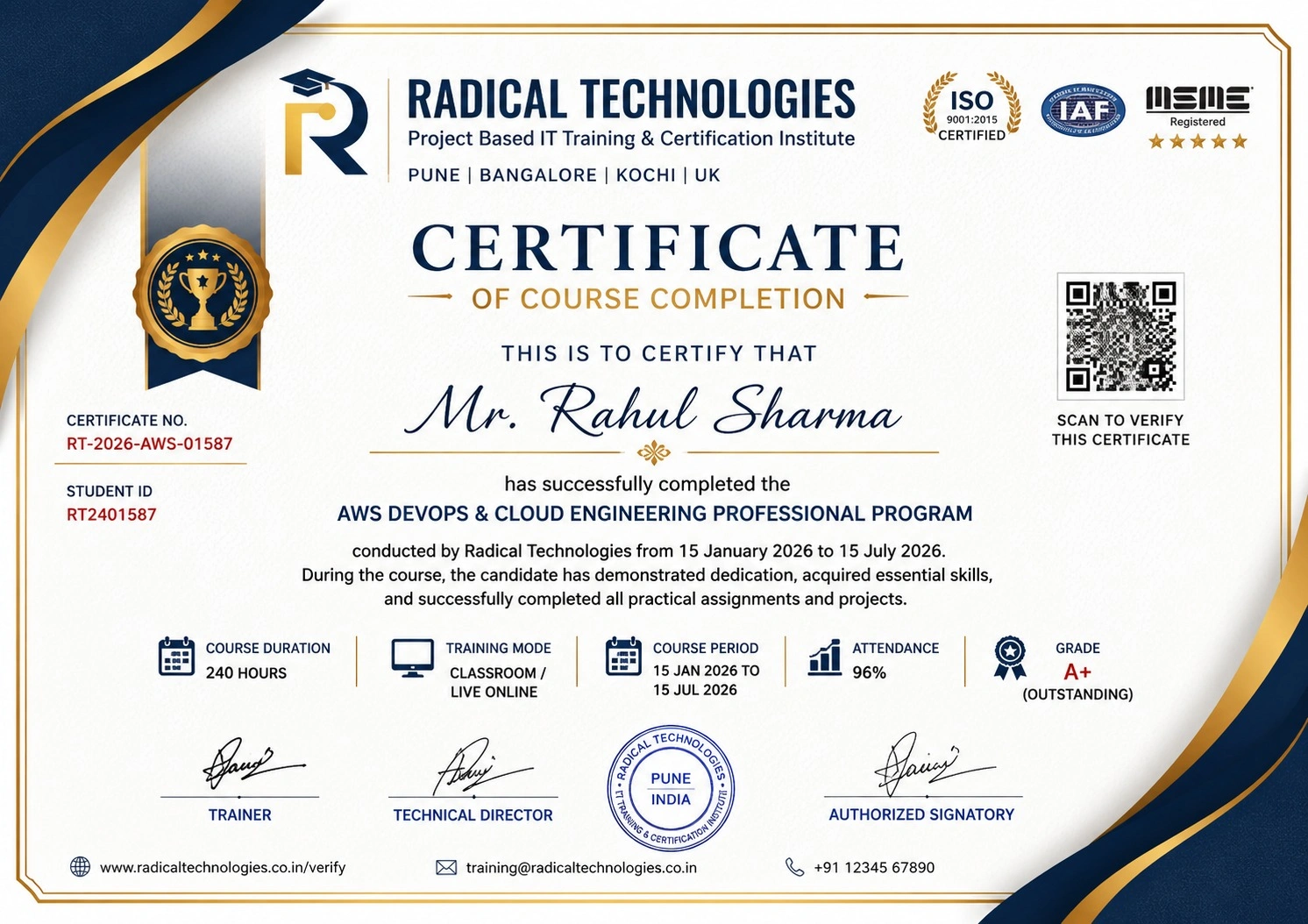
Certificate of Completion

Career Services

At Radical Technologies, we are committed to your success beyond the classroom. Our 100% Job Assistance program ensures that you are not only equipped with industry-relevant skills but also guided through the job placement process. With personalised resume building, interview preparation, and access to our extensive network of hiring partners, we help you take the next step confidently into your IT career.

Career Support

Course Completed? Need next steps?
Need Interview Supports?
Need Job Assistance?
Came from any other Institute?

Join our Brush-up Session & get support until you find a job!

Get Started

Radical Learning Eco-System

Exam Simulator

Cloud SandBox

Hands-on Cloud Lab

Developer Coding Ground

Student Reviews

4.4★
Average learner rating
50K+
Students trained
30+
Hiring companies alumni work at
100%
Placement assistance
4.4
★★★★★

Course Rating

★★★★★
62%
★★★★☆
21%
★★★☆☆
10%
★★☆☆☆
4%
★☆☆☆☆
3%

Our Alumni Work At
Accenture
Amazon
Avisys Services
Birlasoft
Capgemini
Catchpoint
Cognizant
Darwish Cybertech
DataVision
GiBots
Google
Groots Software
HCL Technologies
IBM
Info Gain
Infosys
ITCube Solutions
KPIT
L&T Infotech
Microsoft
Mphasis
mPhatek
Oracle
Quantbit Technologies
Saina Cloud
TCS
Tech Mahindra
Wipro
YASH Technologies
Zensar Technologies
Accenture
Amazon
Avisys Services
Birlasoft
Capgemini
Catchpoint
Cognizant
Darwish Cybertech
DataVision
GiBots
Google
Groots Software
HCL Technologies
IBM
Info Gain
Infosys
ITCube Solutions
KPIT
L&T Infotech
Microsoft
Mphasis
mPhatek
Oracle
Quantbit Technologies
Saina Cloud
TCS
Tech Mahindra
Wipro
YASH Technologies
Zensar Technologies