Radical Technologies
DATA WAREHOUSING | BI
★★★★★
(2,095 ratings)  50,000+ Student

INFORMATICA 10.X DEV + ADMIN

In challenging times good decision-making becomes critical. The best decisions are made when all the relevant data available is taken into consideration. The best possible source for that data is a well-designed data warehouse. To make any new decision or to introduce new Plan data warehousing is very important

RT
Radical Technologies
50,000+ English 40 hours Weekdays / Weekends Classroom / Online / Corporate
Online / Classroom

INFORMATICA 10.X DEV + ADMIN

IT Training Programme

Duration 40 hours
Batch Type Weekdays / Weekends
Mode of Training Classroom / Online / Corporate
Locations Pune, Bangalore, Kochi
Language English
Certification Globally Recognized
Call Now

100% placement assistance

What you'll learn

Understand core concepts and architecture from the ground up
Get hands-on with the tools used by working professionals
Build real-world projects you can add to your portfolio
Learn industry best practices and coding standards
Practice with real datasets and real-world scenarios
Prepare for certification and technical interviews
Work on collaborative, team-based exercises
Apply performance tuning and optimization techniques
Understand how the technology fits into a larger ecosystem
Complete assignments reviewed by mentors

Programme Overview

11 sections covering the complete curriculum — a single, progressive learning arc.

40 hours
Training Duration
11
Core Modules
266
Total Lessons
4.4
Average Rating
50K+
Students Trained
01

Foundations & Core Concepts

Get hands-on with the fundamentals and architecture — the building blocks for everything that follows.

Fundamentals Architecture Setup
02

Hands-On Practical Training

Work through real exercises and assignments designed to mirror what you will do on the job.

Practicals Assignments Labs
03

Real-World Projects

Apply what you have learned to end-to-end projects that go straight into your portfolio.

Projects Portfolio Case Studies
04

Advanced Techniques

Go beyond the basics with advanced concepts, integrations and production-grade practices.

Advanced Integration Best Practices
05

Ecosystem Integration

Understand how this technology connects with the broader tools and platforms used in the industry.

Ecosystem Tools Platforms
06

Performance & Interview Prep

Master optimization techniques and prepare for the technical interview questions employers actually ask.

Optimization Interview Prep Certification

Who is this programme for?

Whether you're already writing code, working with data, or supporting applications today — this programme is built to take you into a DATA WAREHOUSING | BI role.

Software Developers

Engineers who want to add this skill set to their toolkit

Analysts & Consultants

Professionals moving into a more technical, hands-on role

IT Professionals

System admins and support engineers upskilling into a new domain

Fresh Graduates

CS/IT graduates aiming for a job-ready technical role

Course Curriculum

11 sections  •  266 lessons  •  40 hours

01 Introduction to Informatica

Informatica is a tool, supporting all the steps of Extraction, Transformation and Load process. Now days Informatica is also being used as an Integration tool. Informatica is an easy to use tool. It has got a simple visual interface like forms in visual basic. You just need to drag and drop different objects (known as transformations) and design process flow for Data extraction transformation and load. These process flow diagrams are known as mappings. Once a mapping is made, it can be scheduled to run as and when required. In the background Informatica server takes care of fetching data from source, transforming it, & loading it to the target systems/databases. Informatica can communicate with all major data sources (Mainframe/RDBMS/Flat Files/XML/VSM/SAP etc.), can move/transform data between them. It can move huge volumes of data in a very effective way, many a times better than even bespoke programs written for specific data movement only. It can throttle the transactions (do big updates in small chunks to avoid long locking and filling the transactional log). It can effectively join data from two distinct data sources (even a xml file can be joined with a relational table). In all, Informatica has got the ability to effectively integrate heterogeneous data sources & converting raw data into useful information

Informatica is not only ETL tool but also Data integrator.Informatica is one of the Best tool in current industry provides versatile solutions to any kind of data.In Radical we provide scenario based training with real time examples, project explanation, project related queries.
Any one who is having basic knowledge of SQL queries can start learning Informatica tool.
As it is a GUI based​ tool, coding knowledge wouldn’t be necessary.At least 1-3 yrs of experience is good enough to get interview calls.
02 Administrator Module
Understanding Domains
Nodes
Application Services
Using Administration Console
Managing the Domain
Managing Alerts
Managing Folders
Managing Permissions
Managing Application Services
Managing the Nodes
Managing Users and Groups
Managing Privileges and Roles
Domain Privileges
Repository Services Privileges
Reporting Service Privileges
Managing Roles – Assigning Privileges and Roles to Users and Groups
Creating and Configuring the Repository Services
Managing the Repository
Creating and Configuring Integration Services
Enabling and Disabling the Integration Services
Running in Normal and Safe Mode
Configuring the Integration Services Processes
Integration Services Architecture
Creating the Reporting Services
Managing the Reporting Services
Configuring the Reporting Services
Managing License
03 Advanced Workflow Module
Understanding Pipeline Partitioning
Partitioning Attributes
Dynamic Partitioning
Partitioning Rules
Configuring Partitioning
Partitioning Points
Adding and Deleting Partitioning points
Partitioning Relational Sources
Partitioning File Targets
Partitioning transformations
Partitioning Types
Real Time Processing
Commit Points
Workflow Recovery
Stopping and Aborting
Error Handling
Stopping and Aborting Workflows
Concurrent Workflows
Load Balancer
Workflow Variables
Predefined Workflow Variables
User- Defined Workflow Variables
Using Worklet Variables
Assigning Variable Values in a Worklet
Parameter and variables in Sessions
Working with Session Parameters
Assigning Parameter and Variables in a Session
Parameter File
Session Caches
Incremental Aggregation
Session Log Interface
04 Command Reference
Using Command Line Programs
Infacmd
Infasetup
Pmcmd
pmrep
05 Designer Module
Using the Designer
Configuring Designer Options
Using Toolbars
Navigating the Workspace
Designer Tasks
Viewing Mapplet and Mapplet Reports
Working with Sources
Working with Relational Sources
Working with COBOL Sources
Working with Cobol Source Files
Working with Flat Files
Importing  Flat Files
Editing Flat Files Definition
Formatting Flat Files Column
Working with Targets
 Importing Target Definition
Creating Target Definition from Source Definition
Creating Target Definition from Transformations
Creating Target tables
Mappings
Working with Mappings
Connecting Mapping Objects
Linking Ports
Propagating Port Attributes
Working with Targets in a Mapping
Working with Relational Targets in a Mapping
Validating a Mapping
Using Workflow Generation Wizard
Mapplets
Understanding Mapplets Input and Output
Using Mapplet Designer
Using Mapplets in Mapping
Mapping Parameters and Variables
Working with User-Defined Functions
Using the Debugger
Creating Breakpoints
Configuring the Debugger
Monitoring the Debugger
Evaluating Expression
Creating Cubes and Dimensions
Using Mapping Wizard
Naming Conventions
06 Performance Tuning Module
Performance Tuning Overview
Bottlenecks
Using Thread Statistics
Target Bottlenecks
Source Bottlenecks
Mapping Bottlenecks
Session Bottlenecks
System Bottlenecks
Optimizing the Targets
Optimizing the Source
Optimizing the Mapping
Optimizing the Transformations
Optimizing the Sessions
Optimizing thePowerCenter Components
Optimizing the System
Using Pipeline Partitions
Performance Counters
07 Repository Module
Understanding the Repository
Using Repository Manager
Folders
Managing Object Permissions
Working with Versioned Objects
Exporting and Importing Objects
Copying Objects
08 Transformation Module
Working with Transformations
Configuring Transformations
Working with Ports
Working with Expressions
Reusable Transformations
Aggregator Transformation
Custom Transformation
Expression Transformation
External Transformation
Filter Transformation
Joiner Transformation
Java Transformation
Lookup Transformation
Lookup Caches
Normalizer Transformation
Rank Transformation
Router Transformation
Sequence Generator Transformation
Sorter Transformation
Source Qualifier Transformation
SQL Transformation
Stored Procedure Transformation
Transaction Control Transformation
Union Transformation
Update Strategy Transformation
09 Transformation Language Reference
The Transformation Language
Constants
Operators
Variables
Dates
Functions
Creating Custom Function
10 Workflow Basics Module
Workflow Manager
Workflow Manager Options
Navigating the Workspace
Working with Repository Objects
Copying Repository Objects
Comparing Repository Objects
Workflow and Worklets
Creating a Workflow
Using Workflow Wizard
Assigning an Integration Service
Working with Worklets
Working with Links
Sessions
Creating a Session Task
Editing a Session
Pre- and Post- Session Commands
Session Configuration Objects
Tasks
Creating a Task
Configuring Tasks
Working with Command Task
Working with Decision Task
Working with Event Task
Working Timer Task
Working with Assignment Task
Sources
Configuring Sources in a Session
Working with Relational Sources
Working with Flat Sources
Targets
Configuring Targets in a Session
Working with Relational Targets
Working with File Targets
Reject Files
Validation
Validating Tasks
Validating Worklets
Validating Session
Validating Workflows
Scheduling and Running Workflows
Scheduling a Workflow
Manually Starting a Workflow
Sending Email
Working with Email Tasks
Working with Post-Session Email
Workflow Monitor
Using Workflow Monitor
Customizing Workflow Monitor Options
Working with Tasks and Workflows
Using Gantt Chart View and Task View
Workflow Monitor Details
Integration Services Properties
Workflow Run Properties
Worklet Run Properties
Session Task Run Properties
Performance Details
Session and Workflow Logs
Log Events
Log Events Window
Working with Log Files
Workflow Logs

Note : Lab sessions for all the points mentioned above will be taken.

11 DATA WAREHOUSING SYLLABUS
Evolution of Datawarehousing – History
The need of Datawarehousing
Why Datawarehousing
What is Datawarehousing – The Definition
Subject -Oriented
Integrated
Non – Volatile
Time Varying
Datawarehousing Architecture
Data Source Layer
Data Extraction Layer
Staging Layer
ETL Layer
Data Storage Layer
Data Logic Layer
Data Presentation Layer
Metadata Layer
System Operation Layer
Dimension table
Fact table
Additive Facts
Semi Additive Facts
Non – Additive Fact
Cumulative
SnapShot
Attribute
Hierarchy
Types of Schema
Star Schema
Snow Flake Schema
Fact Constellation Schema
Slow Changing Dimension
SCD1 – Advantages/ Disadvantages
SCD2 – Advantages/ Disadvantages
SCD3 – Advantages/ Disadvantages
OLAP and OLTP
Difference between OLAP and OLTP
Types Of OLAP
Multi-Dimensional (MOLAP)
Relational(ROLAP)
Hybrid(HOLAP)

Tools & Technologies

Every tool listed here is installed, configured and used in a hands-on lab session.

Core Tools

Hands-On Labs

Practical Environment

Industry-Standard Tools

Real-World Setup

Guided Exercises

Skill Building

Sample Datasets

Practice Material

Practice & Projects

Mini Projects

Applied Practice

Assignments

Mentor Reviewed

Doubt Sessions

Live Support

Career Readiness

Resume Building

Career Support

Mock Interviews

Interview Prep

Certification Prep

Global Recognition

Deployment & Delivery

Production Practices

Real-World Ready

Best Practices

Industry Standards

266+
Hands-On Lessons
11
Core Modules
40 hours
Training Duration
100%
Practical Training

You don't just learn INFORMATICA 10.X DEV + ADMIN. You ship it.

Three major projects, each mirroring how production teams actually work — from guided foundations to a portfolio-ready capstone.

PROJECT // 01

Guided Foundation Project

Requirement Analysis

Guided Implementation

Mentor Review

Iteration

Foundation Beginner

Apply the fundamentals in a structured, mentor-reviewed project

Take the core concepts from the first half of the curriculum and apply them to a realistic scenario, with guidance and feedback from your mentor at every step.

Structured project brief
Step-by-step implementation
Mentor feedback and review
Documented outcome
Stack Core Concepts Best Practices
PROJECT // 02

Applied Practice Project

Scenario Design

Independent Build

Testing & Validation

Peer Review

Applied Intermediate

Build a more independent project mirroring real production scenarios

Work through a project that combines multiple concepts from the curriculum, closer to how work is actually structured on the job — less hand-holding, more ownership.

End-to-end implementation
Testing and validation
Documentation
Peer/mentor review
Stack Applied Skills Testing
PROJECT // 03

Capstone Project

Planning

End-to-End Build

Review & Refinement

Presentation

Capstone Advanced

Take a project from requirements to a polished, portfolio-ready deliverable

Your final project — plan, build, test and present a complete solution using everything covered in the curriculum, reviewed by mentors before you graduate.

Complete working solution
Presentation-ready documentation
Mentor sign-off
Portfolio-ready deliverable
Stack Full Curriculum Portfolio

All 3 projects go directly into your portfolio & resume — reviewed by mentors before you graduate.

See Sample Project Reports

Upcoming Batches

No upcoming batches scheduled right now. Enquire to get notified.

Why Radical Technologies

Live Online Training
  • Highly practical oriented training
  • Installation support on your system
  • 24/7 Email and Phone support
  • 100% Placement Assistance
  • Global Certification Preparation
  • Trainer-Student Interactive Portal
  • Assignments and Projects by Mentors
Enroll Now
Live Classroom Training
  • Weekend / Weekdays / Morning / Evening batches
  • 80:20 Practical and Theory ratio
  • Real-life Case Studies
  • Easy make-up for missed sessions
  • PSI | Kryterion | Redhat Test Centers
  • Lifetime Video Classroom Access (coming soon)
  • Resume Prep and Mock Interviews
Enroll Now
Self-Paced Training
  • Learn 300+ courses at your own time
  • 50,000+ Satisfied Learners
  • Course Completion Certificate
  • Practical Labs available
  • Mentor Support available
  • Doubt Clearing Session available
  • 10% Discounted Global Certification
Enroll Now

Like the Curriculum? Let's Get Started

Join 50,000+ students already enrolled at Radical Technologies

Enroll Now

Global Certification

Radical Technologies is the leading IT certification institute in Pune, offering globally recognized certifications across various domains. With expert trainers and comprehensive materials, we ensure students gain in-depth knowledge and hands-on experience to excel in their careers. Our certification programs are tailored to meet industry standards — from cloud technologies to data science — empowering individuals to stay ahead in the ever-evolving tech landscape.
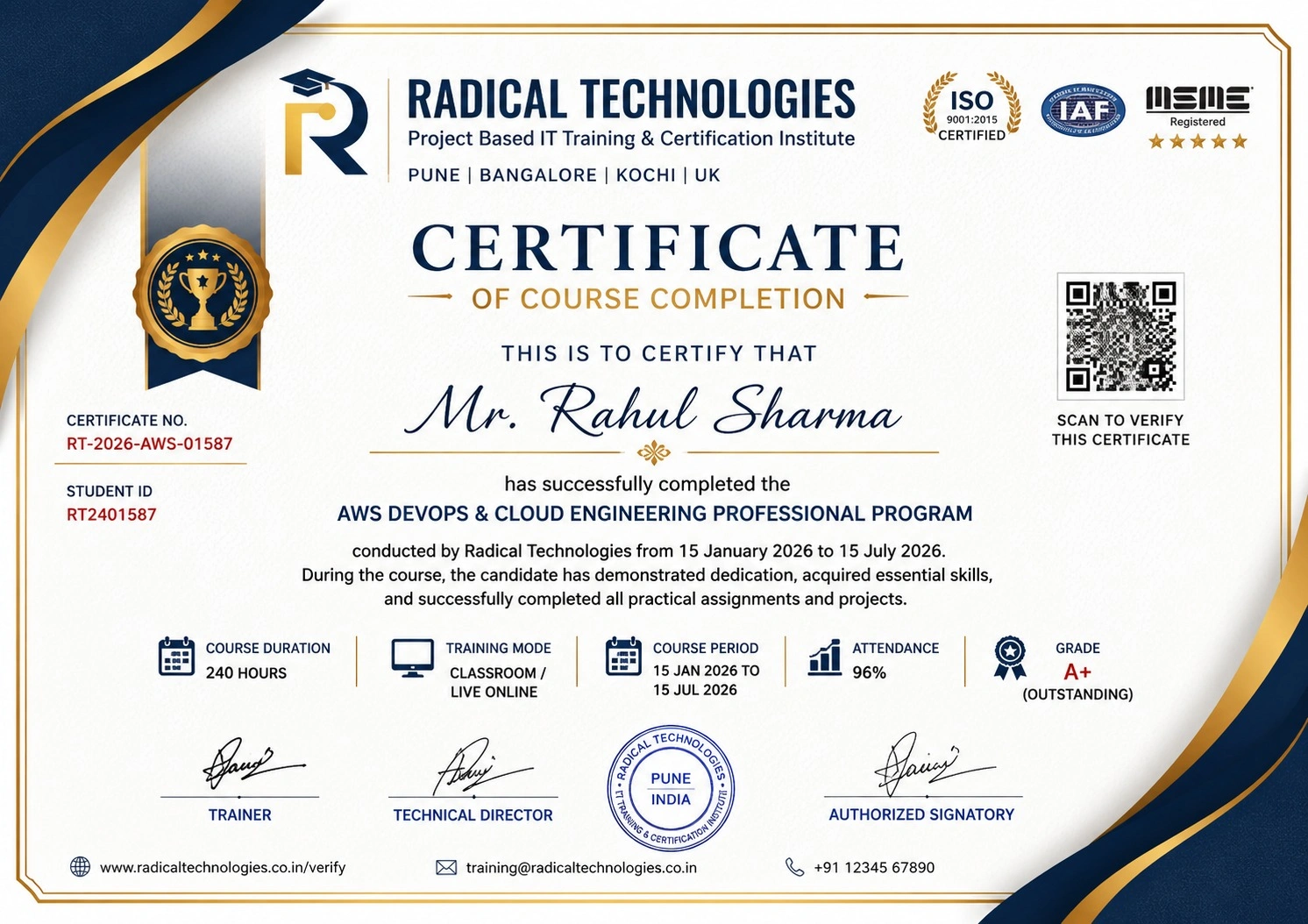
Certificate of Completion

Career Services

At Radical Technologies, we are committed to your success beyond the classroom. Our 100% Job Assistance program ensures that you are not only equipped with industry-relevant skills but also guided through the job placement process. With personalised resume building, interview preparation, and access to our extensive network of hiring partners, we help you take the next step confidently into your IT career.

Career Support

Course Completed? Need next steps?
Need Interview Supports?
Need Job Assistance?
Came from any other Institute?

Join our Brush-up Session & get support until you find a job!

Get Started

Radical Learning Eco-System

Exam Simulator

Cloud SandBox

Hands-on Cloud Lab

Developer Coding Ground

Student Reviews

4.4★
Average learner rating
50K+
Students trained
30+
Hiring companies alumni work at
100%
Placement assistance
4.4
★★★★★

Course Rating

★★★★★
62%
★★★★☆
21%
★★★☆☆
10%
★★☆☆☆
4%
★☆☆☆☆
3%

Our Alumni Work At
Accenture
Amazon
Avisys Services
Birlasoft
Capgemini
Catchpoint
Cognizant
Darwish Cybertech
DataVision
GiBots
Google
Groots Software
HCL Technologies
IBM
Info Gain
Infosys
ITCube Solutions
KPIT
L&T Infotech
Microsoft
Mphasis
mPhatek
Oracle
Quantbit Technologies
Saina Cloud
TCS
Tech Mahindra
Wipro
YASH Technologies
Zensar Technologies
Accenture
Amazon
Avisys Services
Birlasoft
Capgemini
Catchpoint
Cognizant
Darwish Cybertech
DataVision
GiBots
Google
Groots Software
HCL Technologies
IBM
Info Gain
Infosys
ITCube Solutions
KPIT
L&T Infotech
Microsoft
Mphasis
mPhatek
Oracle
Quantbit Technologies
Saina Cloud
TCS
Tech Mahindra
Wipro
YASH Technologies
Zensar Technologies