
END USER COMPUTING (EUC) / IT SUPPORT ENGINEER
The End User Computing (EUC) / IT Support Engineer Training Syllabus is a practical, job-focused program that teaches device management, user support, troubleshooting, and security in modern workplace environments using tools like Microsoft SCCM and Microsoft Intune. It is ideal for aspiring IT support engineers, desktop support professionals, and fresh graduates seeking careers in endpoint and workplace IT support. Target Roles • IT Support Engineer (L1 / L2) • EUC Engineer • Desktop Support Engineer • Modern Workplace Engineer • Endpoint Administrator Total Duration: 60–80 Hours Mode: Theory + Hands-on Labs + Real Enterprise Scenarios Prerequisites: Basic computer knowledge (non-IT candidates can also start)
END USER COMPUTING (EUC) / IT SUPPORT ENGINEER
IT Training Programme
100% placement assistance
What you'll learn
Programme Overview
12 sections covering the complete curriculum — a single, progressive learning arc.
Foundations & Core Concepts
Get hands-on with the fundamentals and architecture — the building blocks for everything that follows.
Hands-On Practical Training
Work through real exercises and assignments designed to mirror what you will do on the job.
Real-World Projects
Apply what you have learned to end-to-end projects that go straight into your portfolio.
Advanced Techniques
Go beyond the basics with advanced concepts, integrations and production-grade practices.
Ecosystem Integration
Understand how this technology connects with the broader tools and platforms used in the industry.
Performance & Interview Prep
Master optimization techniques and prepare for the technical interview questions employers actually ask.
Who is this programme for?
Whether you're already writing code, working with data, or supporting applications today — this programme is built to take you into a MICROSOFT role.
Software Developers
Engineers who want to add this skill set to their toolkit
Analysts & Consultants
Professionals moving into a more technical, hands-on role
IT Professionals
System admins and support engineers upskilling into a new domain
Fresh Graduates
CS/IT graduates aiming for a job-ready technical role
Course Curriculum
12 sections • 110 lessons • 60 hours
Jump to Section
Total Duration
60 hours
100% Practical · Unlimited Doubt Sessions
01 Module 1: IT Support & EUC Fundamentals (6 Hours)
Topics
Practical
02 Module 2: Windchill System Architecture
Topics
Hands-On Labs
- ›• OS installation & upgrade
- ›• Boot failure troubleshooting
- ›• Profile corruption fix
- ›• Blue Screen (BSOD) analysis
03 Module 3: Active Directory for EUC Engineers (8 Hours)
Topics
Labs
04 Module 4: Networking Essentials for IT Support (6 Hours)
Topics
Labs
05 Module 5: Microsoft 365 & Modern Workplace (8 Hours)
Topics
Labs
06 Module 6: Microsoft SCCM (ConfigMgr) – Endpoint Management (12 Hours)
Topics
Real-Time Labs
Enterprise Scenarios
- ›• Application deployment failure
- ›• Patch compliance issues
- ›• Endpoint not reporting to SCCM
07 Module 7: Microsoft Intune (MDM / MAM) – Cloud Endpoint Management (12 Hours)
Topics
Labs
08 Module 8: SCCM + Intune Co-Management (4 Hours)
Topics
Scenario Labs
- ›• Migrate devices from SCCM to Intune
- ›• Hybrid endpoint management use cases
09 Module 9: Endpoint Security & Compliance (6 Hours)
Topics
Labs
10 Module 10: Troubleshooting, Automation & Real Scenarios (8 Hours)
Topics
Real-World Scenarios
- ›• Laptop not booting
- ›• SCCM client broken
- ›• Intune device not compliant
- ›• User cannot login after password reset
- ›• Application deployment failure
11 Capstone Project (Mandatory)
Project Title
“Enterprise End User Computing Environment Setup”
Project Scope
12 Certification & Career Mapping
Job Roles After Training
Relevant Certifications
Tools & Technologies
Every tool listed here is installed, configured and used in a hands-on lab session.
Hands-On Labs
Practical Environment
Industry-Standard Tools
Real-World Setup
Guided Exercises
Skill Building
Sample Datasets
Practice Material
Mini Projects
Applied Practice
Assignments
Mentor Reviewed
Doubt Sessions
Live Support
Resume Building
Career Support
Mock Interviews
Interview Prep
Certification Prep
Global Recognition
Production Practices
Real-World Ready
Best Practices
Industry Standards
You don't just learn END USER COMPUTING (EUC) / IT SUPPORT ENGINEER. You ship it.
Three major projects, each mirroring how production teams actually work — from guided foundations to a portfolio-ready capstone.
Guided Foundation Project
→Requirement Analysis
→Guided Implementation
→Mentor Review
→Iteration
Apply the fundamentals in a structured, mentor-reviewed project
Take the core concepts from the first half of the curriculum and apply them to a realistic scenario, with guidance and feedback from your mentor at every step.
Applied Practice Project
→Scenario Design
→Independent Build
→Testing & Validation
→Peer Review
Build a more independent project mirroring real production scenarios
Work through a project that combines multiple concepts from the curriculum, closer to how work is actually structured on the job — less hand-holding, more ownership.
Capstone Project
→Planning
→End-to-End Build
→Review & Refinement
→Presentation
Take a project from requirements to a polished, portfolio-ready deliverable
Your final project — plan, build, test and present a complete solution using everything covered in the curriculum, reviewed by mentors before you graduate.
All 3 projects go directly into your portfolio & resume — reviewed by mentors before you graduate.
See Sample Project ReportsUpcoming Batches
Why Radical Technologies
- Highly practical oriented training
- Installation support on your system
- 24/7 Email and Phone support
- 100% Placement Assistance
- Global Certification Preparation
- Trainer-Student Interactive Portal
- Assignments and Projects by Mentors
- Weekend / Weekdays / Morning / Evening batches
- 80:20 Practical and Theory ratio
- Real-life Case Studies
- Easy make-up for missed sessions
- PSI | Kryterion | Redhat Test Centers
- Lifetime Video Classroom Access (coming soon)
- Resume Prep and Mock Interviews
- Learn 300+ courses at your own time
- 50,000+ Satisfied Learners
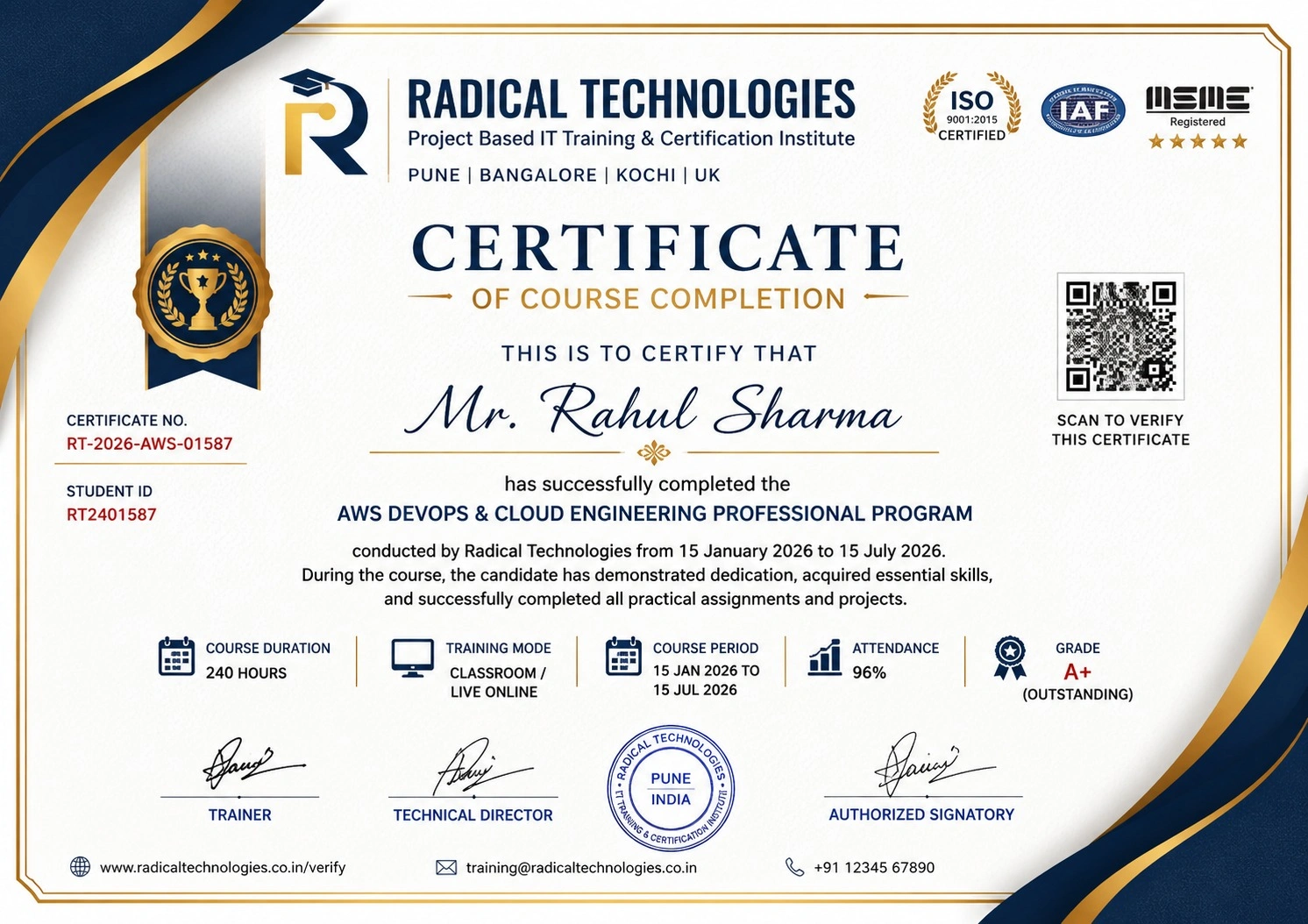
- Course Completion Certificate
- Practical Labs available
- Mentor Support available
- Doubt Clearing Session available
- 10% Discounted Global Certification
Like the Curriculum? Let's Get Started
Join 50,000+ students already enrolled at Radical Technologies
Global Certification
Radical Technologies is the leading IT certification institute in Pune, offering globally recognized certifications across various domains. With expert trainers and comprehensive materials, we ensure students gain in-depth knowledge and hands-on experience to excel in their careers. Our certification programs are tailored to meet industry standards — from cloud technologies to data science — empowering individuals to stay ahead in the ever-evolving tech landscape.
Career Services
At Radical Technologies, we are committed to your success beyond the classroom. Our 100% Job Assistance program ensures that you are not only equipped with industry-relevant skills but also guided through the job placement process. With personalised resume building, interview preparation, and access to our extensive network of hiring partners, we help you take the next step confidently into your IT career.
Career Support
Join our Brush-up Session & get support until you find a job!
Get StartedRadical Learning Eco-System
Exam Simulator
Cloud SandBox
Hands-on Cloud Lab
Developer Coding Ground
Student Reviews
Course Rating



Our Alumni Work At





















Related Courses

END USER COMPUTING (EUC) / IT SUPPORT ENGINEER Course In Other Cities
Online Batches Available For These Areas
Ambegaon Budruk | Aundh | Baner | Bavdhan Khurd | Bavdhan Budruk | Balewadi | Shivajinagar | Bibvewadi | Bhugaon | Bhukum | Dhankawadi | Dhanori | Dhayari | Erandwane | Fursungi | Ghorpadi | Hadapsar | Hingne Khurd | Karve Nagar | Kalas | Katraj | Khadki | Kharadi | Kondhwa | Koregaon Park | Kothrud | Lohagaon | Manjri | Markal | Mohammed Wadi | Mundhwa | Nanded | Parvati Hill | Panmala | Pashan | Pirangut | Shivane | Sus | Undri | Vishrantwadi | Vitthalwadi | Vadgaon Khurd | Vadgaon Budruk | Vadgaon Sheri | Wagholi | Wanwadi | Warje | Yerwada | Akurdi | Bhosari | Chakan | Charholi Budruk | Chikhli | Chimbali | Chinchwad | Dapodi | Dehu Road | Dighi | Dudulgaon | Hinjawadi | Kalewadi | Kasarwadi | Maan | Moshi | Phugewadi | Pimple Gurav | Pimple Nilakh | Pimple Saudagar | Pimpri | Ravet | Rahatani | Sangvi | Talawade | Tathawade | Thergaon | Wakad
END USER COMPUTING (EUC) / IT SUPPORT ENGINEER
IT Training Programme
100% placement assistance