Radical Technologies
OTHER
★★★★★
(2,095 ratings)  50,000+ Student

ROS 2 (ROBOT OPERATING SYSTEM 2)

ROS 2 (Robot Operating System 2) training helps learners understand how to develop software for robots, autonomous systems, and industrial robotics applications. The course covers ROS 2 fundamentals, Python/C++ programming, robot simulation, sensor integration, navigation, and motion control. Through hands-on labs, practical projects, and real-world troubleshooting, learners build skills to develop and test robotic applications and prepare for careers in robotics software engineering and autonomous systems.

RT
Radical Technologies
50,000+ English 40 Hours Weekdays / Weekends Classroom / Online / Corporate
Online / Classroom

ROS 2 (ROBOT OPERATING SYSTEM 2)

IT Training Programme

Duration 40 Hours
Batch Type Weekdays / Weekends
Mode of Training Classroom / Online / Corporate
Locations Pune, Bangalore, Kochi
Language English
Certification Globally Recognized
Call Now

100% placement assistance

What you'll learn

Understand core concepts and architecture from the ground up
Get hands-on with the tools used by working professionals
Build real-world projects you can add to your portfolio
Learn industry best practices and coding standards
Practice with real datasets and real-world scenarios
Prepare for certification and technical interviews
Work on collaborative, team-based exercises
Apply performance tuning and optimization techniques
Understand how the technology fits into a larger ecosystem
Complete assignments reviewed by mentors

Programme Overview

15 sections covering the complete curriculum — a single, progressive learning arc.

40 Hours
Training Duration
15
Core Modules
200
Total Lessons
4.4★
Average Rating
50K+
Students Trained
01

Foundations & Core Concepts

Get hands-on with the fundamentals and architecture — the building blocks for everything that follows.

Fundamentals Architecture Setup
02

Hands-On Practical Training

Work through real exercises and assignments designed to mirror what you will do on the job.

Practicals Assignments Labs
03

Real-World Projects

Apply what you have learned to end-to-end projects that go straight into your portfolio.

Projects Portfolio Case Studies
04

Advanced Techniques

Go beyond the basics with advanced concepts, integrations and production-grade practices.

Advanced Integration Best Practices
05

Ecosystem Integration

Understand how this technology connects with the broader tools and platforms used in the industry.

Ecosystem Tools Platforms
06

Performance & Interview Prep

Master optimization techniques and prepare for the technical interview questions employers actually ask.

Optimization Interview Prep Certification

Who is this programme for?

Whether you're already writing code, working with data, or supporting applications today — this programme is built to take you into a OTHER role.

Software Developers

Engineers who want to add this skill set to their toolkit

Analysts & Consultants

Professionals moving into a more technical, hands-on role

IT Professionals

System admins and support engineers upskilling into a new domain

Fresh Graduates

CS/IT graduates aiming for a job-ready technical role

Course Curriculum

15 sections  •  200 lessons  •  40 Hours

01 Course Overview

ROS 2 is an open-source robotics middleware framework used to build modular robot applications. It provides communication infrastructure, tools, libraries, and development patterns for robots that need to sense their environment, process data, make decisions, and execute actions.

This course takes learners from ROS 2 fundamentals to robot simulation, sensor integration, navigation, motion control, and introductory autonomous robotics development.

Key learning outcomes

Understand ROS 2 architecture, nodes, topics, services, and actions.
Develop robot applications using Python (rclpy) and introductory C++ (rclcpp).
Build custom messages, services, and actions.
Configure launch files, parameters, and ROS 2 communication.
Integrate simulated sensors and robot models using URDF and Xacro.
Simulate robots using Gazebo and visualize them in RViz.
Implement robot control, TF2 transforms, and sensor data processing.
Develop an introductory autonomous navigation workflow using Nav2.
Debug communication, simulation, sensor, and navigation issues.
Complete portfolio projects relevant to robotics software engineering.

Target job roles

ROS 2 Developer
Robotics Software Engineer
Autonomous Robotics Engineer
Robot Simulation Engineer
Robotics Integration Engineer
Mobile Robot Developer
Junior Navigation and Perception Engineer
Industrial Robotics Software Engineer
02 Prerequisites
Basic programming knowledge in Python; C++ is beneficial.
Basic Linux command-line skills.
Familiarity with variables, functions, classes, and debugging.
Basic mathematics, including coordinate systems and vectors.
Basic understanding of mechanics or electronics is helpful but not mandatory.
03 Fundamentals
Introduction to robotics, automation, and autonomous systems.
Robot hardware: sensors, actuators, motors, and controllers.
Robot software architecture and middleware concepts.
ROS 2 architecture, distributions, and workspace structure.
Linux filesystem, terminal, packages, and environment variables.
Python programming for robotics.
Basic C++ programming concepts for robotics.
Coordinate frames, position, orientation, and velocity.
Introduction to kinematics, feedback control, and sensor data.
Differences between ROS 1 and ROS 2.
DDS (Data Distribution Service) and the ROS 2 communication model.
Real-time robotics concepts, reliability, and system integration.
04 Core Technical Topics — Main Syllabus

Module 1: ROS 2 Architecture and Development Environment

ROS 2 architecture, distributions, installation, and environment setup.
Workspace creation, packages, build systems, and overlays.
colcon build tool and dependency management.
ROS 2 CLI: nodes, topics, services, actions, and interfaces.
Node lifecycle and process management.
DDS middleware, discovery, and Quality of Service (QoS) concepts.
ROS 2 domain IDs and multi-node communication.

Module 2: ROS 2 Programming with Python and C++

Creating ROS 2 packages using Python and C++.
Nodes, executors, timers, callbacks, and spinning.
Publishers and subscribers.
Services and clients.
Actions, goals, feedback, and results.
Standard messages: std_msgs, geometry_msgs, sensor_msgs, and nav_msgs.
Custom messages, services, and actions.
Parameters, logging, launch files, and node composition concepts.
Error handling, code organization, and package testing.

Module 3: Robot Description, TF2, and Visualization

URDF robot description and Xacro macros.
Links, joints, inertial properties, and visual/collision geometry.
Robot state publisher and joint state publisher.
TF2 coordinate frames and transform trees.
Fixed, revolute, and continuous joints.
RViz visualization of robot models, sensor data, and transforms.
Basic differential-drive robot modeling.
Frame alignment, coordinate conventions, and robot model validation.

Module 4: Robot Simulation and Control

Gazebo simulation environment and robot world setup.
Spawn and control a robot in a simulated environment.
Simulated camera, LiDAR, IMU, and odometry sensors.
ROS 2 control concepts and controller-manager architecture.
Differential-drive controller and joint interfaces.
Velocity commands using geometry_msgs/Twist or the supported command interface.
Basic proportional and PID control concepts.
Sensor topics, odometry, and feedback control.
Simulation clock, time synchronization, and debugging.

Module 5: Sensors, Perception, and Data Processing

Sensor message types and timestamp handling.
LiDAR scans and point-cloud fundamentals.
Camera image topics and image processing with OpenCV.
IMU and odometry data interpretation.
Sensor-data filtering and basic noise handling.
Message synchronization and sensor fusion concepts.
Coordinate transformation of sensor measurements using TF2.
Introduction to visual perception and obstacle detection.
Bag recording, playback, and repeatable data analysis.

Module 6: Navigation and Autonomous Mobile Robots

Mobile robot kinematics and odometry.
Mapping concepts and occupancy-grid maps.
Introduction to SLAM Toolbox.
Localization and the robot's pose estimate.
Nav2 architecture and navigation servers.
Costmaps, planners, controllers, and behavior trees.
Goal-based navigation and waypoint following.
Obstacle avoidance and recovery behaviors.
Map, TF, localization, and costmap troubleshooting.
Autonomous navigation testing in simulation.

Module 7: Integration, Testing, and Deployment

Launch-file orchestration for complete robot applications.
Parameter files and configuration management.
ROS 2 QoS tuning for reliable sensor communication.
Unit and integration testing using ament and launch_testing.
Logging, diagnostics, rosbag capture, and replay.
Git-based development and team collaboration.
Introduction to lifecycle nodes and managed startup.
Linux process management and deployment fundamentals.
Real-time considerations, safety stops, and failure handling.
Debugging multi-node applications and preparing project documentation.
05 Hands-On Labs

Lab Practical exercise

Set up a ROS 2 environment and create a workspace.
Build and run a basic ROS 2 node.
Create a Python publisher and subscriber.
Implement a service server and client.
Build an action server and action client.
Create a custom message and interface package.
Configure parameters and launch multiple nodes.
Explore QoS settings and communication behavior.
Build a URDF robot with links and joints.
Visualize the robot model and TF tree in RViz.
Spawn a mobile robot in Gazebo.
Control robot movement using velocity commands.
Read and process simulated LiDAR and IMU data.
Record and replay robot data using rosbag.
Implement basic sensor processing using OpenCV.
Configure a differential-drive controller.
Generate and inspect an occupancy-grid map.
Configure basic SLAM and localization.
Run Nav2 navigation to a target pose.
Debug navigation failures and validate the final robot workflow.
06 Assignments
Create a ROS 2 workspace and build a package using colcon.
Develop a publisher/subscriber application for robot status data.
Implement a service to reset a simulated robot’s state.
Create an action client that sends a movement goal and processes feedback.
Design custom messages for robot telemetry.
Configure a launch file with parameters for multiple nodes.
Investigate communication failures caused by incompatible QoS settings.
Create a URDF model of a two-wheel mobile robot.
Visualize coordinate frames and correct a TF2 transformation error.
Implement a velocity controller for a simulated differential-drive robot.
Process LiDAR scans to identify nearby obstacles.
Record sensor topics and replay them for repeatable testing.
Generate a map using a simulated mobile robot.
Configure a Nav2 goal-navigation task.
Diagnose navigation failures caused by incorrect frames, localization, or costmap configuration.
07 Mini Projects

Project 1: Differential-Drive Robot Controller

Develop a ROS 2 application that moves a two-wheel robot, accepts velocity commands, publishes odometry, and stops safely when required.

Technologies:

ROS 2, Python/C++, Gazebo, RViz

Project 2: LiDAR-Based Obstacle Detection

Process laser scans to detect nearby obstacles, publish obstacle status, and implement a basic stop-or-turn behavior.

Technologies:

ROS 2, sensor_msgs, TF2, simulation

Project 3: Autonomous Mapping and Navigation

Generate a map in simulation, configure localization, and use Nav2 to navigate between target locations while avoiding obstacles.

Technologies:

Gazebo, SLAM Toolbox, Nav2, RViz

Project 4: Camera-Based Object Detection

Subscribe to a camera stream, process images using OpenCV, and publish detection results or object-position estimates.

Technologies:

ROS 2, OpenCV, Python, image_transport
08 Capstone Projects

Capstone 1: Autonomous Warehouse Mobile Robot

Objective:

Build a simulated robot that navigates a warehouse environment and reaches assigned pickup and delivery points.

Scope:

Develop a robot model using URDF/Xacro.
Configure simulation, sensors, and differential-drive control.
Generate a map using SLAM or use a prepared map.
Configure localization and Nav2 navigation.
Implement waypoint-based missions.
Test obstacle avoidance and recovery behaviors.
Record runs, analyze failures, and document performance.

Capstone 2: ROS 2 Sensor Integration and Monitoring System

Objective:

Develop a modular robotics application that collects sensor data and provides status monitoring.

Scope:

Integrate simulated LiDAR, IMU, camera, and odometry topics.
Build publisher/subscriber and processing nodes.
Apply TF2 transformations and timestamp handling.
Implement sensor-health and communication-status monitoring.
Record and replay test data.
Validate behavior during missing or delayed sensor messages.

Capstone 3: Vision-Assisted Mobile Robot

Objective:

Combine camera processing with mobile robot control in simulation.

Scope:

Configure a simulated camera and robot model.
Process images using OpenCV.
Publish object detections and related metadata.
Integrate detection results with robot behavior.
Add safety limits and stop conditions.
Test different lighting, distance, and object-position scenarios in simulation.
Document the architecture, limitations, and test results.

Expected deliverables: Source code, ROS 2 packages, launch files, robot description, configuration files, simulation world, test cases, rosbag recordings, demonstration video or screenshots, and technical documentation.

Expected deliverables: Source code, ROS 2 packages, launch files, robot description, configuration files, simulation world, test cases, rosbag recordings, demonstration video or screenshots, and technical documentation.
09 Real-Time Job-Oriented Scenarios
10 Troubleshooting Scenarios
Node Discovery Failure: Check the domain ID, network configuration, middleware, and discovery settings.
Topic Messages Not Received: Inspect topic names, message types, publishers, subscribers, and QoS compatibility.
Package Build Failure: Check dependencies, package.xml, build configuration, and workspace overlays.
Robot Model Not Visible in RViz: Validate URDF/Xacro, robot description, fixed frame, and TF publishers.
Incorrect Robot Movement: Check velocity commands, wheel configuration, controller parameters, and odometry.
TF Extrapolation Errors: Investigate timestamps, transform availability, and simulated time configuration.
Misaligned LiDAR Readings: Verify sensor frames, transform direction, and sensor mounting configuration.
Gazebo Plugin Failure: Check plugin availability, model configuration, and ROS integration compatibility.
Distorted SLAM Map: Inspect odometry quality, sensor alignment, robot movement, and transform timing.
Nav2 Navigation Failure: Examine localization, map frames, costmaps, robot footprint, planners, and recovery behavior.
Slow Camera Processing: Profile image processing, reduce unnecessary data copies, and optimize image resolution and processing frequency.
Inconsistent ROS 2 Application Behavior: Inspect callback execution, concurrency, shared state, and timing assumptions.
11 Industry Tools and Technologies

Tool versions and simulator integrations should be selected to match the chosen ROS 2 distribution. Gazebo and ROS 2 compatibility should be checked before preparing the lab environment.

12 Best Practices
Use supported ROS 2 distributions and compatible dependencies.
Follow consistent package, node, topic, and interface naming conventions.
Separate sensing, perception, planning, and control into modular nodes.
Use appropriate QoS settings for sensor streams and critical communication.
Handle callback timing, concurrency, and shared state carefully.
Validate TF2 frames, timestamps, and coordinate conventions.
Use parameters and launch files instead of hardcoding configuration.
Implement safety stops, command limits, and fault-handling mechanisms.
Test robot behavior in simulation before hardware deployment.
Use rosbag recordings for repeatable debugging and regression testing.
Maintain unit tests, integration tests, and version control.
Document hardware assumptions, dependencies, limitations, and deployment steps.
13 Certification Names

ROS 2 does not have one universally recognized official certification that is mandatory for robotics software engineering roles. Relevant training credentials include:

ROS 2 training completion certificate from a recognized robotics training provider.
The Construct ROS / ROS 2 course certificates, depending on current course availability.
NVIDIA robotics and Isaac Sim training credentials, where available and relevant to simulation or accelerated robotics.
Vendor-specific robotics certifications for supported robot platforms and industrial automation systems.

For a ROS 2 developer program, practical portfolio projects and demonstrated programming ability are particularly important. Verify current certification availability and credential status before advertising a specific examination as an official ROS 2 certification.

14 Mock Interviews
ROS 2 architecture, nodes, topics, services, and actions.
Python/C++ node development and callback debugging.
DDS, QoS, and communication troubleshooting.
URDF, TF2, and robot coordinate frames.
Gazebo simulation and robot control.
LiDAR processing, SLAM, localization, and Nav2.
ROS 2 testing, rosbag, launch files, and deployment.
Capstone walkthrough and real-world debugging exercises.
15 Recommended 40-Hour Training Plan

Tools & Technologies

Every tool listed here is installed, configured and used in a hands-on lab session.

Core Tools

Hands-On Labs

Practical Environment

Industry-Standard Tools

Real-World Setup

Guided Exercises

Skill Building

Sample Datasets

Practice Material

Practice & Projects

Mini Projects

Applied Practice

Assignments

Mentor Reviewed

Doubt Sessions

Live Support

Career Readiness

Resume Building

Career Support

Mock Interviews

Interview Prep

Certification Prep

Global Recognition

Deployment & Delivery

Production Practices

Real-World Ready

Best Practices

Industry Standards

200+
Hands-On Lessons
15
Core Modules
40 Hours
Training Duration
100%
Practical Training

You don't just learn ROS 2 (ROBOT OPERATING SYSTEM 2). You ship it.

Three major projects, each mirroring how production teams actually work — from guided foundations to a portfolio-ready capstone.

PROJECT // 01

Guided Foundation Project

→Requirement Analysis

→Guided Implementation

→Mentor Review

→Iteration

Foundation Beginner

Apply the fundamentals in a structured, mentor-reviewed project

Take the core concepts from the first half of the curriculum and apply them to a realistic scenario, with guidance and feedback from your mentor at every step.

Structured project brief
Step-by-step implementation
Mentor feedback and review
Documented outcome
Stack Core Concepts Best Practices
PROJECT // 02

Applied Practice Project

→Scenario Design

→Independent Build

→Testing & Validation

→Peer Review

Applied Intermediate

Build a more independent project mirroring real production scenarios

Work through a project that combines multiple concepts from the curriculum, closer to how work is actually structured on the job — less hand-holding, more ownership.

End-to-end implementation
Testing and validation
Documentation
Peer/mentor review
Stack Applied Skills Testing
PROJECT // 03

Capstone Project

→Planning

→End-to-End Build

→Review & Refinement

→Presentation

Capstone Advanced

Take a project from requirements to a polished, portfolio-ready deliverable

Your final project — plan, build, test and present a complete solution using everything covered in the curriculum, reviewed by mentors before you graduate.

Complete working solution
Presentation-ready documentation
Mentor sign-off
Portfolio-ready deliverable
Stack Full Curriculum Portfolio

All 3 projects go directly into your portfolio & resume — reviewed by mentors before you graduate.

See Sample Project Reports

Upcoming Batches

No upcoming batches scheduled right now. Enquire to get notified.

Why Radical Technologies

Live Online Training
  • Highly practical oriented training
  • Installation support on your system
  • 24/7 Email and Phone support
  • 100% Placement Assistance
  • Global Certification Preparation
  • Trainer-Student Interactive Portal
  • Assignments and Projects by Mentors
Enroll Now
Live Classroom Training
  • Weekend / Weekdays / Morning / Evening batches
  • 80:20 Practical and Theory ratio
  • Real-life Case Studies
  • Easy make-up for missed sessions
  • PSI | Kryterion | Redhat Test Centers
  • Lifetime Video Classroom Access (coming soon)
  • Resume Prep and Mock Interviews
Enroll Now
Self-Paced Training
  • Learn 300+ courses at your own time
  • 50,000+ Satisfied Learners
  • Course Completion Certificate
  • Practical Labs available
  • Mentor Support available
  • Doubt Clearing Session available
  • 10% Discounted Global Certification
Enroll Now

Like the Curriculum? Let's Get Started

Join 50,000+ students already enrolled at Radical Technologies

Enroll Now

Global Certification

Radical Technologies is the leading IT certification institute in Pune, offering globally recognized certifications across various domains. With expert trainers and comprehensive materials, we ensure students gain in-depth knowledge and hands-on experience to excel in their careers. Our certification programs are tailored to meet industry standards — from cloud technologies to data science — empowering individuals to stay ahead in the ever-evolving tech landscape.
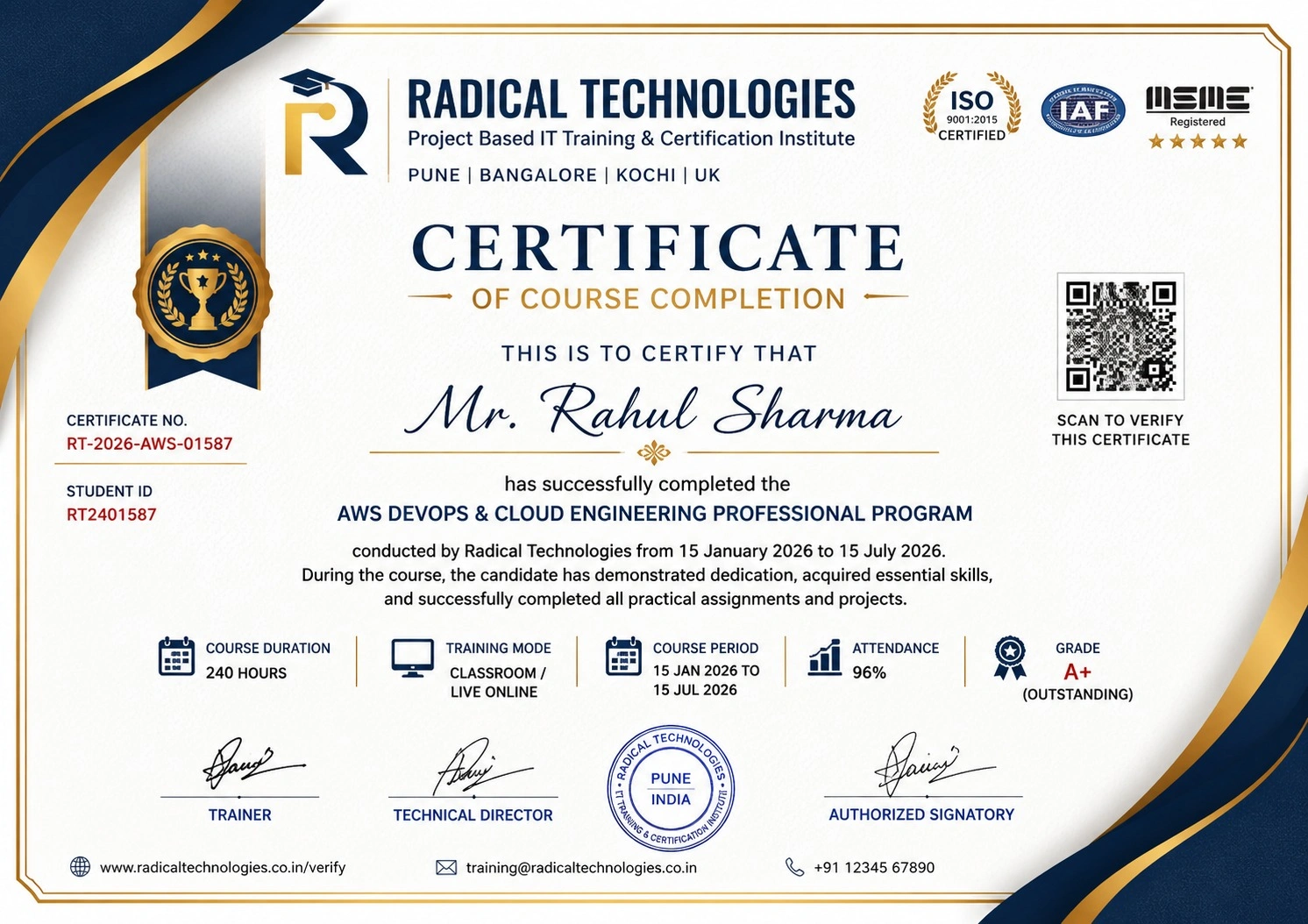
Certificate of Completion

Career Services

At Radical Technologies, we are committed to your success beyond the classroom. Our 100% Job Assistance program ensures that you are not only equipped with industry-relevant skills but also guided through the job placement process. With personalised resume building, interview preparation, and access to our extensive network of hiring partners, we help you take the next step confidently into your IT career.

Career Support

Course Completed? Need next steps?
Need Interview Supports?
Need Job Assistance?
Came from any other Institute?

Join our Brush-up Session & get support until you find a job!

Get Started

Radical Learning Eco-System

Exam Simulator

Cloud SandBox

Hands-on Cloud Lab

Developer Coding Ground

Student Reviews

4.4★
Average learner rating
50K+
Students trained
30+
Hiring companies alumni work at
100%
Placement assistance
4.4
★★★★★

Course Rating

★★★★★
62%
★★★★☆
21%
★★★☆☆
10%
★★☆☆☆
4%
★☆☆☆☆
3%

Our Alumni Work At
Accenture
Amazon
Avisys Services
Birlasoft
Capgemini
Catchpoint
Cognizant
Darwish Cybertech
DataVision
GiBots
Google
Groots Software
HCL Technologies
IBM
Info Gain
Infosys
ITCube Solutions
KPIT
L&T Infotech
Microsoft
Mphasis
mPhatek
Oracle
Quantbit Technologies
Saina Cloud
TCS
Tech Mahindra
Wipro
YASH Technologies
Zensar Technologies
Accenture
Amazon
Avisys Services
Birlasoft
Capgemini
Catchpoint
Cognizant
Darwish Cybertech
DataVision
GiBots
Google
Groots Software
HCL Technologies
IBM
Info Gain
Infosys
ITCube Solutions
KPIT
L&T Infotech
Microsoft
Mphasis
mPhatek
Oracle
Quantbit Technologies
Saina Cloud
TCS
Tech Mahindra
Wipro
YASH Technologies
Zensar Technologies