Radical Technologies
DATA WAREHOUSING | BI
★★★★★
(2,095 ratings)  50,000+ Student

TERADATA

Teradata is a powerful relational database management system designed for large-scale data warehousing and analytics. It enables organizations to efficiently store, manage, and analyze massive volumes of data. With its high-speed parallel processing, Teradata supports complex queries and real-time decision-making. It's widely used in industries for business intelligence and data-driven strategies.

RT
Radical Technologies
50,000+ English 40 hours Weekdays / Weekends Classroom / Online / Corporate
Online / Classroom

TERADATA

IT Training Programme

Duration 40 hours
Batch Type Weekdays / Weekends
Mode of Training Classroom / Online / Corporate
Locations Pune, Bangalore, Kochi
Language English
Certification Globally Recognized
Call Now

100% placement assistance

What you'll learn

Understand core concepts and architecture from the ground up
Get hands-on with the tools used by working professionals
Build real-world projects you can add to your portfolio
Learn industry best practices and coding standards
Practice with real datasets and real-world scenarios
Prepare for certification and technical interviews
Work on collaborative, team-based exercises
Apply performance tuning and optimization techniques
Understand how the technology fits into a larger ecosystem
Complete assignments reviewed by mentors

Programme Overview

11 sections covering the complete curriculum — a single, progressive learning arc.

40 hours
Training Duration
11
Core Modules
410
Total Lessons
4.4
Average Rating
50K+
Students Trained
01

Foundations & Core Concepts

Get hands-on with the fundamentals and architecture — the building blocks for everything that follows.

Fundamentals Architecture Setup
02

Hands-On Practical Training

Work through real exercises and assignments designed to mirror what you will do on the job.

Practicals Assignments Labs
03

Real-World Projects

Apply what you have learned to end-to-end projects that go straight into your portfolio.

Projects Portfolio Case Studies
04

Advanced Techniques

Go beyond the basics with advanced concepts, integrations and production-grade practices.

Advanced Integration Best Practices
05

Ecosystem Integration

Understand how this technology connects with the broader tools and platforms used in the industry.

Ecosystem Tools Platforms
06

Performance & Interview Prep

Master optimization techniques and prepare for the technical interview questions employers actually ask.

Optimization Interview Prep Certification

Who is this programme for?

Whether you're already writing code, working with data, or supporting applications today — this programme is built to take you into a DATA WAREHOUSING | BI role.

Software Developers

Engineers who want to add this skill set to their toolkit

Analysts & Consultants

Professionals moving into a more technical, hands-on role

IT Professionals

System admins and support engineers upskilling into a new domain

Fresh Graduates

CS/IT graduates aiming for a job-ready technical role

Course Curriculum

11 sections  •  410 lessons  •  40 hours

01 Teradata Basics
The Teradata Architecture
The Parsing Engine
The AMPs
Born to be parallel
The BYNET
Watch the Tera-Tom Video on Architecture
Collecting Statistics
Parsing Engine uses Statistics for the Plan
Columns and Indexes to Collect Statistics On
A Scalable Architecture
VProcs
Nodes and MPP
Watch the Tera-Tom Video on How AMPS store and process rows in Parallel
02 Logical Modeling
Logical Modeling – Primary and Foreign Keys
A Normalized Data Warehouse
Normalization
Dimensional Modeling also called Star Schema 
03 The Primary Index
Physical Modeling – The Primary Index
Two Types of Primary Indexes (UPI or NUPI)
Unique Primary Index (UPI)
Non-Unique Primary Index (NUPI)
Multi-Column Primary Indexes
When do you define the Primary Index?
Watch the Tera-Tom Video on Primary Indexes
04 How Teradata Distributes And Retrieves Data
How Teradata Distributes and Retrieves Rows
Hashing the Primary Index Value
The Hash Map Laying a Row onto the Proper AMP
Retrieving a Row by way of the Primary Index
Placing Non-Unique Primary Indexes (NUPI) Rows
Non-Unique Primary Indexes Continued
Placing (NUPI) Rows Continued
Retrieving (NUPI) Rows
Even Distribution with an UPI
Uneven Distribution with a NUPI
Unacceptable Distribution with a NUPI
Big Trouble – A Picture of a Full Table Scan
A Visual for Data Layout
Watch the Tera-Tom Video on
Data Placement
Bonus Video – Tera-Tom
Video on the Row-ID
Test your Teradata Primary Index Knowledge
05 Secondary Indexes
Secondary Indexes
The Secondary Index Subtable
USI – Always a Two-AMP Operation
USI Summary Watch the Tera-Tom Video on Unique Secondary Indexes (USI)
NUSI Sub table is AMP-Local NUSI Recap Secondary Index Summary
Watch the Tera-Tom Video on Non-Unique Secondary ‘Indexes (NUSI)
06 Partitioned Tables
A Table used for our Partitioning Example
Range Queries
Why we had to perform a Full Table Scan
A Partitioned Table
A Partitioned Table
One Year of Orders Partitioned
Fundamentals of Partitioning
Add the Partition to the Row-ID for the Row Key
Multi-Level Partitioning
Partitioning Rules
Watch the Tera-Tom Video on Partitioning
07 Join Indexes
Introduction to a Join Index
Join Index Fundamentals
A Multi-Table Join Index Example
Multi-Table Join Index Picture
Single-Table Join Index
Aggregate Join Index
Join Index Details to Remember
Watch the Tera-Tom Video on the Parody Teradata Query
Search-Off
08 Data Protection
Data Protection
Transaction Concept
Transient Journal
RAID 1 – Mirroring
Cliques
VProcs Migrate when a Node Fails
Cliques – An 8-Node Example
Hot Standby Nodes
Hot Standby Nodes in Action
FALLBACK Protection
How Fallback Works
Fallback Clusters Exercise
Fallback Clusters
The Six Rules of Fallback
Down AMP Recovery Journal (DARJ)
Permanent Journal
Permanent Journal Rules
09 Locking
The Four Locks of Teradata
Teradata has 3 levels of Locking
Locking Modifiers – The Access Lock
Locks and their compatibility 
10 Teradata SQL Syllabus

1.Fundamental Sql Using Select

Fundamental Structured Query Language (SQL)
Basic SELECT Command
WHERE Clause
Compound Comparisons (AND / OR)
Impact of NULL on Compound Comparisons
Using NOT in SQL Comparisons
Multiple Value Search (IN)
Using NOT IN
Using Quantifiers Versus IN
Multiple Value Range Search (BETWEEN)
Character String Search (LIKE)
Derived Columns
Creating a Column Alias Name
AS
NAMED
Naming conventions
Breaking Conventions
ORDER BY
TOP Rows Option
DISTINCT Function

2. On-Line Help And Show Commands

HELP commands
SET SESSION command
SHOW commands
EXPLAIN
Adding Comments
ANSI Comment
Teradata Comment
User Information Functions
ACCOUNT Function
DATABASE Function
SESSION Function

3. Data Conversions

Data Conversions
Data Types
CAST
Implied CAST
Formatted Data
Formatted Data for Day-Month-Year
Tricking the ODBC to Allow Formatted Data
TITLE Attribute for Data Columns
Transaction Modes
Case Sensitivity of Data
CASESPECIFIC
LOWER Function
UPPER Function

4. Aggregation

Aggregate Processing
Math Aggregates
The SUM Function
The AVG Function
The MIN Function
The MAX Function
The COUNT Function
Aggregates
Use of HAVING
Using the DISTINCT Function with Ao Performance Opportunities

5. Subquery Processing

Subquery
Using NOT IN
Using Quantifiers
Qualifying Table Names and Creating a Table Alias
Qualifying Column Names
Creating an Alias for a Table
Correlated Subquery Processing
Correlated Subquery To Find Duplicate Values
EXISTS

6. Join Processing

Join Processing
Original Join Syntax
Product Join
Newer ANSI Join Syntax
INNER JOIN
OUTER JOIN
LEFT OUTER JOIN
RIGHT OUTER JOIN
FULL OUTER JOIN
CROSS JOIN
Self Join
Alternative JOIN / ON Coding
Adding Residual Conditions to a Join
INNER JOIN
OUTER JOIN
OUTER JOIN Hints
Parallel Join Processing
Join Index Processing

7. Date And Time Processing

ANSI Standard DATE Reference
INTEGERDATE
ANSIDATE
DATEFORM
System Level Definition
User Level Definition
Session Level Declaration
DATE Processing
ADD_MONTHS
ANSI TIME
EXTRACT
Implied Extract of Day, Month and Year
ANSI TIMESTAMP
TIME ZONES
Setting TIME ZONES
Using TIME ZONES
Normalizing TIME ZONES
DATE and TIME Intervals
Using Intervals
INTERVAL Arithmetic with DATE and TIME
CAST Using Intervals
OVERLAPS
System Calendar

8. Character String Processing

Transforming Character Data
CHARACTERS Function
CHARACTER_LENGTH Function
OCTET_LENGTH Function
TRIM
SUBSTRING
SUBSTR
SUBSTRING and Numeric Data
POSITION
INDEX
SUBSTRING and POSITION or INDEX Used Together
Concatenation of Character Strings

9. Set Operators

Set Operators
Considerations for Using Set Operators
INTERSECT
UNION
EXCEPT
MINUS
Using Multiple Set Operators in a Single Request

10. Data Manipulation

Data Maintenance
Considerations for Data Maintenance
Safeguards
INSERT Command
Using Null for DEFAULT VALUES
INSERT / SELECT Command
Fast Path INSERT / SELECT
UPDATE Command
Fast Path UPDATE
DELETE Command
Fast Path DELETE
UPSERT
MERGE
ANSI Vs Teradata Transactions
Performance Issues with Data Maintenance
Impact of FALLBACK on Row Modification
Impact of PERMANENT JOURNAL Logging on Row Modification
Impact of Primary Index on Row Modification
Impact of Secondary Indices on Row Modification

11. Data Interrogation

Data Interrogation
NULLIFZERO
NULLIF
ZEROIFNULL
COALESCE
CASE
Flexible Comparisons within CASE
Comparison Operators within CASE
CASE for Horizontal Reporting
Nested CASE Expressions
CASE used with the other DML
Using CASE to avoid a join

12. View Processing

Views
Reasons to Use Views
Considerations for Creating Views
Creating and Using VIEWS
TOP Command allows ORDER BY in the View
Deleting Views
Modifying Views
Modifying Rows Using Views
DML Restrictions when using Views
INSERT using Views
UPDATE or DELETE using Views
WITH CHECK OPTION
Locking and Views

13. Data Definition Language

Creating Tables
Table Considerations
Maximum Columns per Table
Table Naming Conventions
CREATE TABLE
Column Data Types
Specifying the Database in a CREATE TABLE Statement
PRIMARY INDEX considerations
CREATE TABLE AS
Table Type Specifications of SET VS MULTISET
SET and MULTISET Tables
Protection Features
FALLBACK
Permanent Journal
BEFORE Journal
AFTER Journal
Internal Storage Options
DATABLOCKSIZE
FREESPACE PERCENTAGE
QUEUE Tables
Partitioned Primary Index (PPI)
SQL for Partitioned Primary Index (PPI)
Adding and Dropping Partitions
Column Attributes
Constraints
UNIQUE Constraint
CHECK Constraint
Referential Integrity (RI) Constraint
Defining Constraints at the Column level
Defining Constraints at the Table Level
Utilizing Default Values for a Table
Secondary Indices
CREATE TABLE to Copy an existing table
Altering a Table
Modifying the Primary Index Partitioning
Revalidating the Primary Index
Dropping a Table
Dropping a Table versus Deleting Rows
Renaming a Table
Creating Secondary via CREATE INDEX
Join Index
Collecting Statistics
Hashing Functions
HASHROW
HASHBUCKET
HASHAMP
HASHBAKAMP

14. Temporary Tables

Temporary Tables
Temporary Table Choices
Derived Tables
Derived Tables Using a Non-Recursive WITH
Derived Tables Using a Recursive WITH
Volatile Temporary Tables
Global Temporary Tables
GLOBAL Temporary Table Examples
General Practices for Temporary use Tables
11 TERADATA UTILITIES

1. BTEQ

Logging Onto Bteq Interactively
Logging Onto Bteq In A Script
Using Bteq To Submit Queries In Interactive Mode
The Brilliant Bteq With By Statement
Bteq Can Provide Grand Totals
The Four Types Of Bteq Exports
A Bteq Export Script
A Bteq Export Script In Report Mode
Output For Record Mode And Report Mode
Using Report Mode To Export A Csv File
Importing From A Csv File
Two Ways To Run A Bteq Script
Exporting Large Files In A Unix Mp-Ras System
Bteq Import Script
Importing A Comma Separated Csv File
Multiple Sessions In Bteq
Fast Path Inserts Using Bteq
Cool Commands In Bteq – Sidetitles
Using Bteq Conditional Logic With Errorcode
Bteq Commands
Sequence Control Commands
Format Control Commands

2. Fastload

Maximum amount of block utilities has changed!
Fastload has two phases
Acquisition phase 1
Fastload application phase 2
A sample fastload script
Referential integrity and load utility problems
Two ways to execute a fastload script
Building, executing or scheduling fastload with nexus
Building a fastload with nexus smartscript
The smartscript fastload builder
Executing fastload from the nexus chameleon
Output report from fastload
Recovering when fastload fails
Valid data types used in fastload
Fasload commands

3. Multiload

Maximum amount of block utilities has changed!
The five phases of multiload
A sample multiload script
Referential integrity and multiload problems
Supported input formats
A multiload that inserts and updates using
Two different input files
A multiload that inserts and updates using
Two different input files continued
A multiload that upserts
A multiload that upserts continued
A multiload that deletes (step 1 of 3)
A multiload that deletes (step 2 of 3)
A multiload that deletes (step 3 of 3)
Multiload imports won‘t work with nopi tables
Two easy ways to run a multiload
Building, executing or scheduling multiload with nexus
Building a multiload with nexus smartscript
The smartscript multiload builder
Executing your multiload script
The output report from multiload
Utility locks
Trouble shooting and restarting multiload

4. TPUMP

Limitations of tpump
A sample tpump script
Two easy ways to run a tpump
Building, executing or scheduling tpump with nexus
Building a tpump with nexus smartscript
The smartscript tpump builder
Executing your tpump script
Supported input formats
Tpump script with error treatment options
A tpump script that uses two input data files
A tpump upsert sample script
Fundamentals of the .begin statement
Pack
Rate
Serialize
Tpump commands and parameters
.Begin load parameters unique to tpump
Monitoring tpump
Handling errors in tpump using the error table
Common error codes and what they mean
Restarting tpump
Tpump and multiload comparison chart

5. Fastexport

Maximum amount of block utilities has changed!
How fastexport works
Fastexport supported operating systems
Fastexport
Fastexport enhancement – no spool
A fastexport in its simplest form
Fastexport script that joins two tables
Fastexport modes and formats
How indicators can hurt your fastload
How you can omit indicators in your fastexport
Create a fastload with indicators
A fastexport script using binary mode
Fastexport support and task commands
Task commands
Fastexport supported sql commands

Tools & Technologies

Every tool listed here is installed, configured and used in a hands-on lab session.

Core Tools

Hands-On Labs

Practical Environment

Industry-Standard Tools

Real-World Setup

Guided Exercises

Skill Building

Sample Datasets

Practice Material

Practice & Projects

Mini Projects

Applied Practice

Assignments

Mentor Reviewed

Doubt Sessions

Live Support

Career Readiness

Resume Building

Career Support

Mock Interviews

Interview Prep

Certification Prep

Global Recognition

Deployment & Delivery

Production Practices

Real-World Ready

Best Practices

Industry Standards

410+
Hands-On Lessons
11
Core Modules
40 hours
Training Duration
100%
Practical Training

You don't just learn TERADATA. You ship it.

Three major projects, each mirroring how production teams actually work — from guided foundations to a portfolio-ready capstone.

PROJECT // 01

Guided Foundation Project

Requirement Analysis

Guided Implementation

Mentor Review

Iteration

Foundation Beginner

Apply the fundamentals in a structured, mentor-reviewed project

Take the core concepts from the first half of the curriculum and apply them to a realistic scenario, with guidance and feedback from your mentor at every step.

Structured project brief
Step-by-step implementation
Mentor feedback and review
Documented outcome
Stack Core Concepts Best Practices
PROJECT // 02

Applied Practice Project

Scenario Design

Independent Build

Testing & Validation

Peer Review

Applied Intermediate

Build a more independent project mirroring real production scenarios

Work through a project that combines multiple concepts from the curriculum, closer to how work is actually structured on the job — less hand-holding, more ownership.

End-to-end implementation
Testing and validation
Documentation
Peer/mentor review
Stack Applied Skills Testing
PROJECT // 03

Capstone Project

Planning

End-to-End Build

Review & Refinement

Presentation

Capstone Advanced

Take a project from requirements to a polished, portfolio-ready deliverable

Your final project — plan, build, test and present a complete solution using everything covered in the curriculum, reviewed by mentors before you graduate.

Complete working solution
Presentation-ready documentation
Mentor sign-off
Portfolio-ready deliverable
Stack Full Curriculum Portfolio

All 3 projects go directly into your portfolio & resume — reviewed by mentors before you graduate.

See Sample Project Reports

Upcoming Batches

No upcoming batches scheduled right now. Enquire to get notified.

Why Radical Technologies

Live Online Training
  • Highly practical oriented training
  • Installation support on your system
  • 24/7 Email and Phone support
  • 100% Placement Assistance
  • Global Certification Preparation
  • Trainer-Student Interactive Portal
  • Assignments and Projects by Mentors
Enroll Now
Live Classroom Training
  • Weekend / Weekdays / Morning / Evening batches
  • 80:20 Practical and Theory ratio
  • Real-life Case Studies
  • Easy make-up for missed sessions
  • PSI | Kryterion | Redhat Test Centers
  • Lifetime Video Classroom Access (coming soon)
  • Resume Prep and Mock Interviews
Enroll Now
Self-Paced Training
  • Learn 300+ courses at your own time
  • 50,000+ Satisfied Learners
  • Course Completion Certificate
  • Practical Labs available
  • Mentor Support available
  • Doubt Clearing Session available
  • 10% Discounted Global Certification
Enroll Now

Like the Curriculum? Let's Get Started

Join 50,000+ students already enrolled at Radical Technologies

Enroll Now

Global Certification

Radical Technologies is the leading IT certification institute in Pune, offering globally recognized certifications across various domains. With expert trainers and comprehensive materials, we ensure students gain in-depth knowledge and hands-on experience to excel in their careers. Our certification programs are tailored to meet industry standards — from cloud technologies to data science — empowering individuals to stay ahead in the ever-evolving tech landscape.
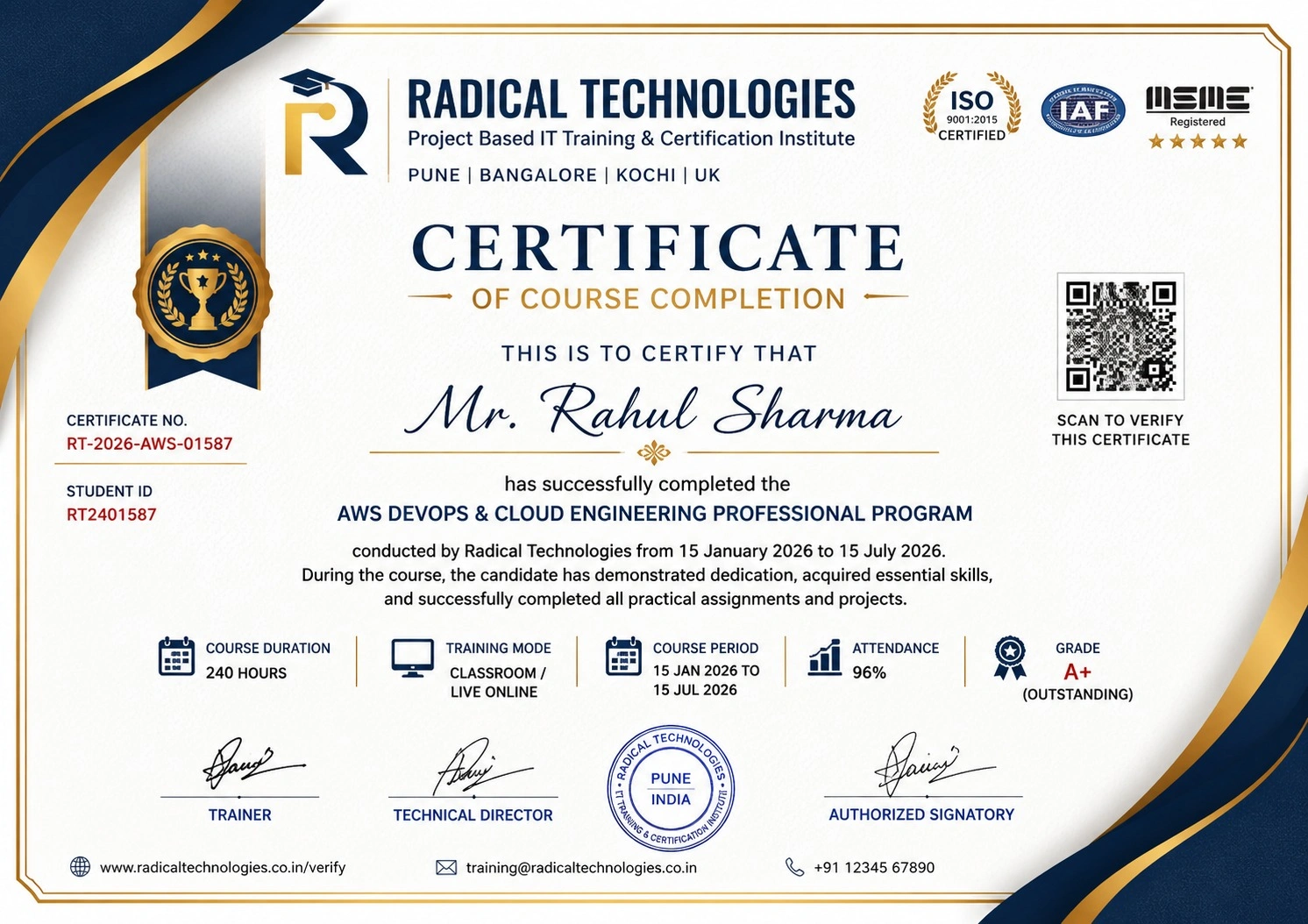
Certificate of Completion

Career Services

At Radical Technologies, we are committed to your success beyond the classroom. Our 100% Job Assistance program ensures that you are not only equipped with industry-relevant skills but also guided through the job placement process. With personalised resume building, interview preparation, and access to our extensive network of hiring partners, we help you take the next step confidently into your IT career.

Career Support

Course Completed? Need next steps?
Need Interview Supports?
Need Job Assistance?
Came from any other Institute?

Join our Brush-up Session & get support until you find a job!

Get Started

Radical Learning Eco-System

Exam Simulator

Cloud SandBox

Hands-on Cloud Lab

Developer Coding Ground

Student Reviews

4.4★
Average learner rating
50K+
Students trained
30+
Hiring companies alumni work at
100%
Placement assistance
4.4
★★★★★

Course Rating

★★★★★
62%
★★★★☆
21%
★★★☆☆
10%
★★☆☆☆
4%
★☆☆☆☆
3%

Our Alumni Work At

Accenture
Amazon
Avisys Services
Birlasoft
Capgemini
Catchpoint
Cognizant
Darwish Cybertech
DataVision
GiBots
Google
Groots Software
HCL Technologies
IBM
Info Gain
Infosys
ITCube Solutions
KPIT
L&T Infotech
Microsoft
Mphasis
mPhatek
Oracle
Quantbit Technologies
Saina Cloud
TCS
Tech Mahindra
Wipro
YASH Technologies
Zensar Technologies
Accenture
Amazon
Avisys Services
Birlasoft
Capgemini
Catchpoint
Cognizant
Darwish Cybertech
DataVision
GiBots
Google
Groots Software
HCL Technologies
IBM
Info Gain
Infosys
ITCube Solutions
KPIT
L&T Infotech
Microsoft
Mphasis
mPhatek
Oracle
Quantbit Technologies
Saina Cloud
TCS
Tech Mahindra
Wipro
YASH Technologies
Zensar Technologies